# §01_信息收集
LLMS index: [llms.txt](/wikis/llms.txt)
---
# 1. Google Hacking
Google Hacking Database(GHDB):[https://www.exploit-db.com/google-hacking-database](https://www.exploit-db.com/google-hacking-database)
谷歌搜索语法介绍:[https://program-think.blogspot.com/2013/03/internet-resource-discovery-2.html](https://program-think.blogspot.com/2013/03/internet-resource-discovery-2.html)
常见案例:
|搜索语法|作用|
|---|---|
|[site:edu.cn filetype:xls “身份证”](https://www.google.com/search?q=site:edu.cn+filetype:xls+%22%E8%BA%AB%E4%BB%BD%E8%AF%81%22)|查找教育机构的带有“身份证”字段的excel表格|
|[inurl:phpmyadmin/index.php?server=1](https://www.google.com/search?q=inurl:phpmyadmin/index.php?server=1)|查找phpmyadmin登录页|
|[inurl:info.php intext:”PHP Version” intitle:”phpinfo()](https://www.google.com/search?q=inurl:info.php+intext:%22PHP+Version%22+intitle:%22phpinfo()%22)|查找展示phpinfo()的站点|
|[inurl:”.php?id=” “You have an error in your SQL syntax”](https://www.google.com/search?q=inurl:%22.php?id=%22+%22You+have+an+error+in+your+SQL+syntax%22)|查找可能存在SQL注入的站点|
|[intitle:后台登陆 inurl:http:](https://www.google.com/search?q=intitle:%22%E5%90%8E%E5%8F%B0%E7%99%BB%E9%99%86%22+inurl:http:)|查找登录页为http的站点|
|[intitle:”index of” intext:”Last modified”](https://www.google.com/search?q=intitle:%22index+of%22+intext:%22Last+modified%22)|查找存在目录遍历的站点|
> 注意:频繁进行Google Hacking会被谷歌识别为异常流量而进行人机验证
## 2. 网络空间资产测绘平台
## 2.1 Shodan(/ˈʃoʊ.dæn/)
官网(需登录使用):[https://www.shodan.io/](https://www.shodan.io/)
浏览器扩展:[https://chromewebstore.google.com/detail/shodan/jjalcfnidlmpjhdfepjhjbhnhkbgleap](https://chromewebstore.google.com/detail/shodan/jjalcfnidlmpjhdfepjhjbhnhkbgleap)
[CLI使用](https://help.shodan.io/command-line-interface/0-installation):`python -m pip install shodan -i https://pypi.tuna.tsinghua.edu.cn/simple`
[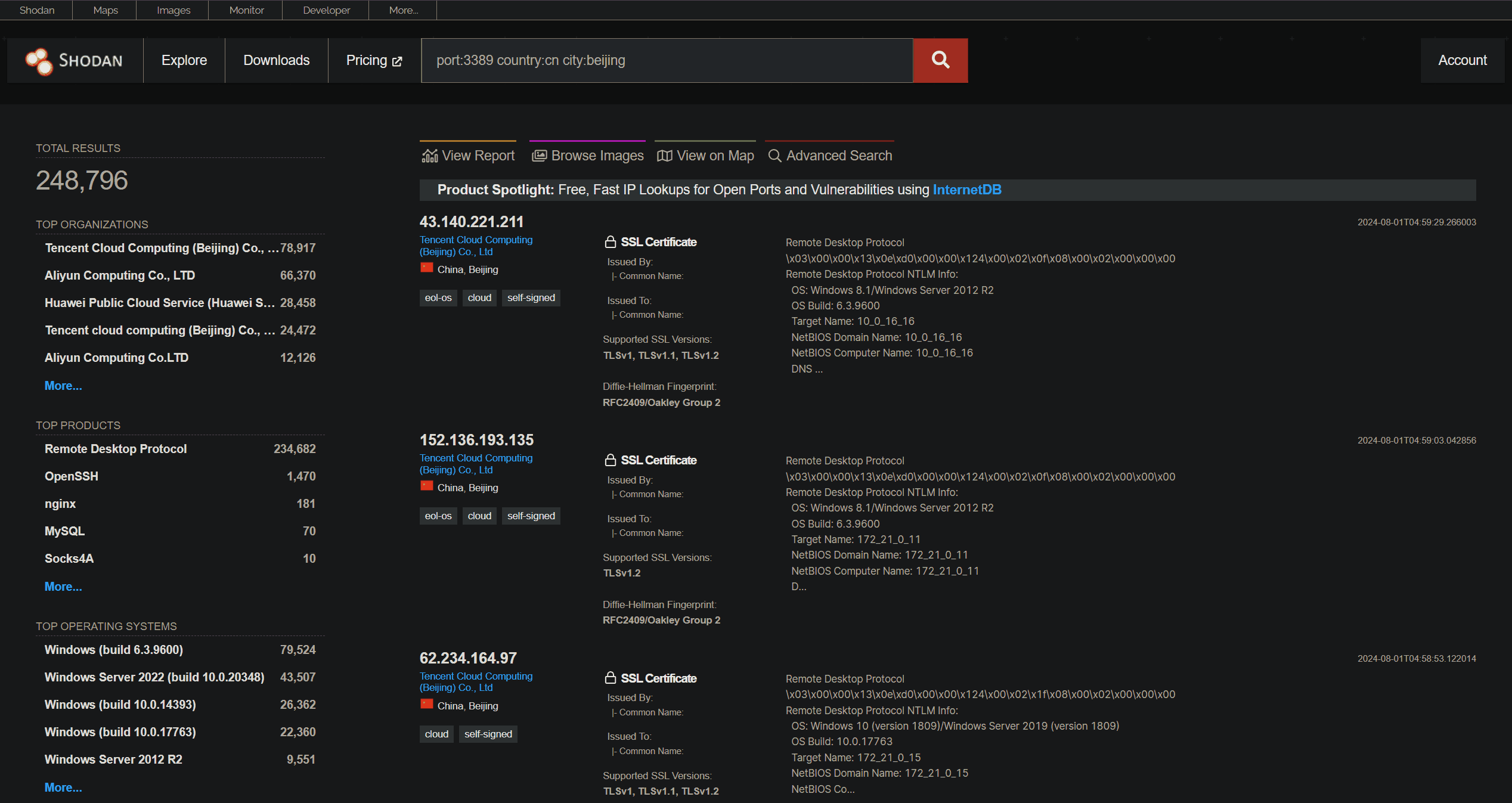]
常见案例:
|[搜索语法](https://www.shodan.io/search/examples)|作用|
|---|---|
|[Hikvision-Webs country:cn city:changsha](https://www.shodan.io/search?query=Hikvision-Webs+country:cn+city:changsha)|搜索长沙的海康威视摄像头后台页|
|[port:3389 country:cn city:beijing](https://www.shodan.io/search?query=port:3389+country:cn+city:beijing)|搜索北京的开启了RDP的服务器|
|[vuln:CVE-2017-0144 country:cn](https://www.shodan.io/search?query=vuln:CVE-2017-0144+country:cn)|搜索存在永恒之蓝漏洞的中国设备(漏洞搜索需要付费)|
|[country:cn city:changsha nginx](https://www.shodan.io/search?query=country:cn+city:changsha+nginx)|搜索长沙的Nginx服务器|
|[isp:huawei country:cn](https://www.shodan.io/search?query=isp:huawei+country:cn)|搜索华为的基础设施设备|
## 2.2 FOFA
官网:[https://fofa.info/](https://fofa.info/)
浏览器扩展(非官方):[https://chromewebstore.google.com/detail/fofa-pro-view/dobbfkjhgbkmmcooahlnllfopfmhcoln](https://chromewebstore.google.com/detail/fofa-pro-view/dobbfkjhgbkmmcooahlnllfopfmhcoln)
[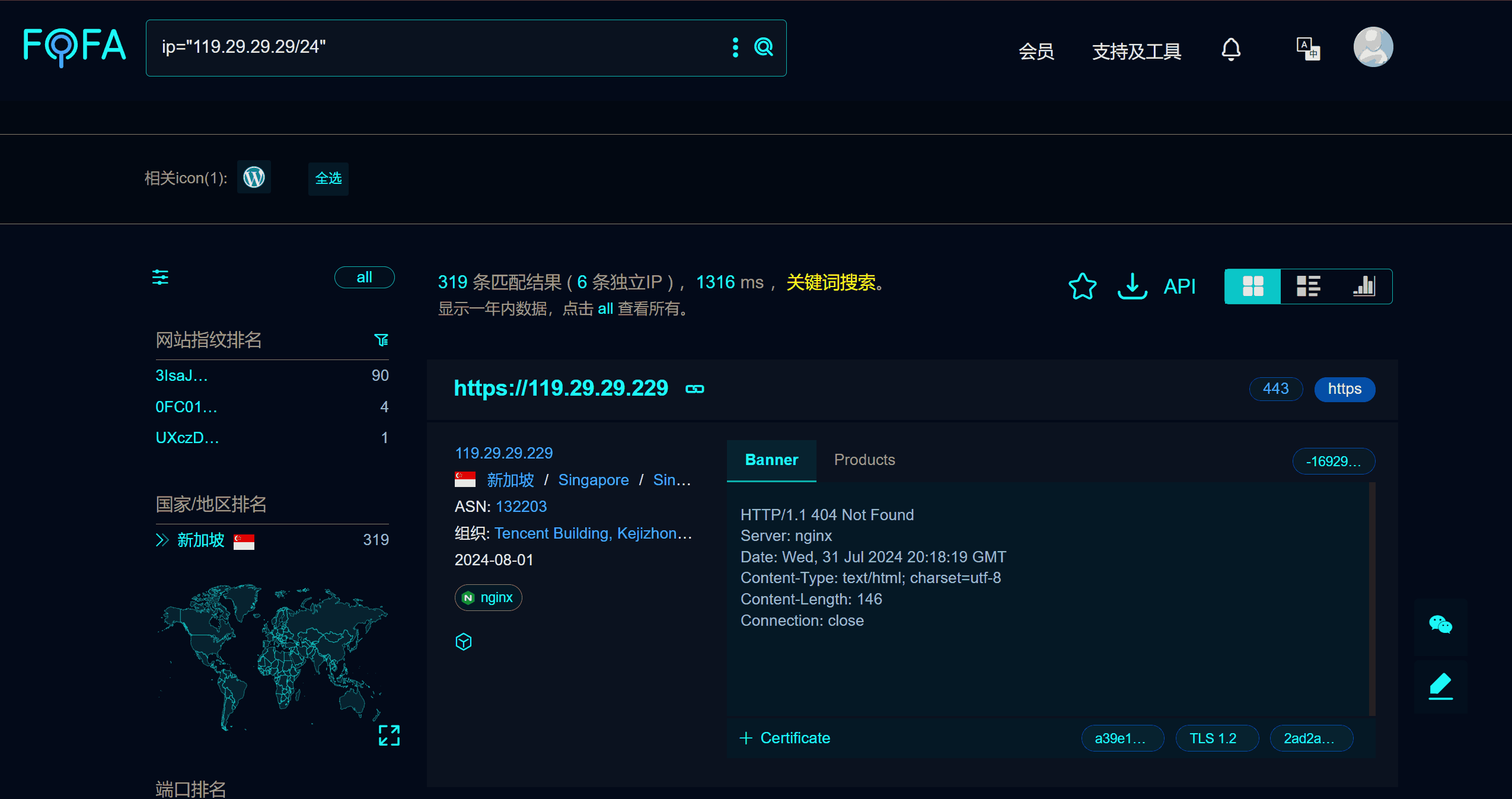]
常见案例:
|[搜索语法](https://fofa.info/help_articles/list#%E6%9F%A5%E8%AF%A2%E8%AF%AD%E6%B3%95)|作用|
|---|---|
|[body=”{\“hello\“:\“clash\“}” \| body=”{\“hello\“:\“clash.meta\“}” \| port=”9090” && body=”{\“message\“:\“Unauthorized\“}”](https://fofa.info/result?qbase64=Ym9keT0ie1wiaGVsbG9cIjpcImNsYXNoXCJ9IiB8fCBib2R5PSJ7XCJoZWxsb1wiOlwiY2xhc2gubWV0YVwifSIgfHwgcG9ydD0iOTA5MCIgJiYgYm9keT0ie1wibWVzc2FnZVwiOlwiVW5hdXRob3JpemVkXCJ9Ig==)|查找Clash的RESTful API接口|
|[ip=”119.29.29.29/24”](https://fofa.info/result?qbase64=aXA9IjExOS4yOS4yOS4yOS8yNCI=)|查C段信息|
|[icon_hash=”-1825654886” && country=CN](https://fofa.info/result?qbase64=aWNvbl9oYXNoPSItMTgyNTY1NDg4NiIgJiYgY291bnRyeT1DTg==)|查找图标哈希|
|[body=”自动抓取tg频道、订阅地址”](https://fofa.info/result?qbase64=Ym9keT0i6Ieq5Yqo5oqT5Y+WdGfpopHpgZPjgIHorqLpmIXlnLDlnYAi)|查找公开节点池|
|[protocol=”socks5” && country=”CN” && banner=”Method:No Authentication”](https://fofa.info/result?qbase64=cHJvdG9jb2w9InNvY2tzNSIgJiYgY291bnRyeT0iQ04iICYmIGJhbm5lcj0iTWV0aG9kOk5vIEF1dGhlbnRpY2F0aW9uIg==)|查找公开的socks5代理|
## 2.3 微步在线
官网(需登录使用): [https://x.threatbook.com/v5/mapping](https://x.threatbook.com/v5/mapping)
[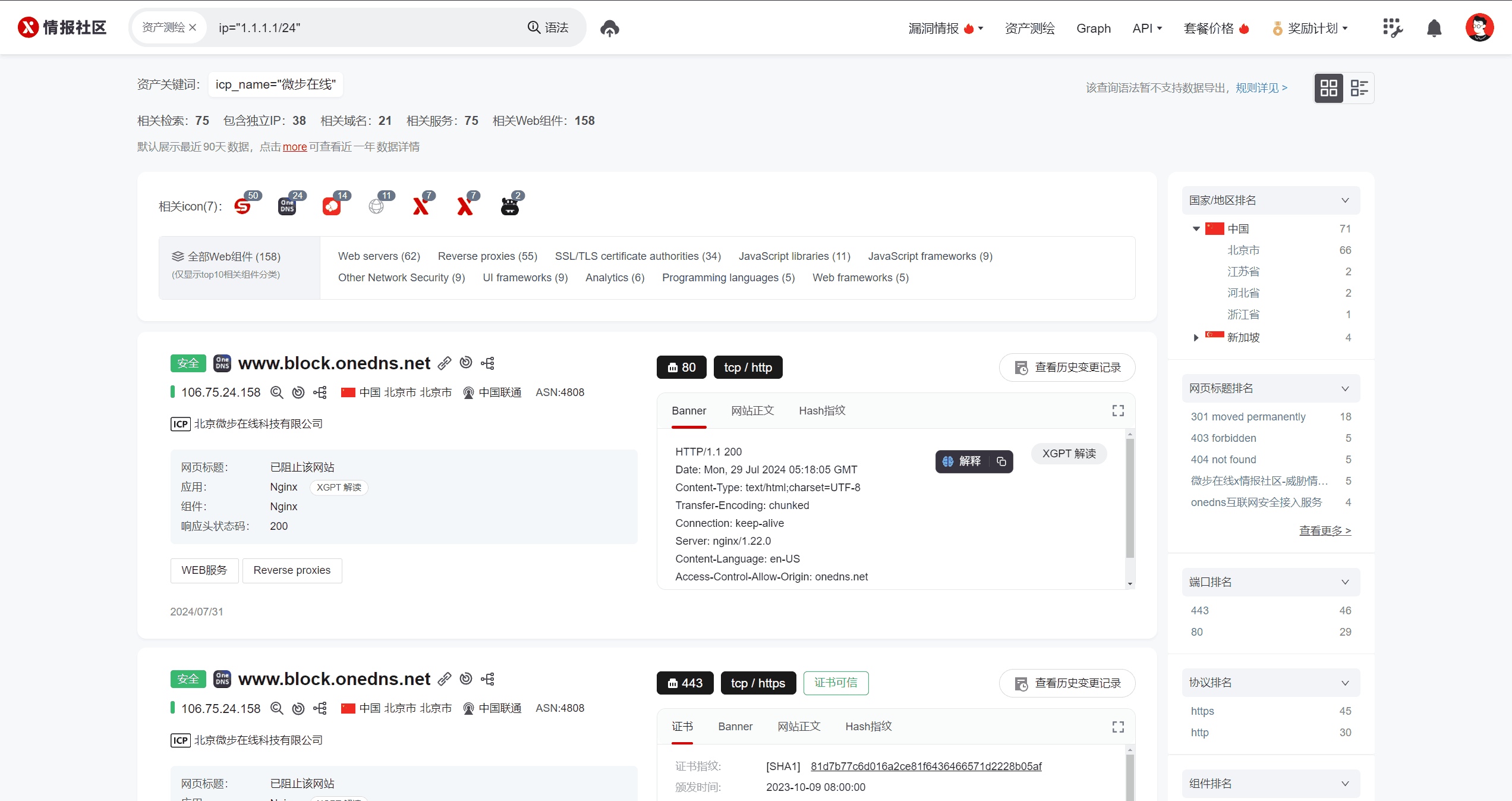]
## 2.4 钟馗之眼(ZoomEye)
官网:[https://www.zoomeye.org/](https://www.zoomeye.org/)
不用学他的搜索语法,可以直接用它自带的搜索工具组合不同条件进行搜索:
[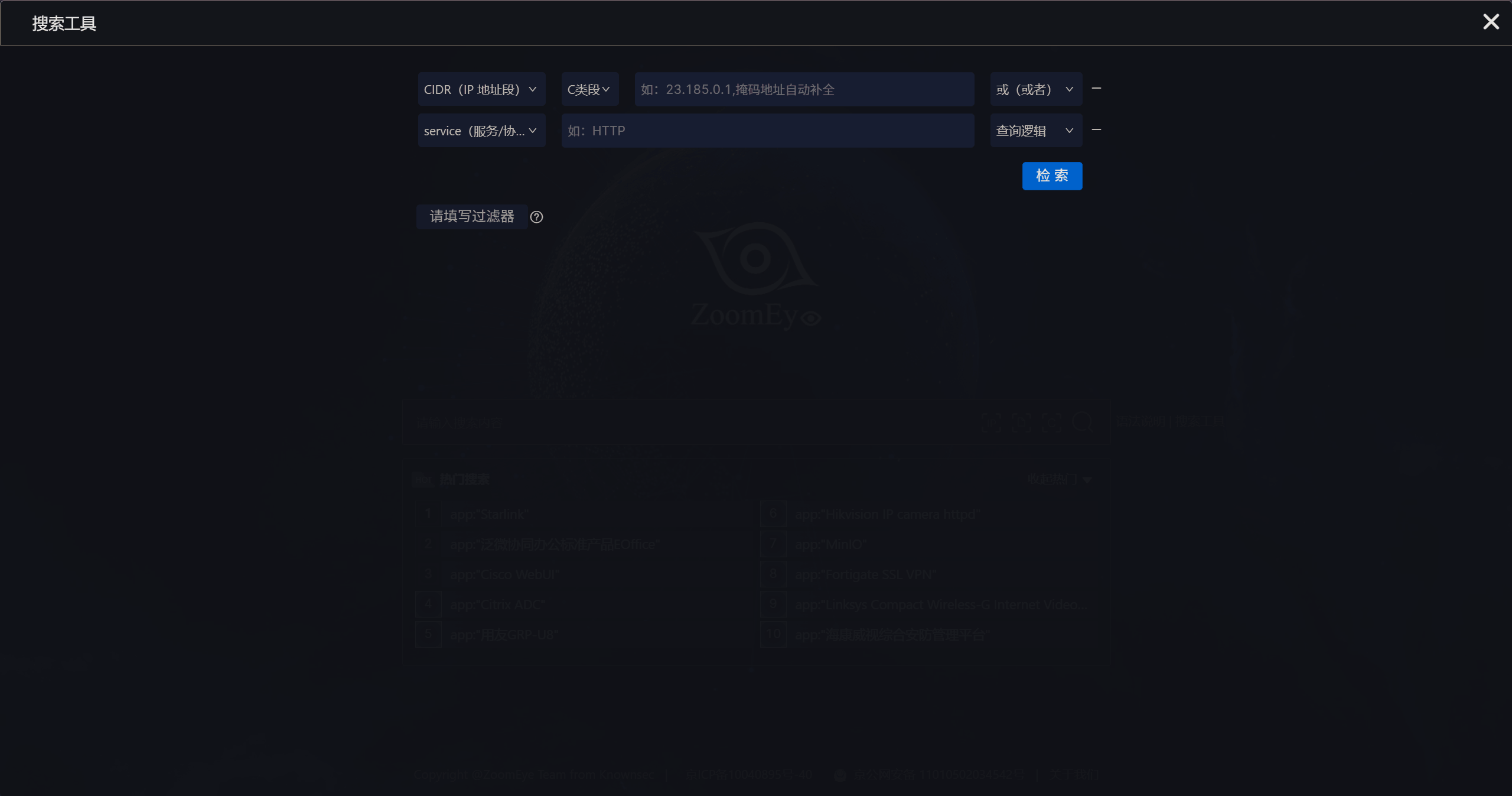]
## 2.5 更多
需了解更多网络空间资产测绘平台以及威胁情报平台,可参考下面两篇文章:
- [https://mp.weixin.qq.com/s/1v9y1Ib2ckIlo5eaxS_R-g](https://mp.weixin.qq.com/s/1v9y1Ib2ckIlo5eaxS_R-g)
- [https://mp.weixin.qq.com/s/Ye0eE15b6S-V2Ohh3tOqug](https://mp.weixin.qq.com/s/Ye0eE15b6S-V2Ohh3tOqug)
## 3. whois和ICP备案
## 3.1 whois
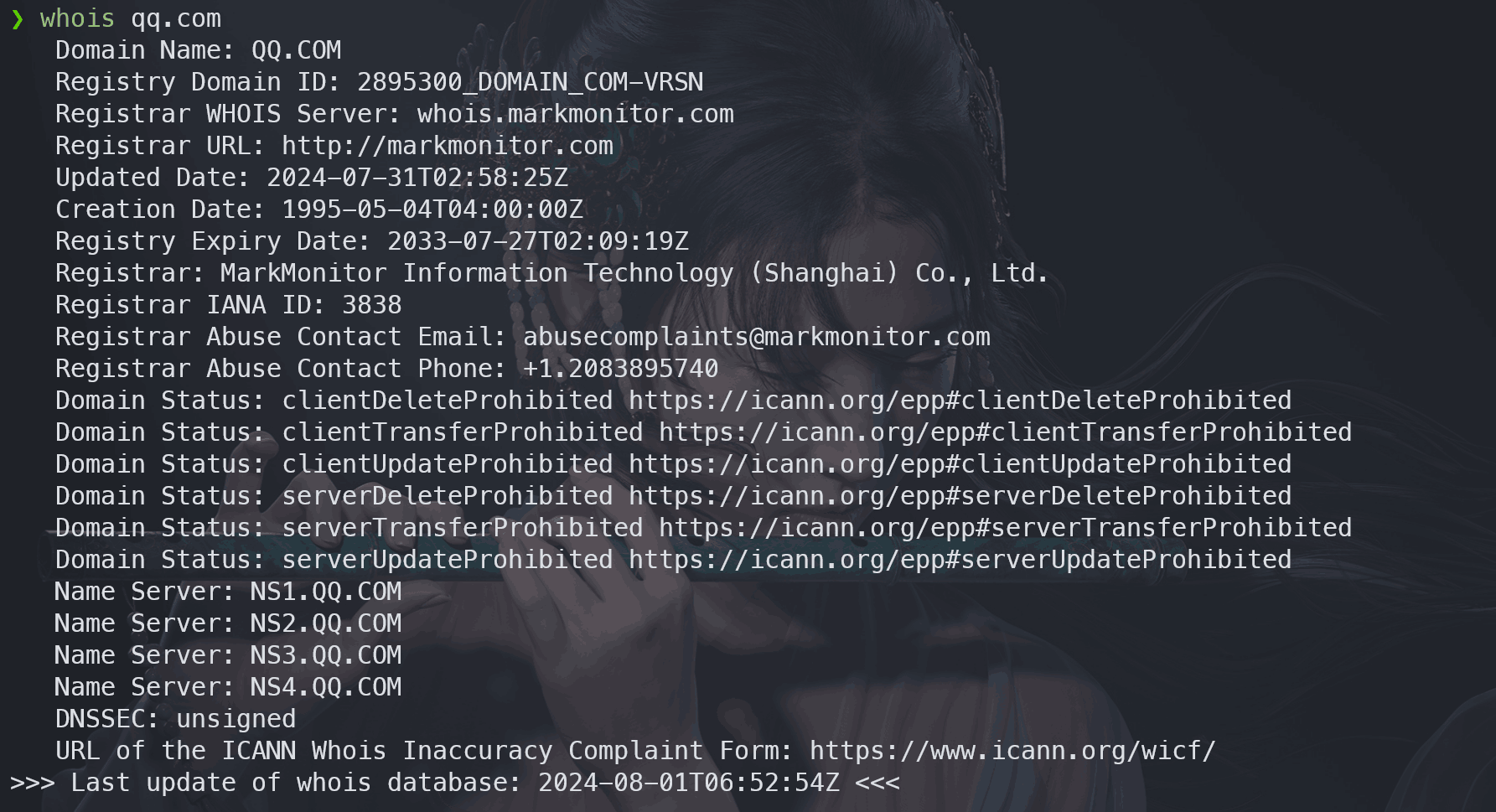
### 3.1.1 CLI
Windows:[https://learn.microsoft.com/zh-cn/sysinternals/downloads/whois](https://learn.microsoft.com/zh-cn/sysinternals/downloads/whois)
Debian/Linux:`sudo apt install whois`
[]
### 3.1.2 Web
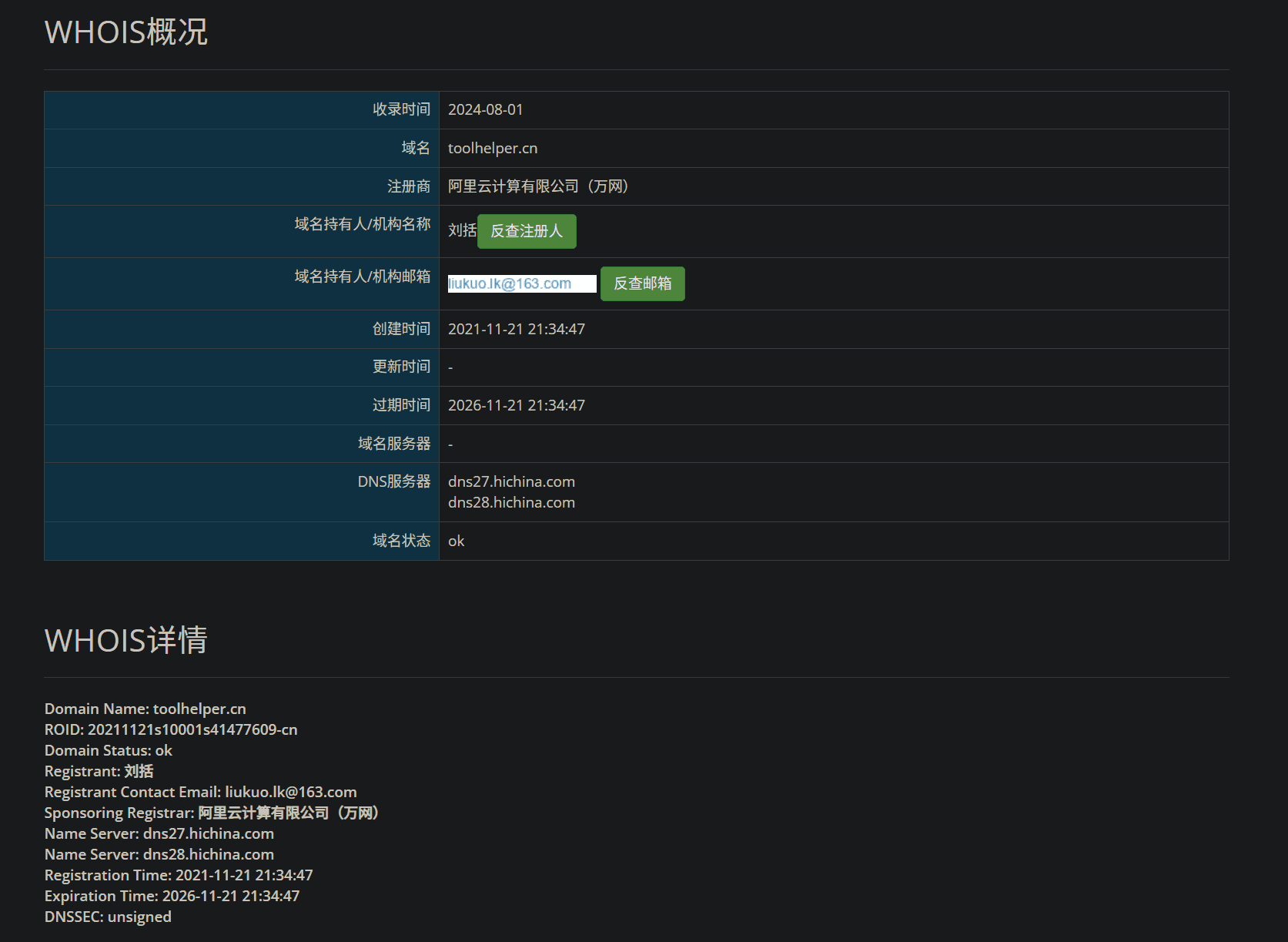
Bugscaner:[http://whois.bugscaner.com/](http://whois.bugscaner.com/)
爱站网:[https://whois.aizhan.com/](https://whois.aizhan.com/)
站长之家:[https://whois.chinaz.com/](https://whois.chinaz.com/)
流氓CNNIC(推荐查`.cn`域名):[https://webwhois.cnnic.cn/WhoisServlet](https://webwhois.cnnic.cn/WhoisServlet)
> Web搜索whois信息相比较于命令行搜索的优势在于关键信息优化排版且汉化显示,有的还可以反查ICP备案、解析地址等信息;部分站点查询到的whois信息为缓存信息,最新信息可以通过其提供的更新按钮获取。
[]
## 3.2 ICP备案
工信部服务平台:[https://beian.miit.gov.cn/#/Integrated/recordQuery](https://beian.miit.gov.cn/#/Integrated/recordQuery)
爱站网:[https://icp.aizhan.com/](https://icp.aizhan.com/)
站长之家:[https://icp.chinaz.com/](https://icp.chinaz.com/)
[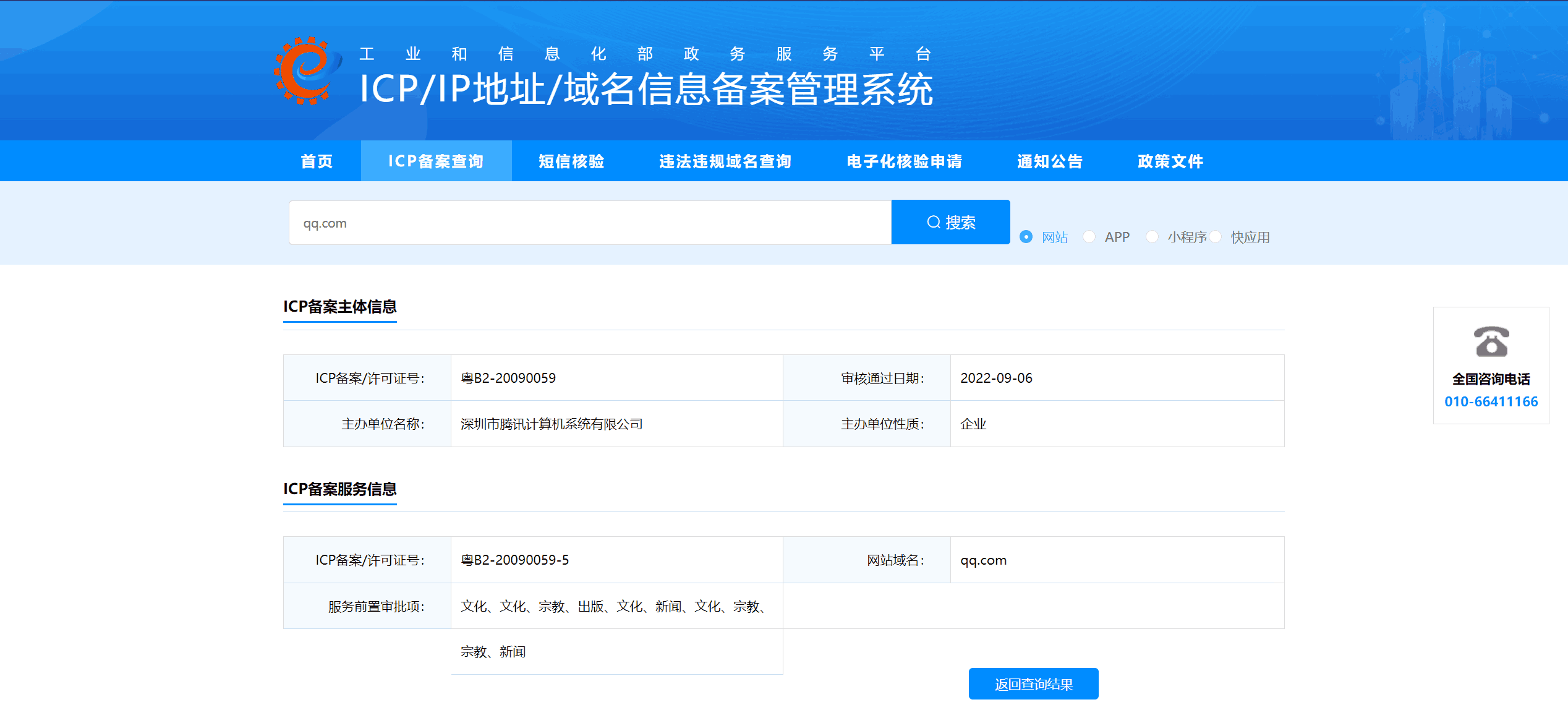]
> .cn域名没有whois隐私保护(whois protection),会泄露注册人的真实姓名以及邮箱地址,如果是企业注册的,则会泄露企业名称,可以结合天眼查查他的法定代表人姓名,最后再根据已知信息使用社工库进行猎魔查找。社工库不会找?用前面教的Google Hacking啊:`inurl:t.me intitle:社工库`
## 4 子域名收集
## 4.1 Google Hacking
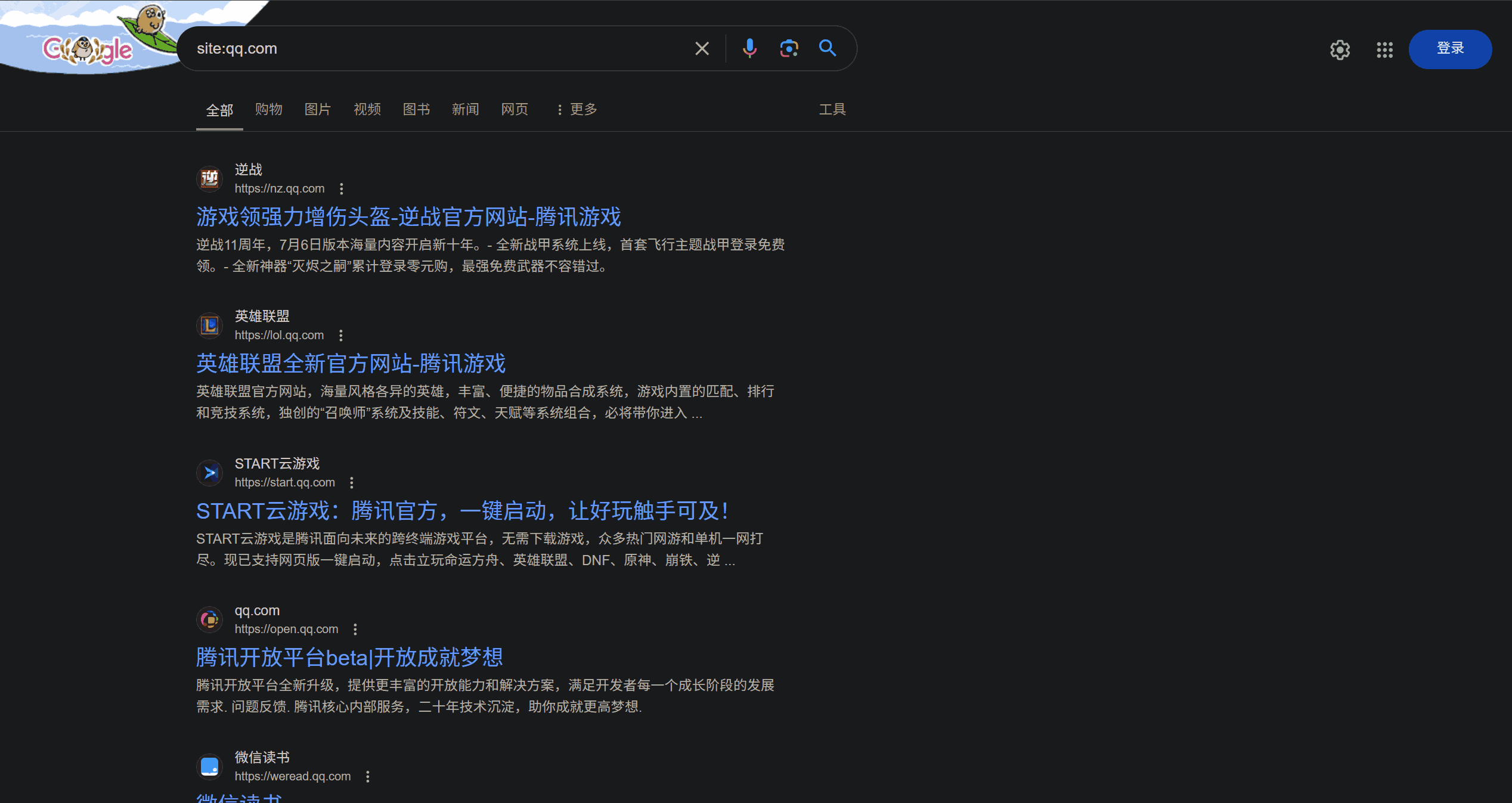
`site:domain`
查找QQ的子域名:
[]
## 4.2 微步在线
[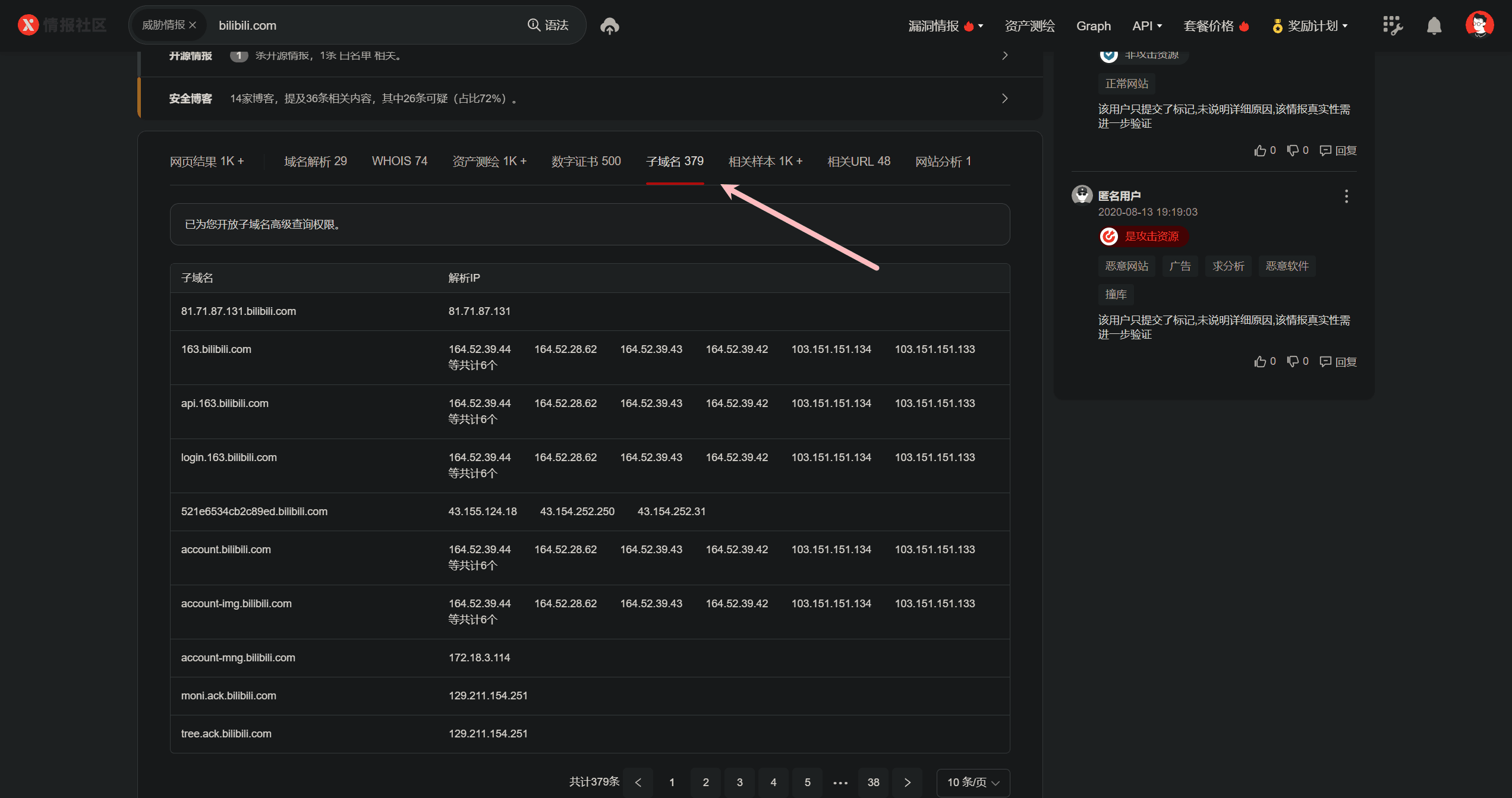]
## 4.3 命令行手动搜集
- Windows:`nslookup [Domain] [DNS]`
- Linux:`dig [Domain] [@DNS]`
- 验证连接:`curl -I -L -k [Domain]`
[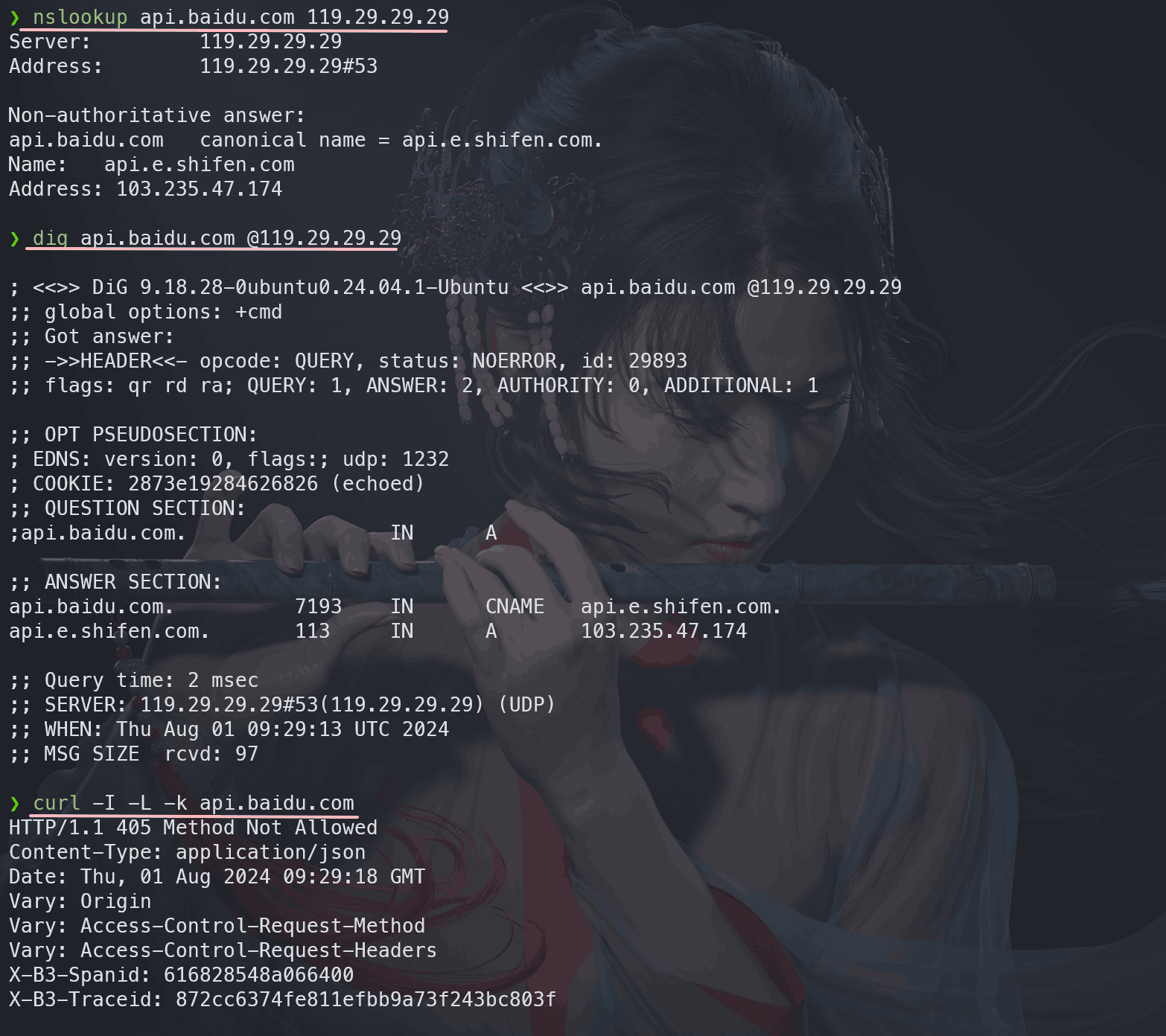]
## 4.4 Sublist3r
项目地址:[https://github.com/aboul3la/Sublist3r](https://github.com/aboul3la/Sublist3r)
下载使用:
bash
| | |
|---|---|
|1
2
3
4
5|python -m pip install -r requirements.txt -i https://pypi.tuna.tsinghua.edu.cn/simple # 安装依赖
python -m pip install win_unicode_console colorama -i https://pypi.tuna.tsinghua.edu.cn/simple # 高亮显示模块
git clone https://github.com/aboul3la/Sublist3r.git
cd Sublist3r
python sublist3r.py -d lololowe.com -p 80,443 -v -b # 开始爆破|
> sublist3r 如果不加`-b`选项的话,则不会进行域名枚举爆破,只会从多个搜索引擎中收集子域信息。
[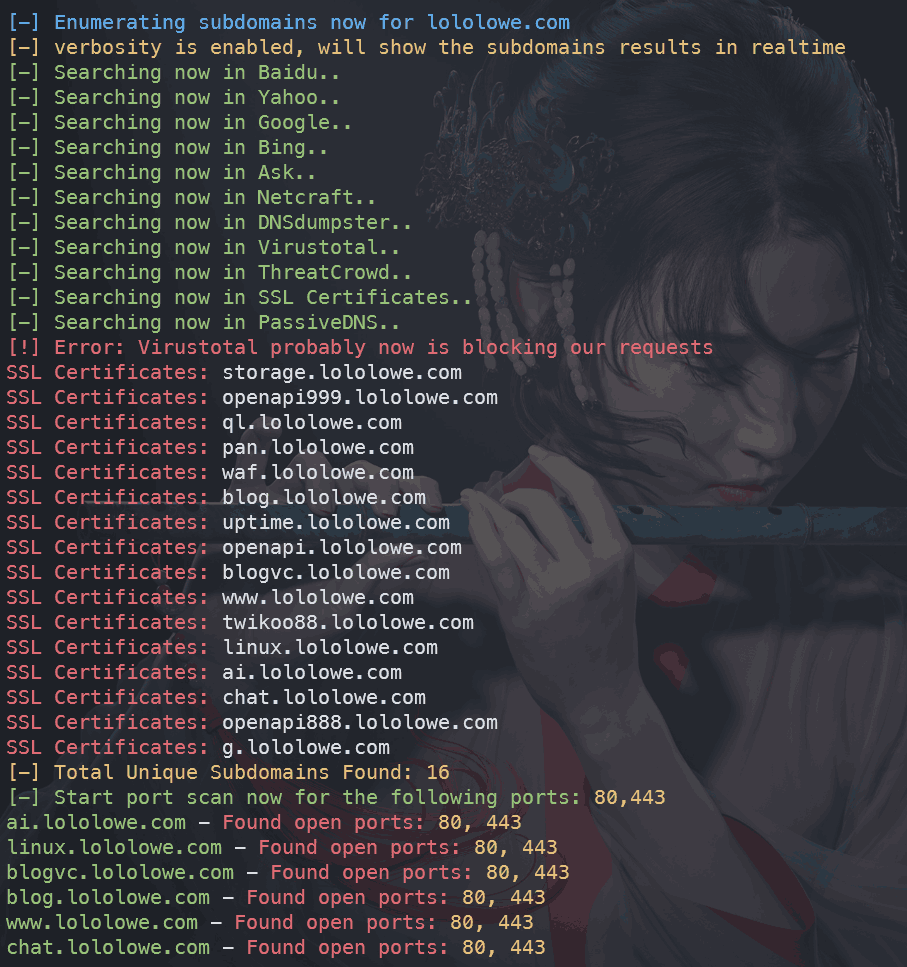]
## 4.5 subDomainsBrute
项目地址:[https://github.com/lijiejie/subDomainsBrute](https://github.com/lijiejie/subDomainsBrute)
下载使用:
bash
| | |
|---|---|
|1
2
3
4
5
6|python -m pip install dnspython==2.2.1 async_timeout -i https://pypi.tuna.tsinghua.edu.cn/simple # 安装依赖
git clone git@github.com:lijiejie/subDomainsBrute.git
cd subDomainsBrute
python subDomainsBrute.py --version
python subDomainsBrute.py bilibili.com # 开始爆破
notepad bilibili.com.txt # 查看爆破结果|
[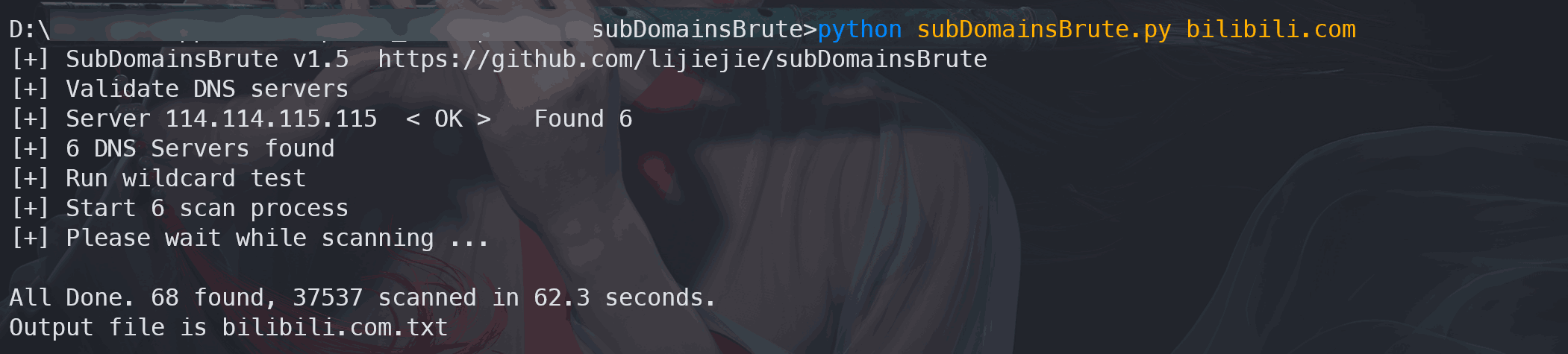]
> 注意:subDomainsBrute默认从`dict/dns_servers.txt`文件中随机选择DNS服务器,该文件中包含了阿里云的公共DNS,而[阿里云将在2024-9-30开始进行请求限速(20QPS)](https://help.aliyun.com/zh/dns/public-dns-free-version-access-speed-limit-notification?spm=a2c4g.11186623.0.0.7b2c228cVJO50v),为了不影响爆破,建议注释掉阿里云的DNS服务器223.5.5.5和223.6.6.6
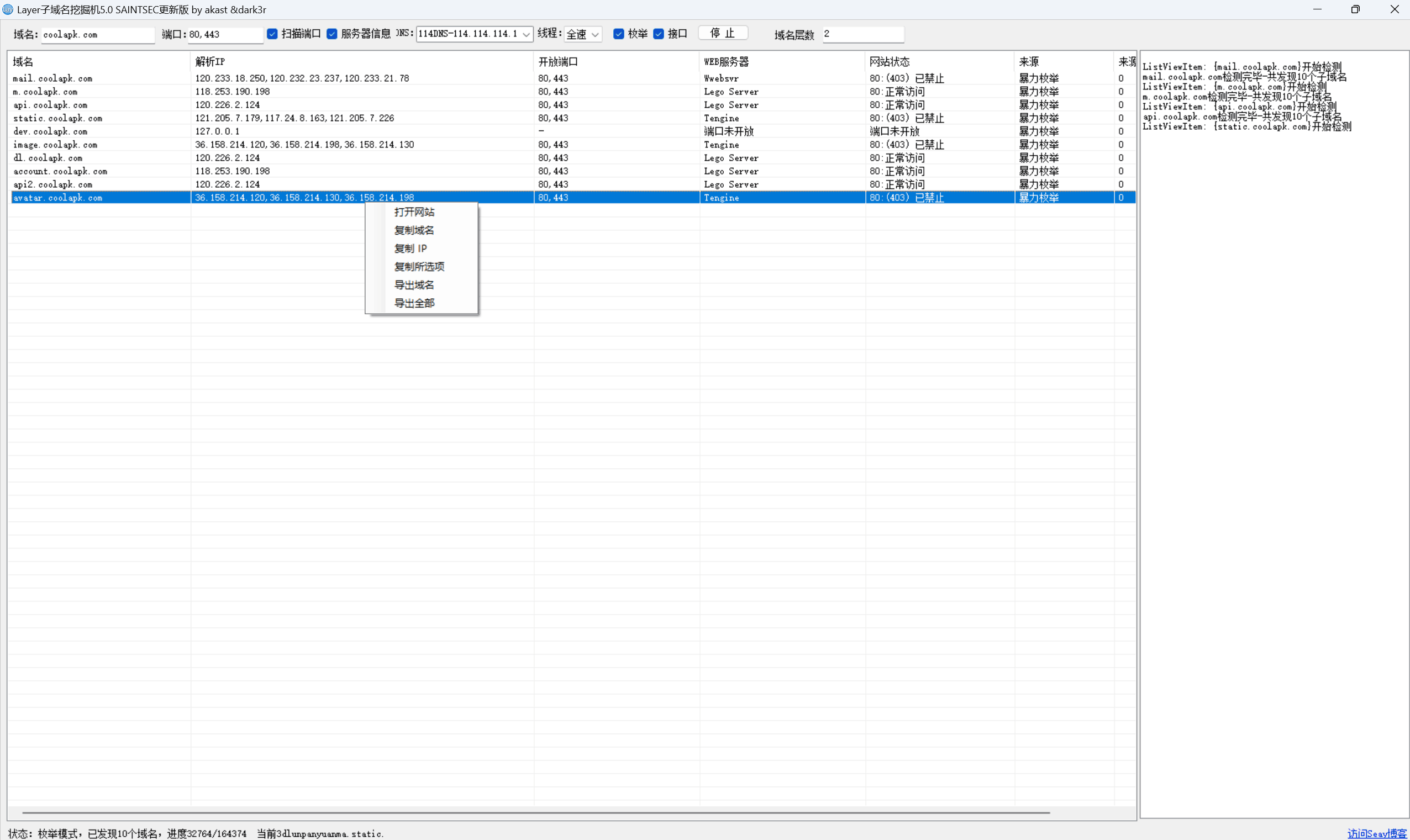
## 4.6 Layer子域名挖掘机
项目地址:[https://github.com/euphrat1ca/LayerDomainFinder](https://github.com/euphrat1ca/LayerDomainFinder)
[]
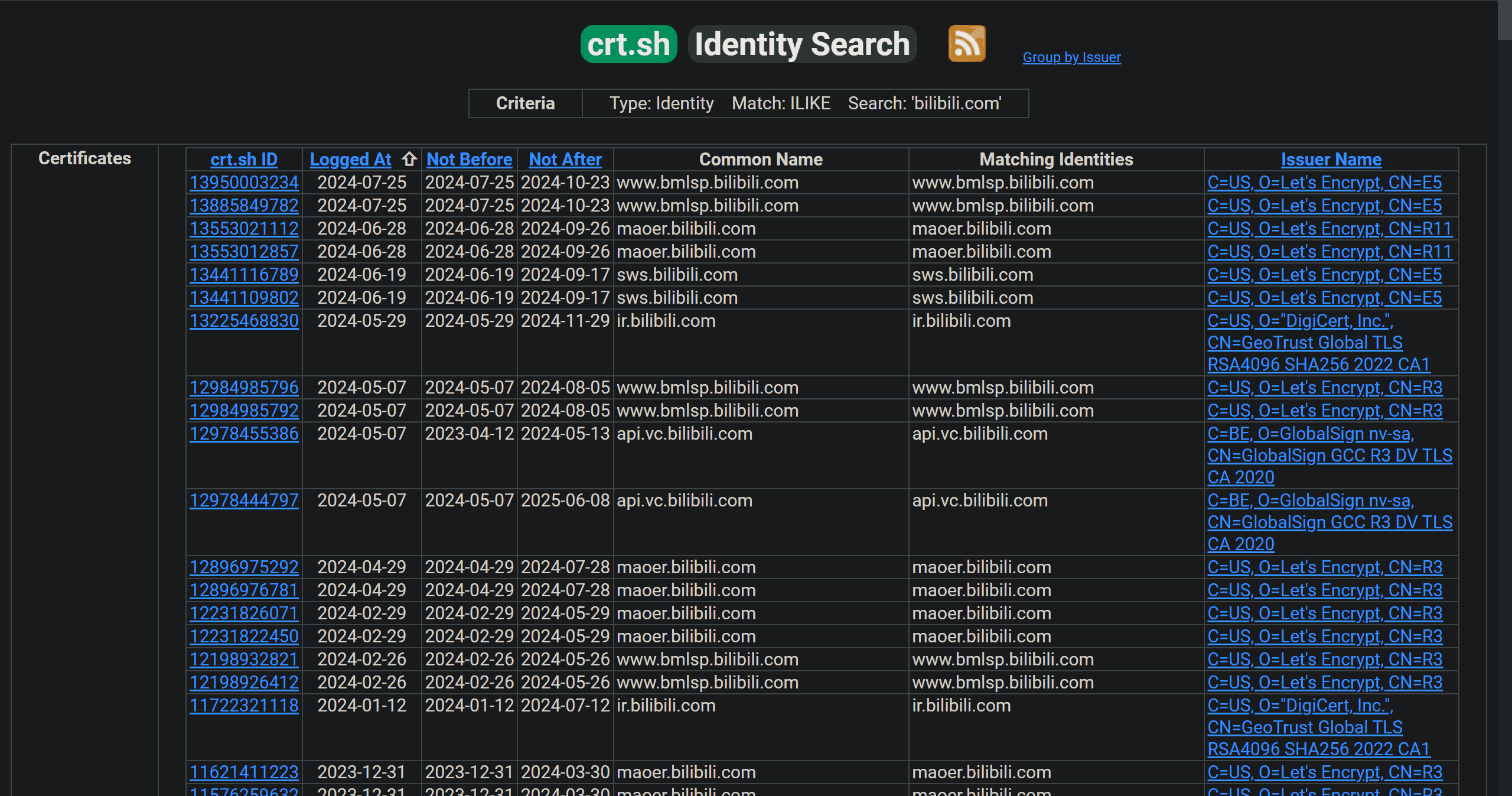
## 4.7 证书透明度日志查询
crt.sh:[https://crt.sh/](https://crt.sh/)
[]
Censys(功能表更全,但需登录使用):[https://search.censys.io/search?resource=certificates](https://search.censys.io/search?resource=certificates)
[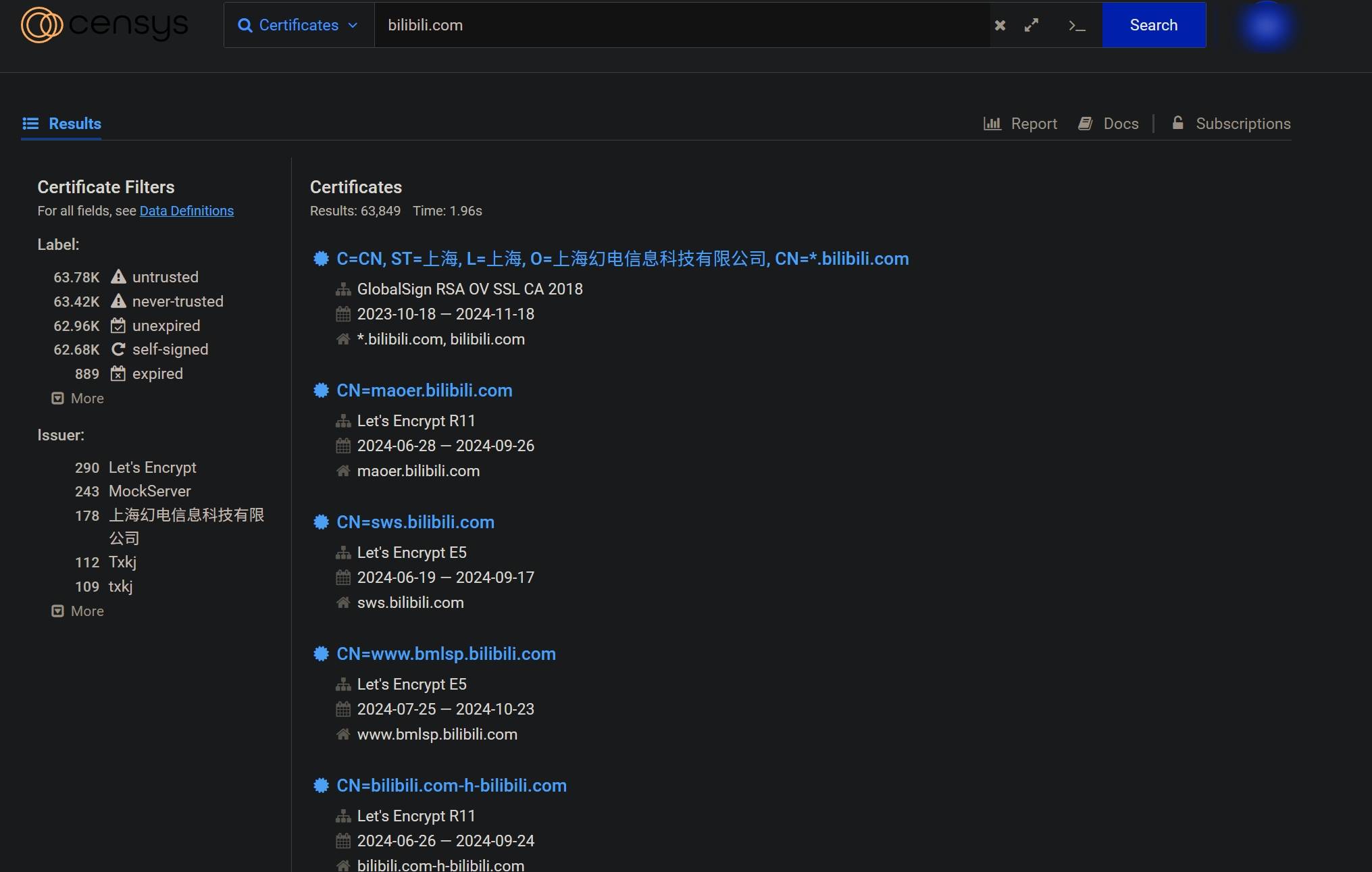]
> 注意:并非所有的https域名都会被证书透明度日志记录,有的子域名使用的是根域名的通配符证书,那么子域名就不会显示在日志中,还有自签的证书也不会显示。crt.sh 可能会显示很多重复的域名(可能是CA机构以及证书有效期不同导致的),会导致收集效率过低,可以使用前面提到的的Sublist3r进行搜索:`python sublist3r.py -d example.com -e ssl`
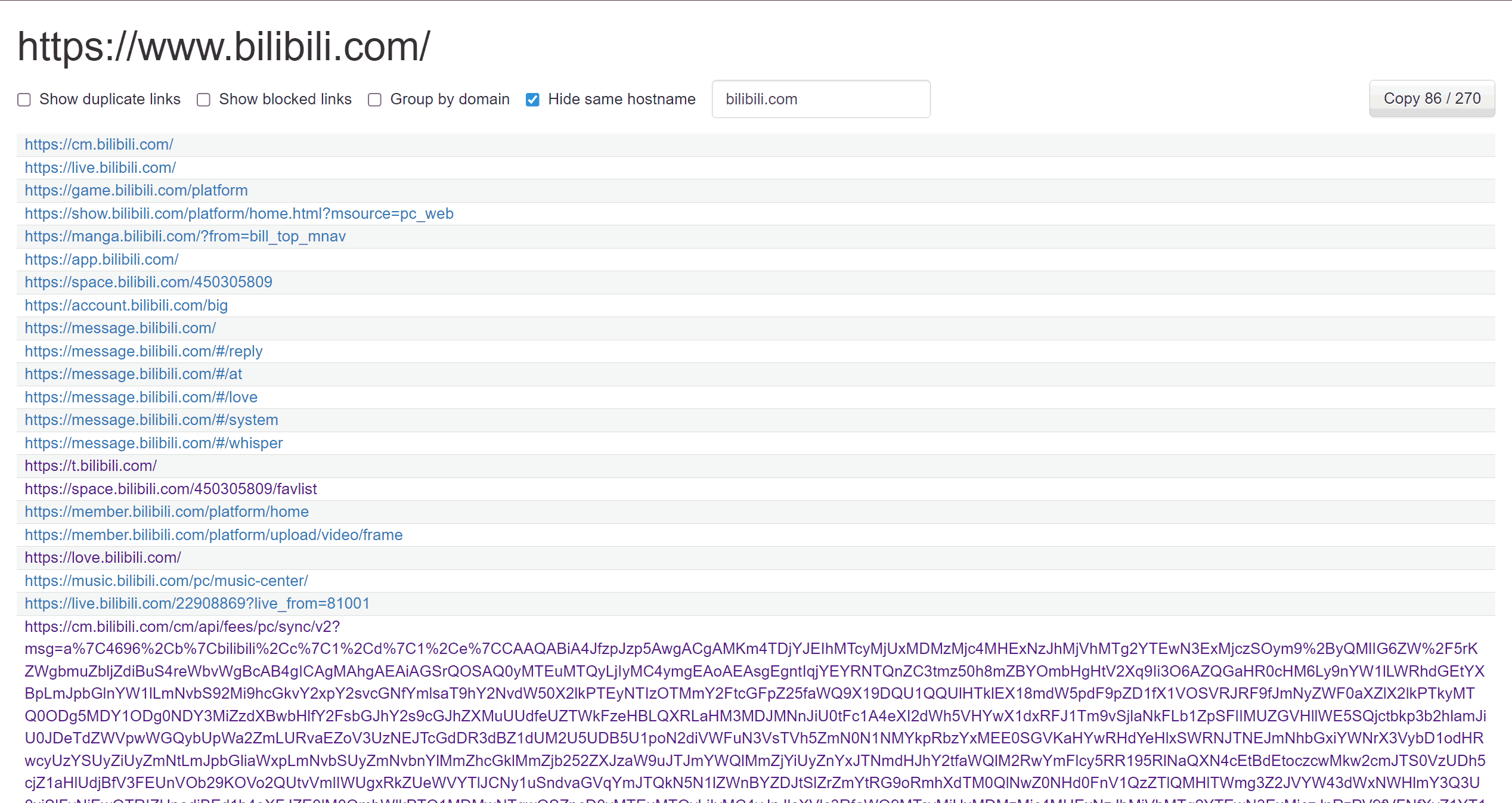
## 4.8 页内超链接收集
### 4.8.1 Link Grabber
浏览器扩展: [https://chromewebstore.google.com/detail/link-grabber/caodelkhipncidmoebgbbeemedohcdma](https://chromewebstore.google.com/detail/link-grabber/caodelkhipncidmoebgbbeemedohcdma)
[]
### 4.8.2 Hakrawler
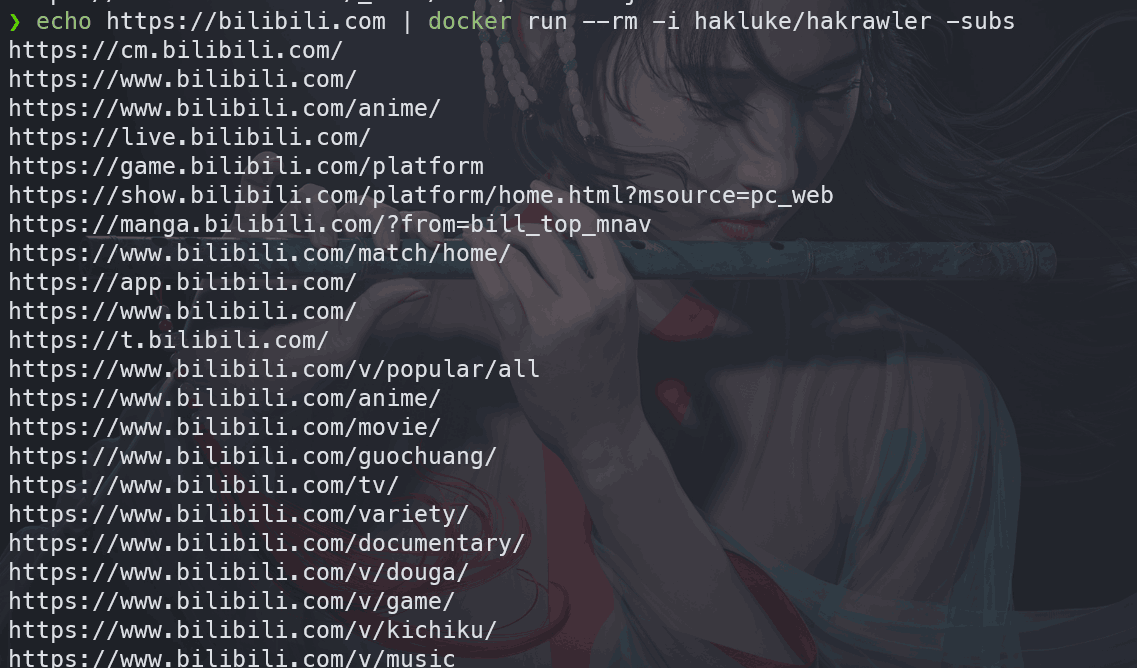
项目地址:[https://github.com/hakluke/hakrawler](https://github.com/hakluke/hakrawler)
bash
| | |
|---|---|
|1
2
3
4
5|git clone https://github.com/hakluke/hakrawler
cd hakrawler
sudo docker build -t hakluke/hakrawler .
sudo docker run --rm -i hakluke/hakrawler --help
echo https://www.bilibili.com \| docker run --rm -i hakluke/hakrawler -subs # 爬取哔哩哔哩首页引用的链接|
[]
## 4.9 其他Kali内置子域名收集工具
使用以下示例中的各个工具对我的`lololowe.com`进行子域名爆破:
bash
| | |
|---|---|
|1
2
3
4
5
6|nmap --script dns-brute lololowe.com
dnsmap lololowe.com
dnsenum --enum lololowe.com
amass enum -d lololowe.com
dnsrecon -d lololowe.com
fierce --domain lololowe.com|
## 5. Web指纹信息收集
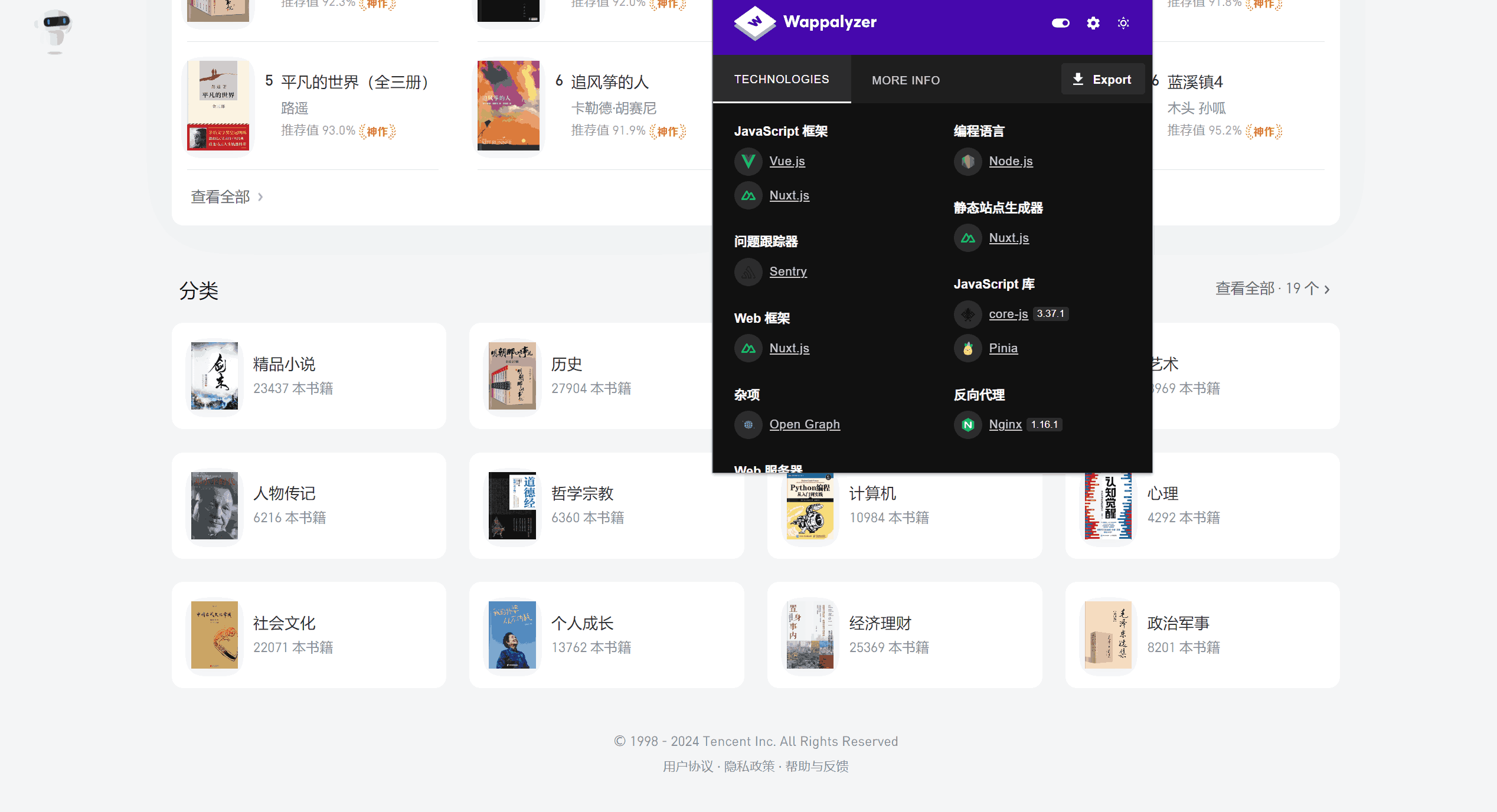
## 5.1 Wappalyzer
扩展链接:[https://chromewebstore.google.com/detail/gppongmhjkpfnbhagpmjfkannfbllamg](https://chromewebstore.google.com/detail/gppongmhjkpfnbhagpmjfkannfbllamg)
[]
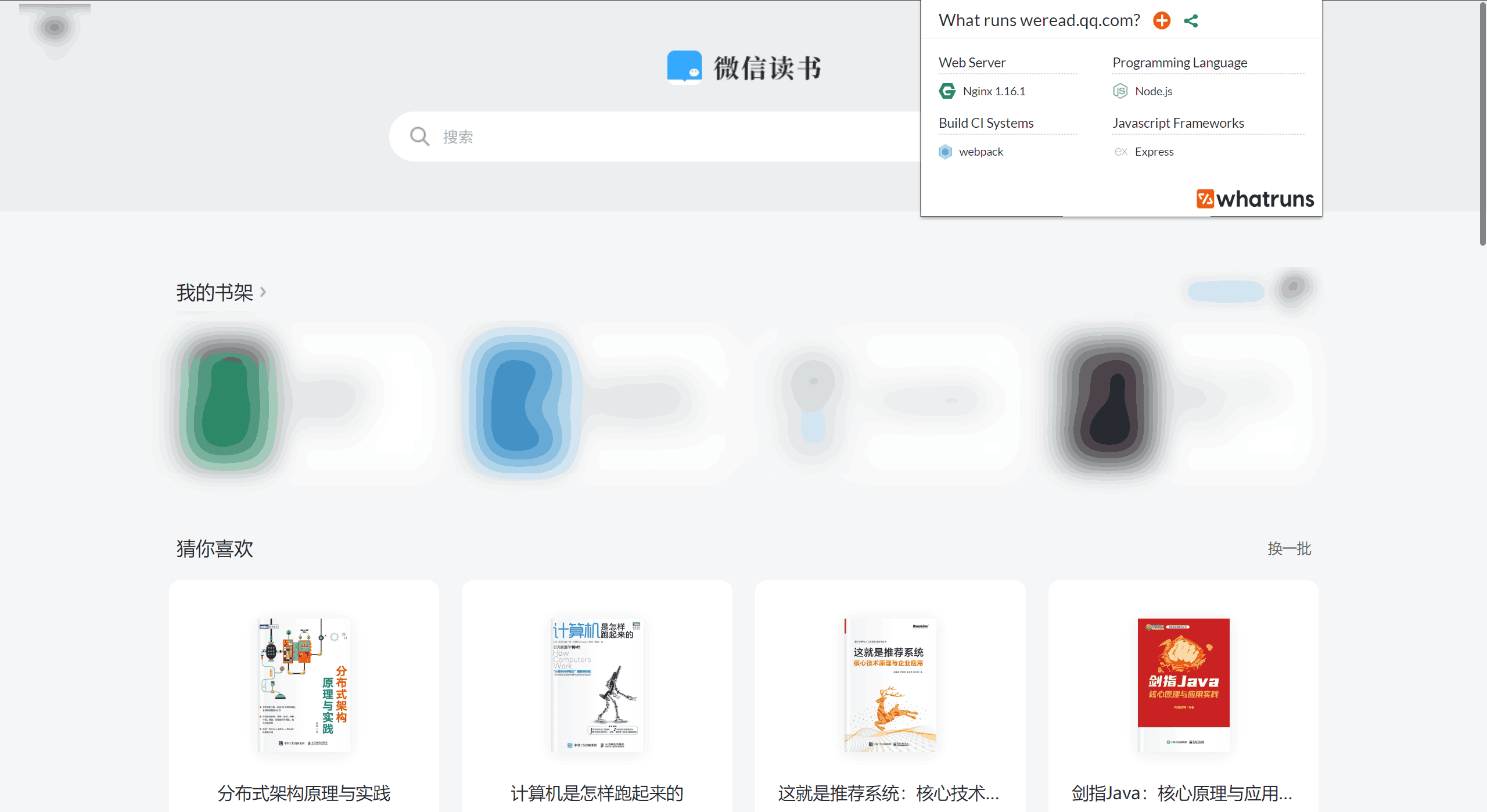
## 5.2 WhatRuns
扩展链接:[https://chromewebstore.google.com/detail/cmkdbmfndkfgebldhnkbfhlneefdaaip?utm_source=ext_extensions_menu](https://chromewebstore.google.com/detail/cmkdbmfndkfgebldhnkbfhlneefdaaip?utm_source=ext_extensions_menu)
[]
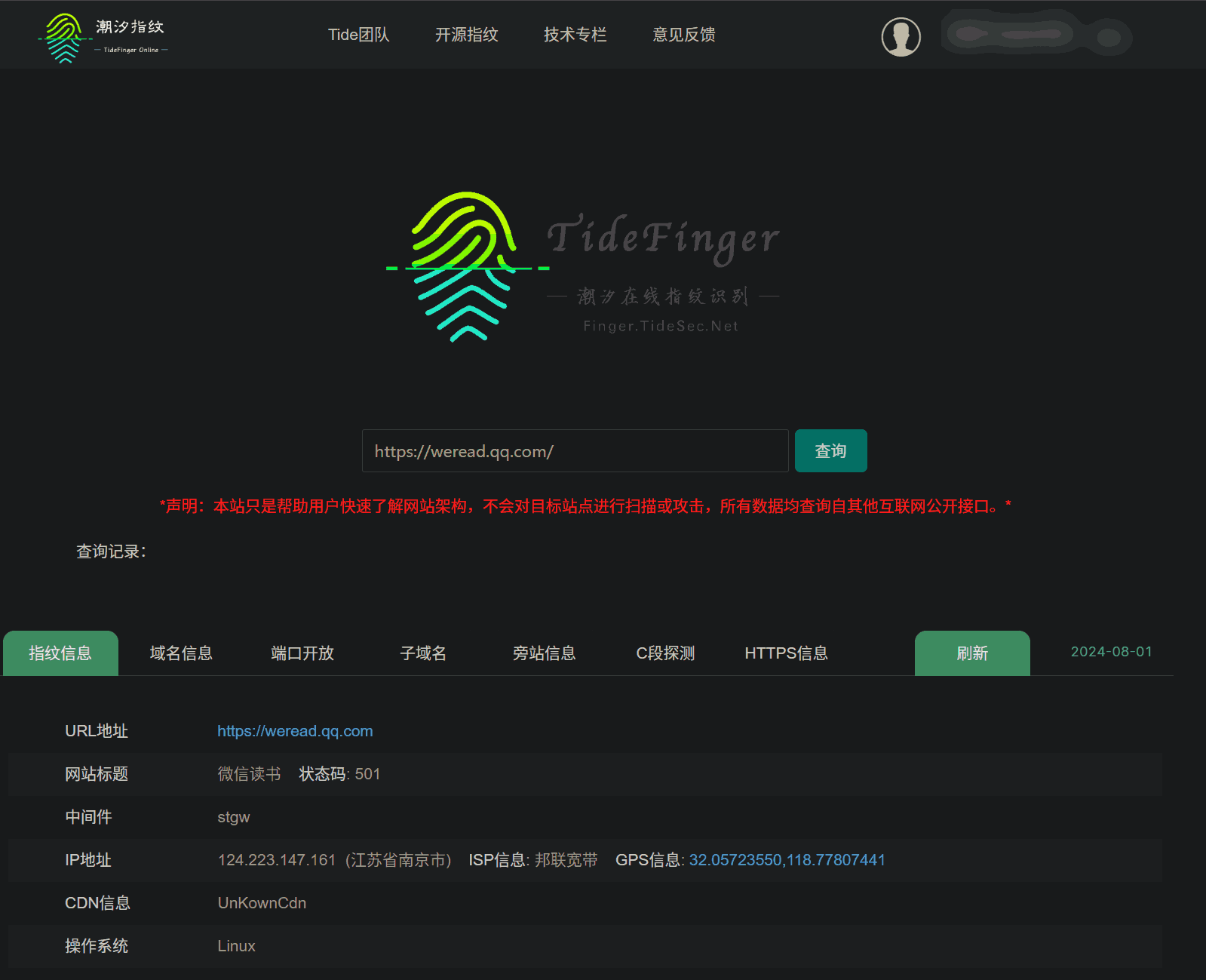
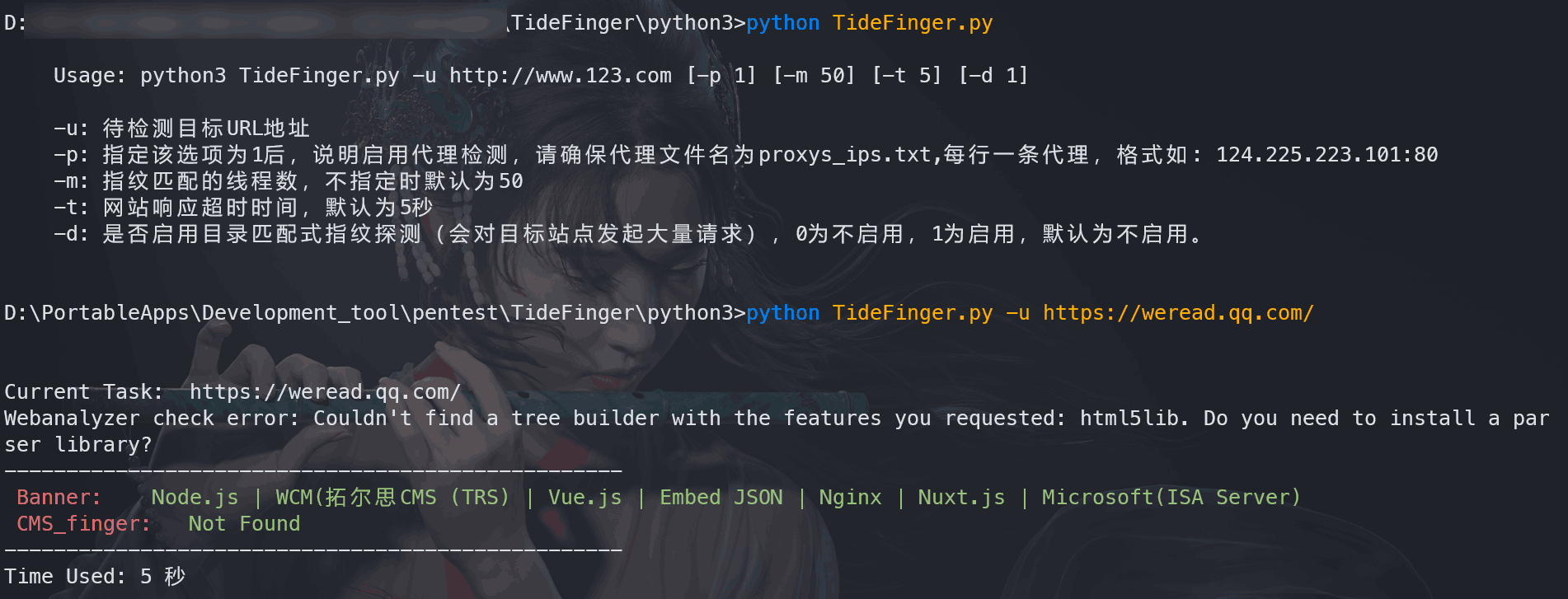
## 5.3 TideFinger
项目地址:[https://github.com/TideSec/TideFinger](https://github.com/TideSec/TideFinger)
官网在线使用(需登录):[http://finger.tidesec.com/](http://finger.tidesec.com/)
[]
安装使用:
bash
| | |
|---|---|
|1
2
3
4
5|git clone git@github.com:TideSec/TideFinger.git
cd TideFinger/python3
python -m pip install -r requirements.txt -i https://mirrors.aliyun.com/pypi/simple/
python TideFinger.py
python TideFinger.py -u https://weread.qq.com/ # 对微信读书进行指纹识别|
[]
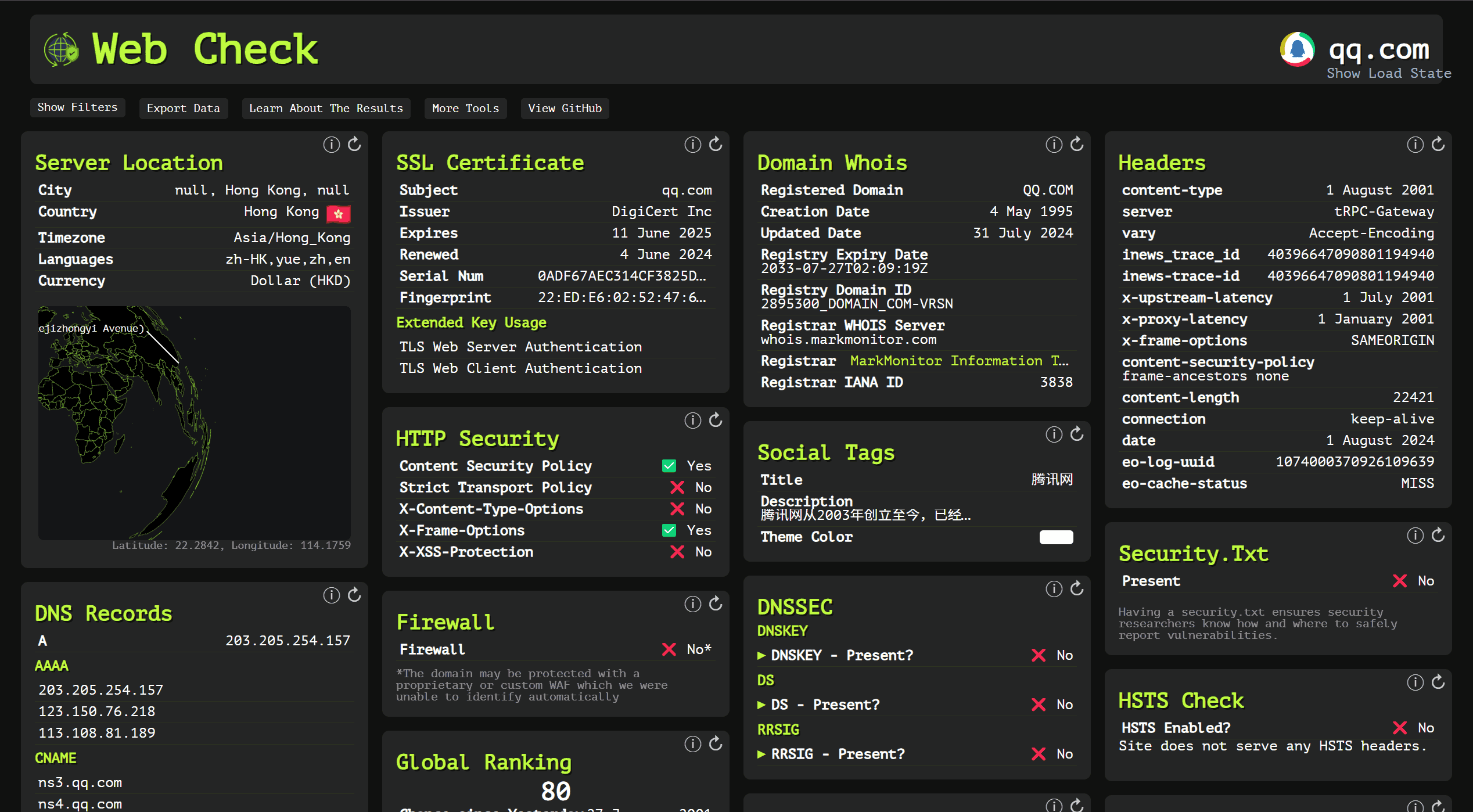
## 5.4 Web Check
项目地址: [https://github.com/lissy93/web-check](https://github.com/lissy93/web-check)
在线使用:[https://web-check.xyz/](https://web-check.xyz/)
[]
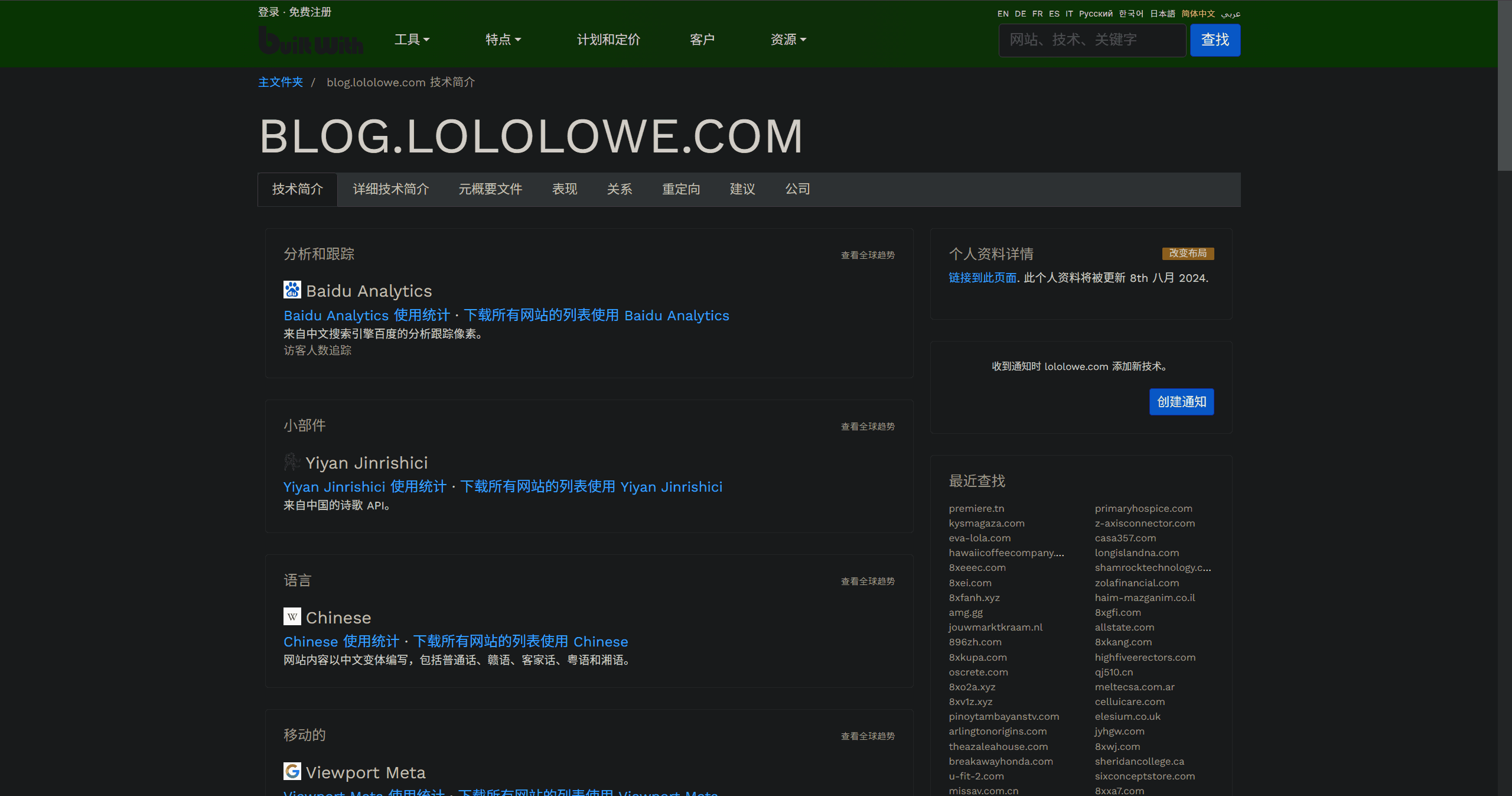
## 5.5 BuiltWith
官网:[https://builtwith.com/zh/](https://builtwith.com/zh/)
[]
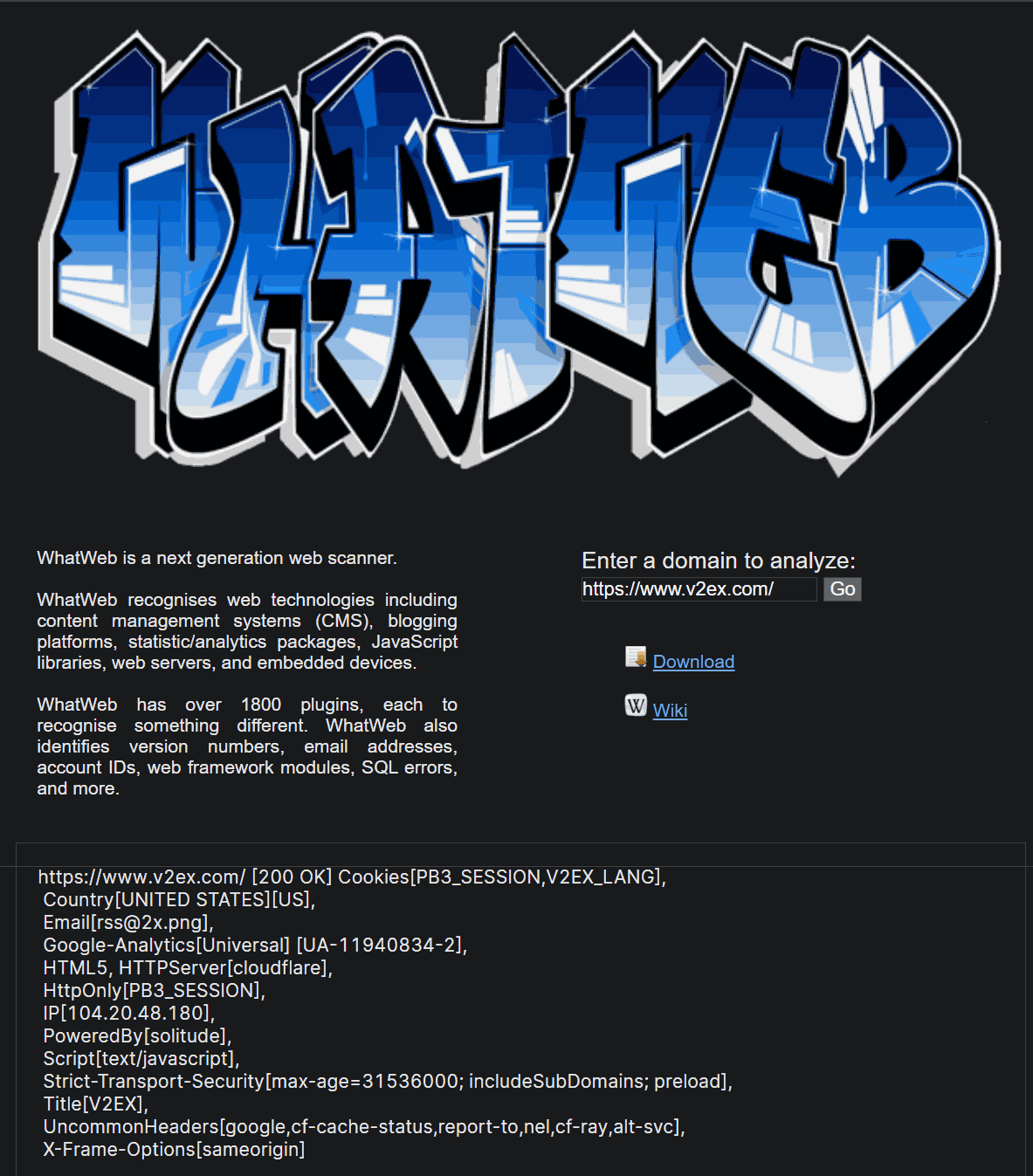
## 5.6 WhatWeb
在线使用:[https://whatweb.net/](https://whatweb.net/)
[]
安装使用:
bash
| | |
|---|---|
|1
2|sudo apt install -y whatweb
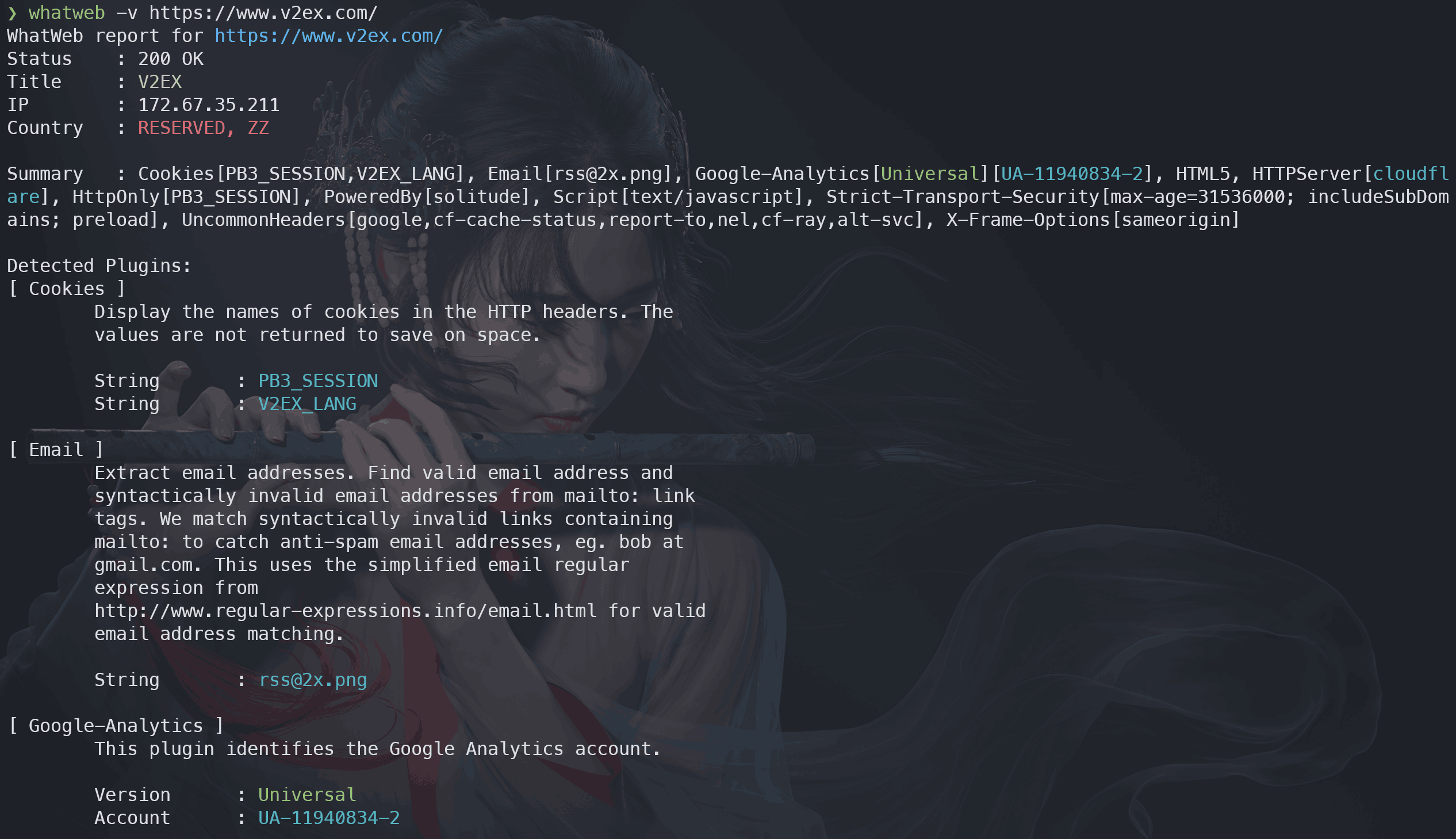
whatweb -v https://www.v2ex.com/ # 对V2ex论坛进行指纹识别|
[]
## 6. Web目录扫描
> 主动信息收集请自行衡量后果再进行!
## 6.1 CLI
### 6.1.1 dirsearch
项目地址:[https://github.com/maurosoria/dirsearch](https://github.com/maurosoria/dirsearch)
bash
| | |
|---|---|
|1
2
3|python -m pip install dirsearch -i https://mirrors.aliyun.com/pypi/simple/
dirsearch --version
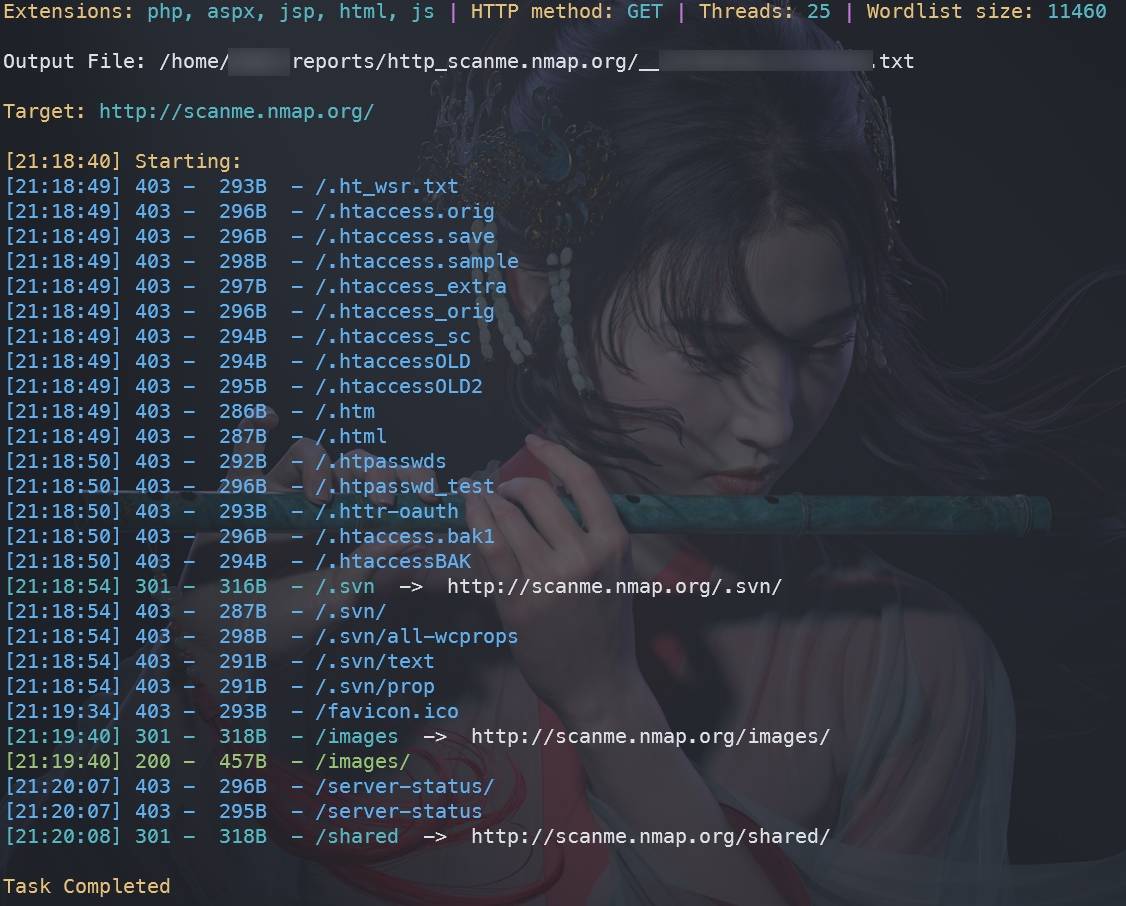
dirsearch -u http://scanme.nmap.org/ # 开始扫描|
[]
### 6.1.2 wfuzz
项目地址:[https://github.com/xmendez/wfuzz](https://github.com/xmendez/wfuzz)
bash
| | |
|---|---|
|1
2
3|python -m pip install wfuzz -i https://mirrors.aliyun.com/pypi/simple/
wfuzz -V
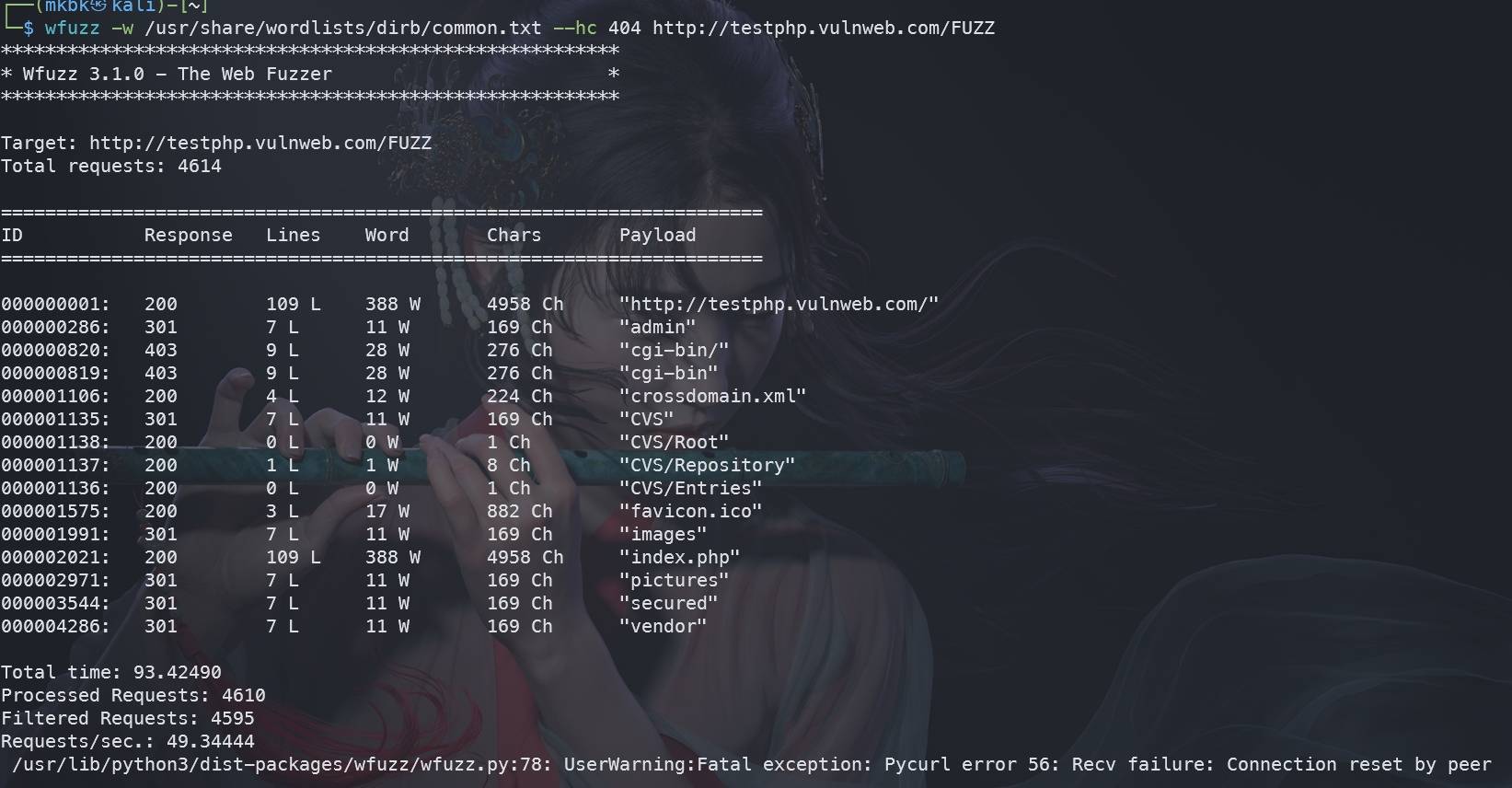
wfuzz -w /usr/share/wordlists/dirb/common.txt --hc 404 http://testphp.vulnweb.com/FUZZ # 开始扫描|
[]
## 6.2 GUI
### 6.2.1 Burp Suite
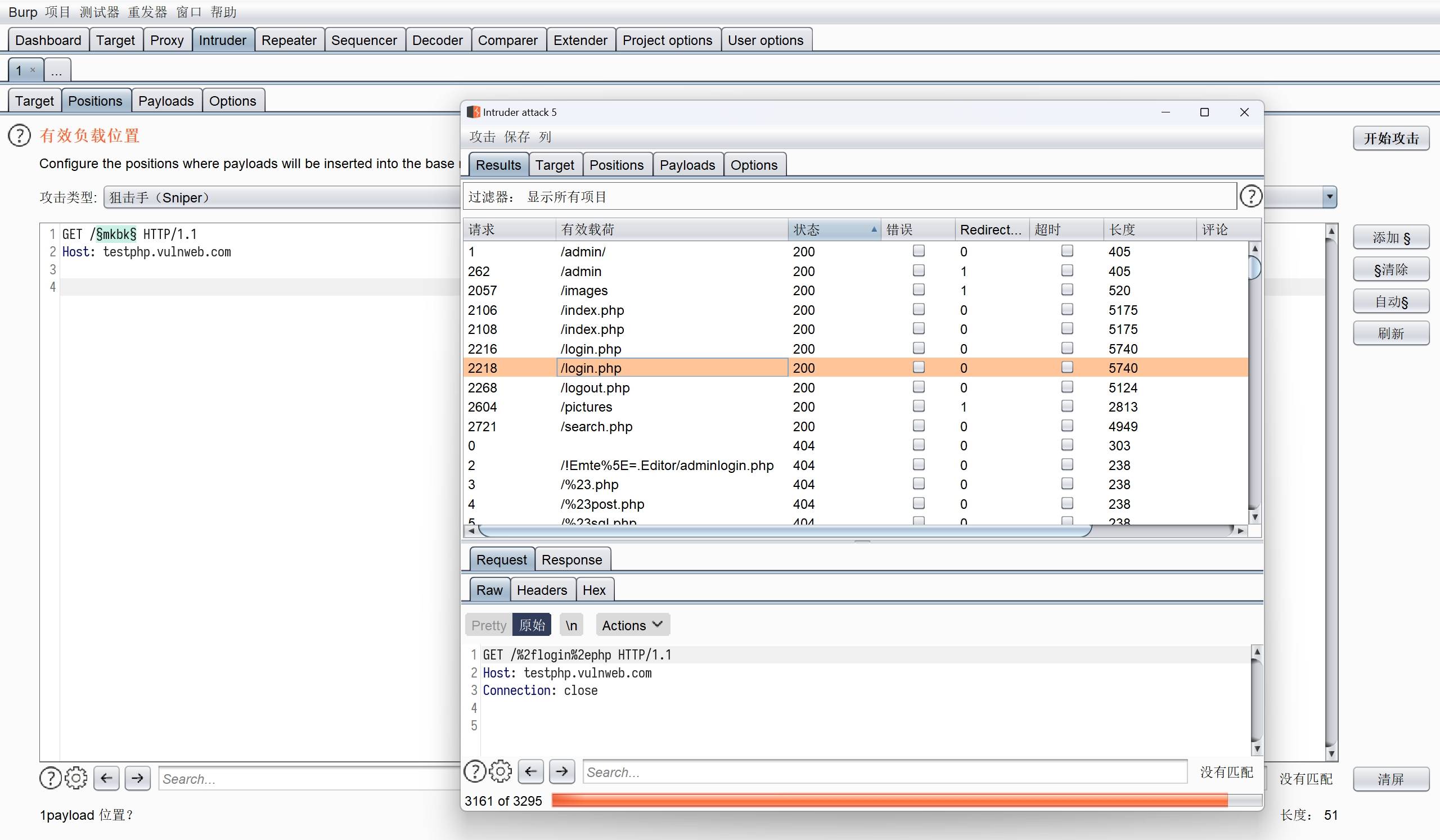
使用 Intruder 模块进行扫描:
[]
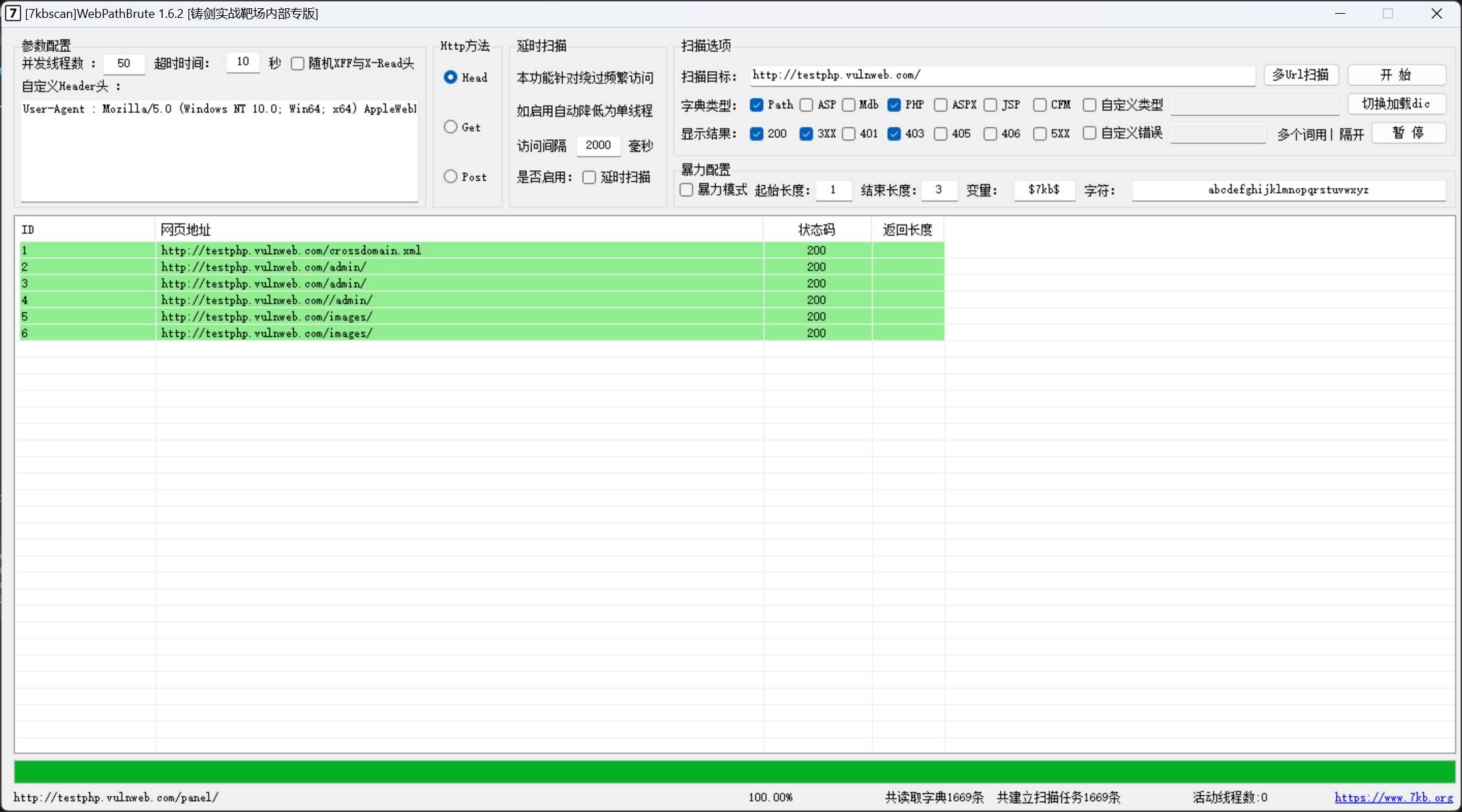
### 6.2.2 7kbscan-WebPathBrute
项目地址:[https://github.com/7kbstorm/7kbscan-WebPathBrute](https://github.com/7kbstorm/7kbscan-WebPathBrute)
[]
## 7. CDN绕过
## 7.1 CDN判断
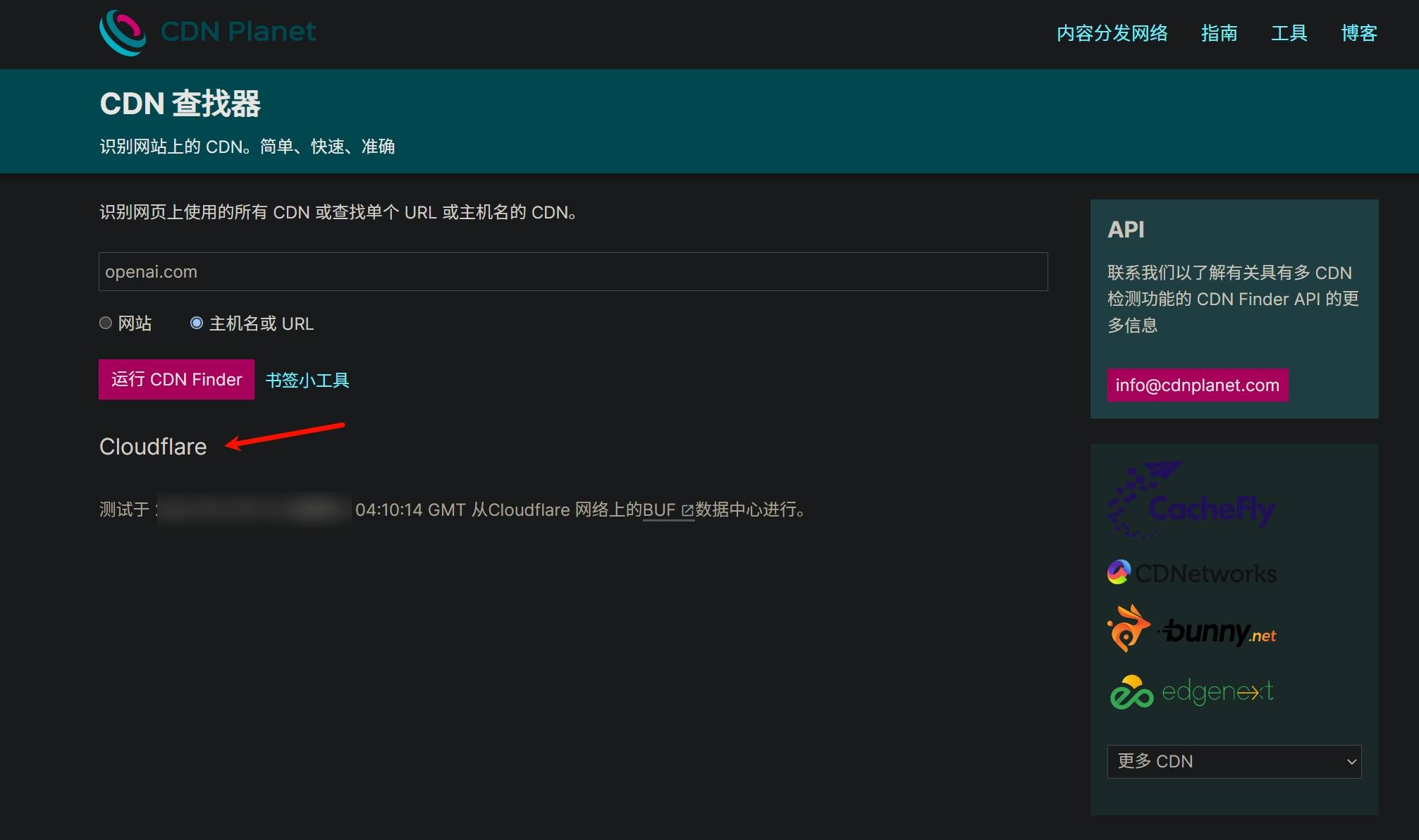
使用 CDN Finder 网站测试:[https://www.cdnplanet.com/tools/cdnfinder/](https://www.cdnplanet.com/tools/cdnfinder/)
[]
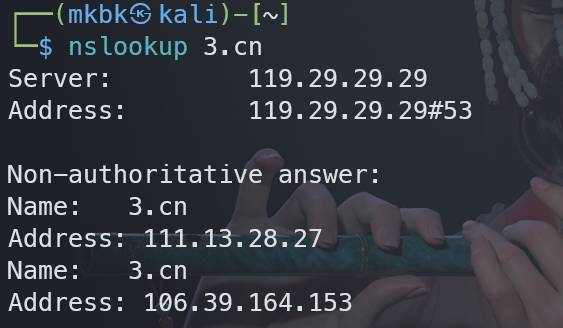
使用`nslookup`命令能解析出2个IP则很有可能套了CDN:
[]
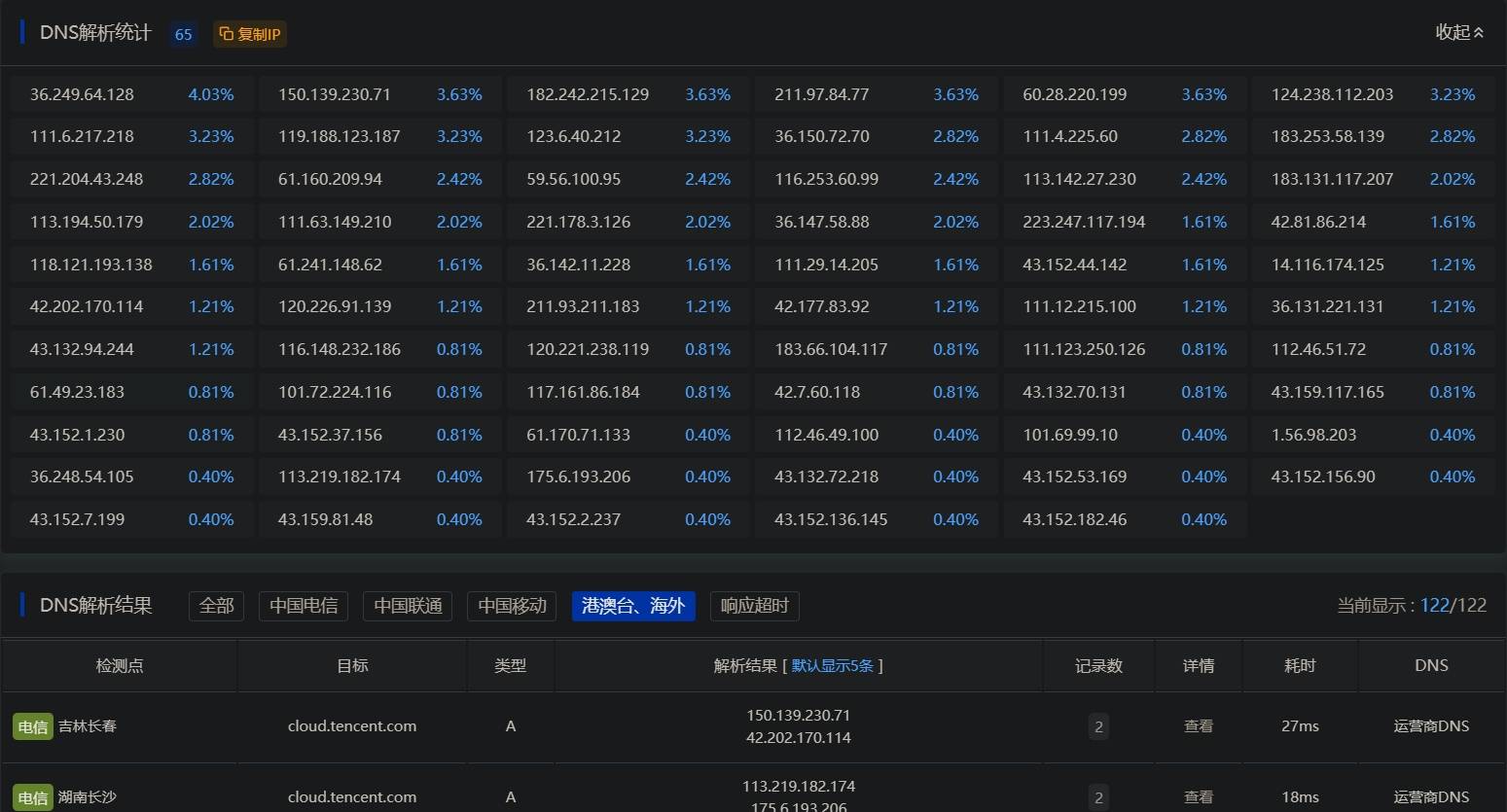
## 7.2 多地DNS拨测
大部分CDN服务都是收费的,因此有些企业为了节约成本会对网站做国内外用户做分流,即国内用户访问的是国内CDN节点,国外用户直连源服务器。这种情况下就可以使用多地DNS拨测工具进行全球不同地理位置的DNS解析,从而找到真实源服务器IP。
ITDOG: [https://www.itdog.cn/dns/](https://www.itdog.cn/dns/)
DNSChecker:[https://dnschecker.org/](https://dnschecker.org/)
WhatsMyDNS:[https://www.whatsmydns.net/](https://www.whatsmydns.net/)
[]
## 7.3 子域名
通常来说,CDN只会用在主域名以及一些重要业务的子域名上,而有一些子域名就不会上CDN,因此可以通过收集子域名的IP来绕过CDN。子域名的收集方法上文已介绍过,此处不再赘述。
## 7.4 DNS历史解析记录
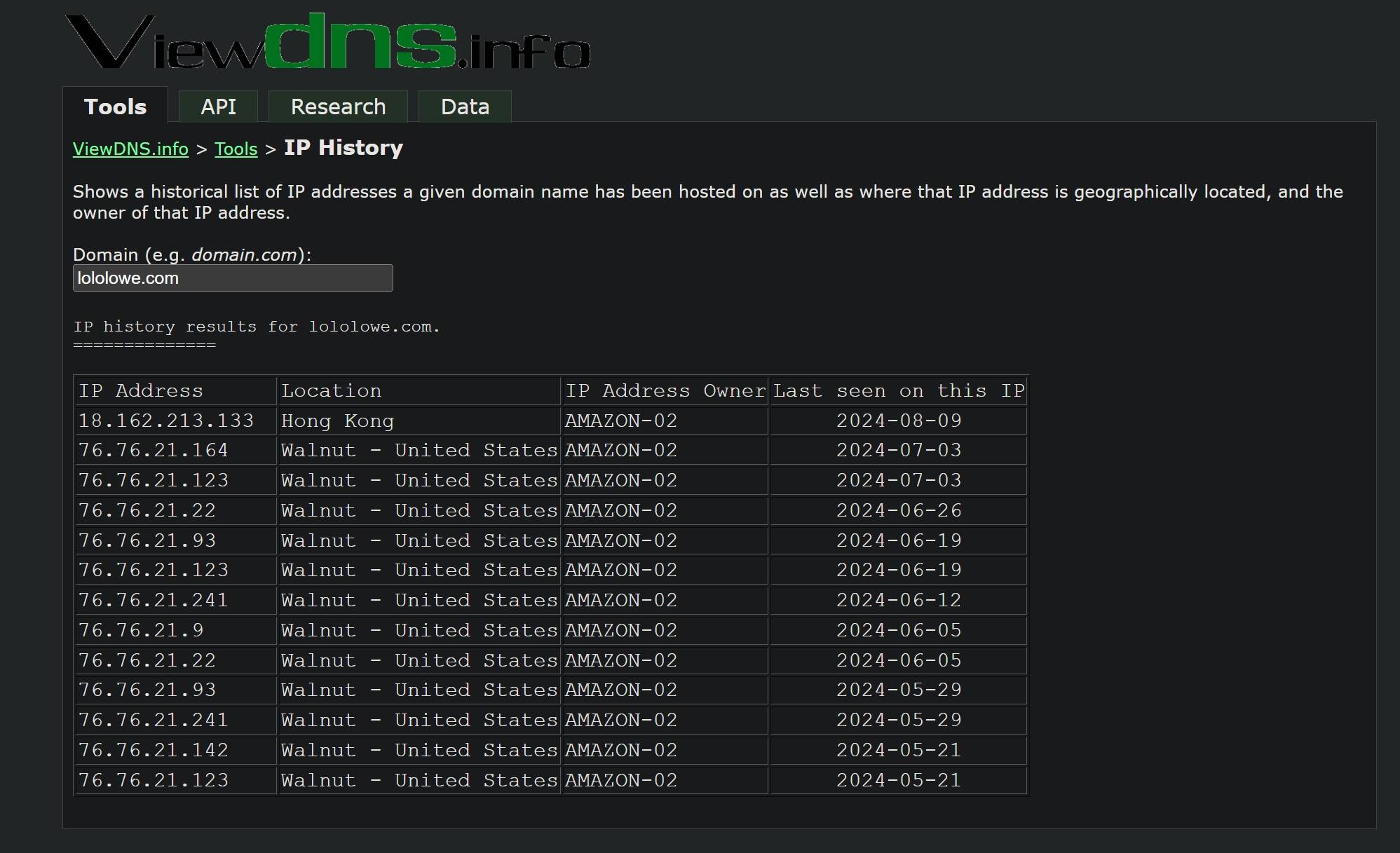
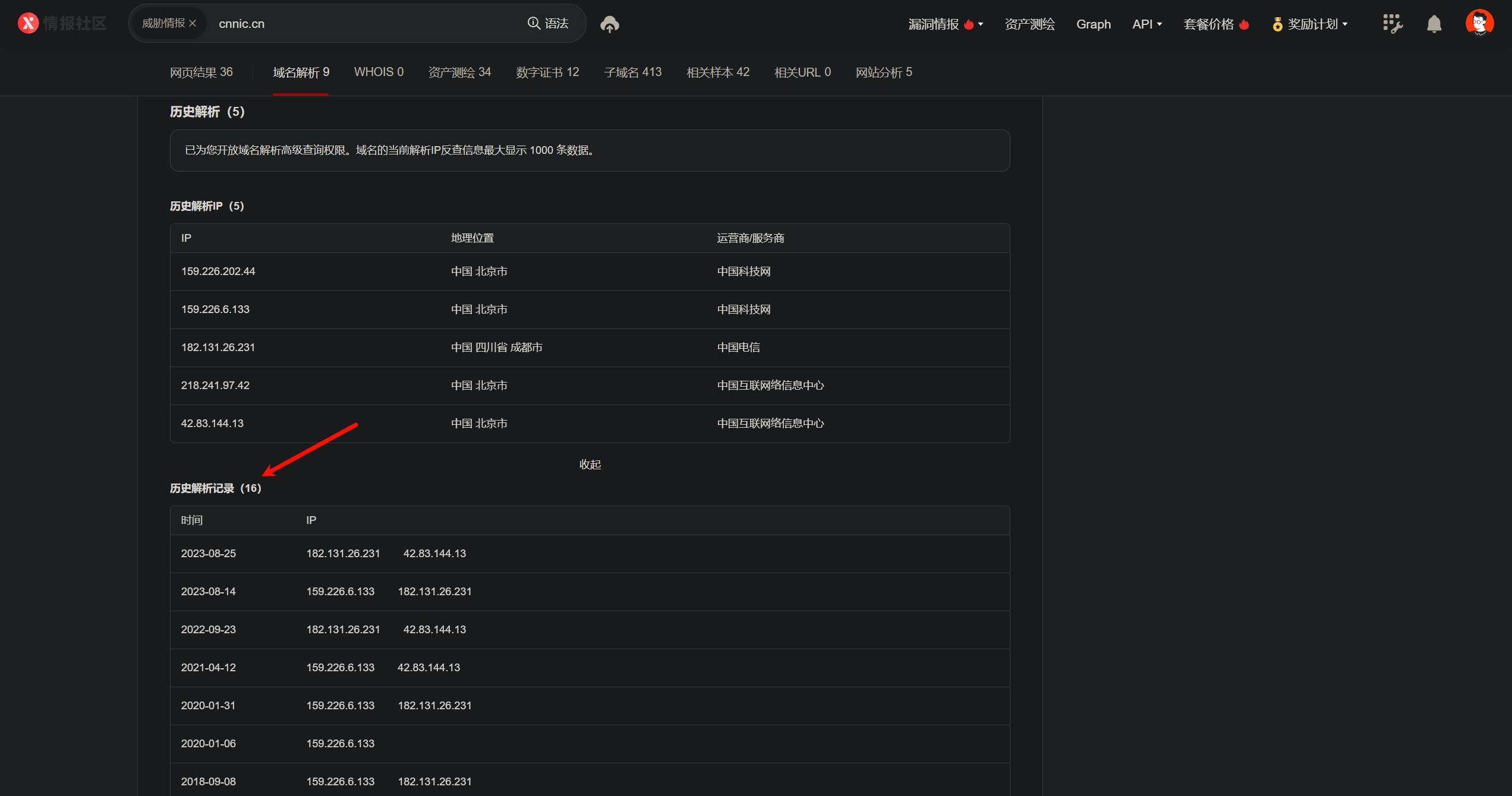
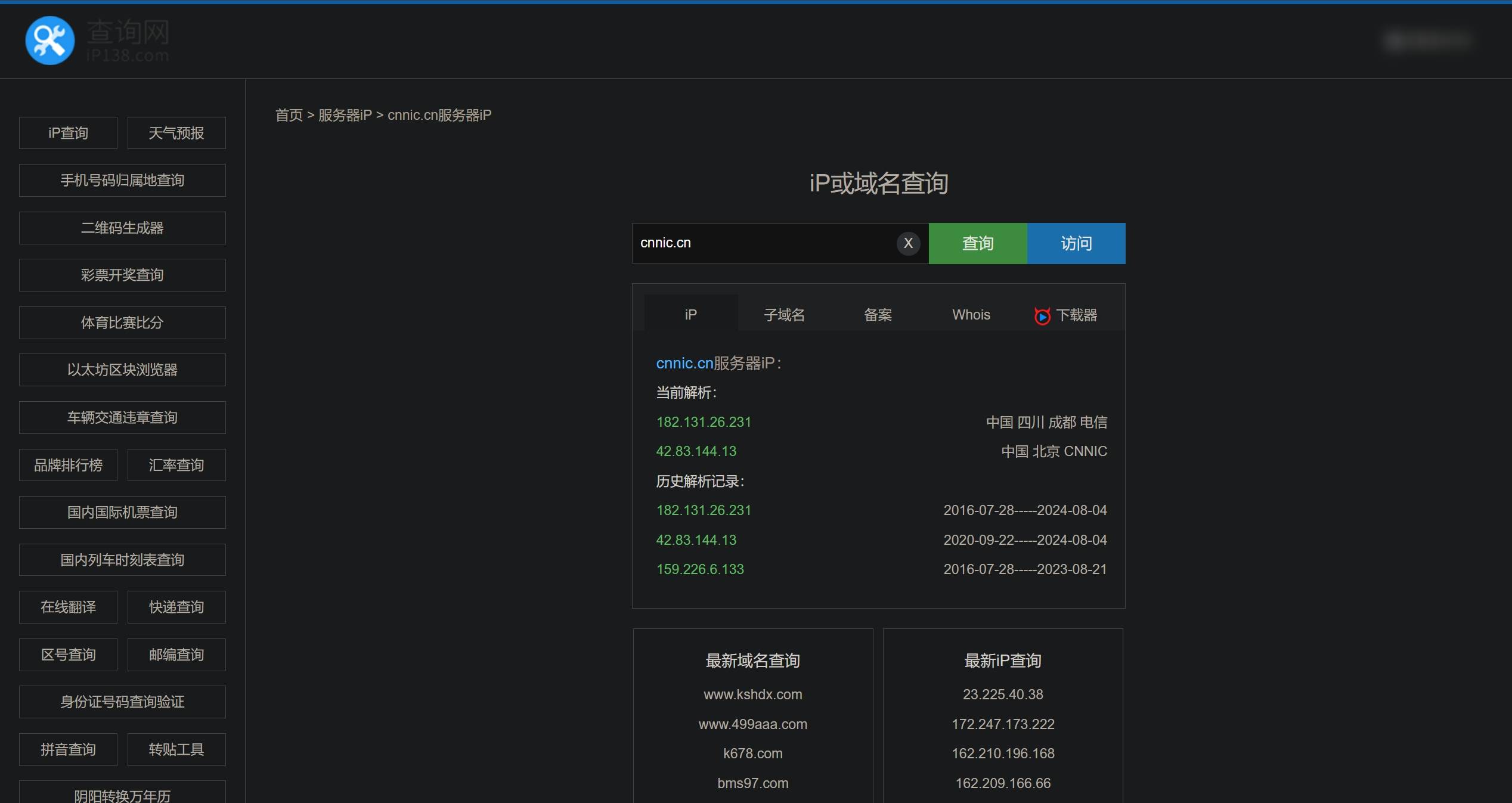
网站刚上线的时候可能没有使用CDN,因此可以通过DNS历史解析记录来找到真实IP。
ViewDNS:[https://viewdns.info/iphistory/](https://viewdns.info/iphistory/)
[]
微步在线(需登录使用):[https://x.threatbook.com/](https://x.threatbook.com/)
[]
IP138: [https://site.ip138.com/](https://site.ip138.com/)
[]
## 7.5 邮件头信息
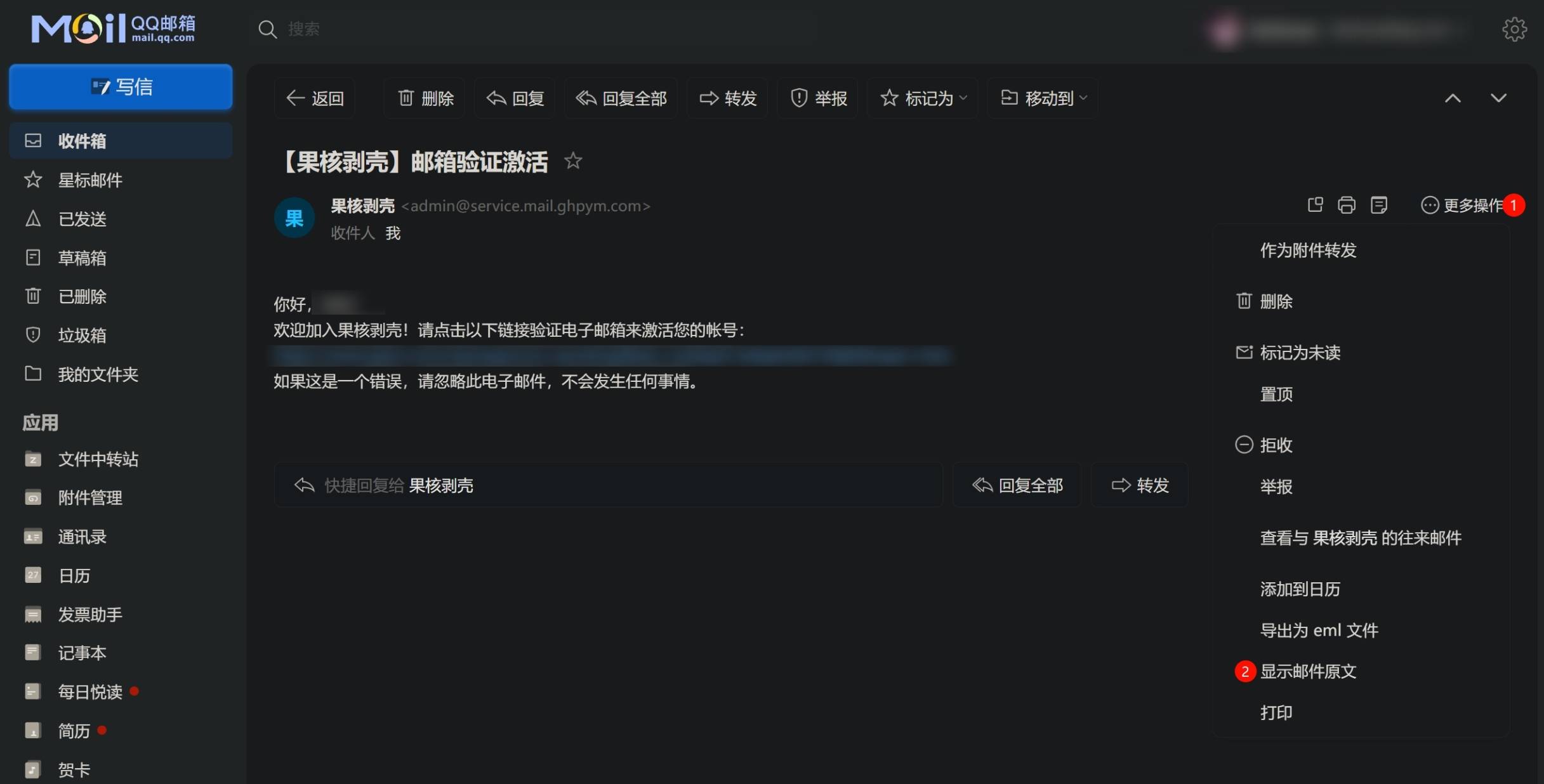
企业为了提高自身专业性通常会自建邮件服务器,而邮件服务是用不了CDN的,因此可以尝试让企业的邮件服务器给自己发送邮件(注册他的服务而获取注册验证码,或者直接发邮件给网站预留的邮箱然后等待回复),然后查看邮件头的`Received`字段来获取真实IP:
[]
[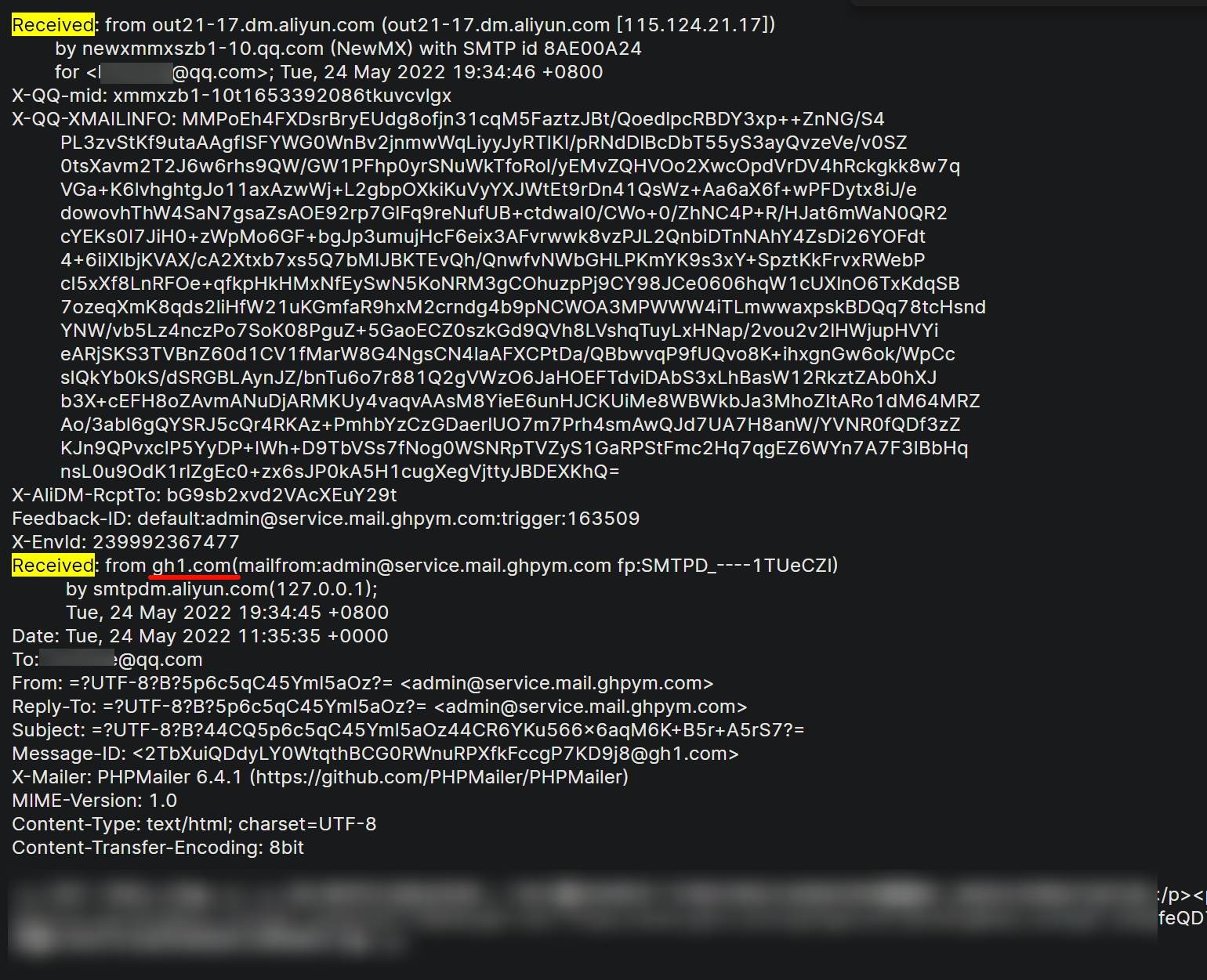]
## 7.6 站点主动请求
有些网站为了提升用户的访问体验,会给用户分享的第三方链接生成标题和预览图,并且这些链接的请求是从网站服务器发起的,而不是用户自己的机器发起的,因此我们可以使用IP记录器(IP logger)生成一个短链接,然后将这个链接分享到目标网站,使目标网站主动请求这个链接,从而获得服务器的真实IP。
以Grabify记录器和酷安APP为例:
使用Grabify生成一个短链接:[https://grabify.link/](https://grabify.link/)
[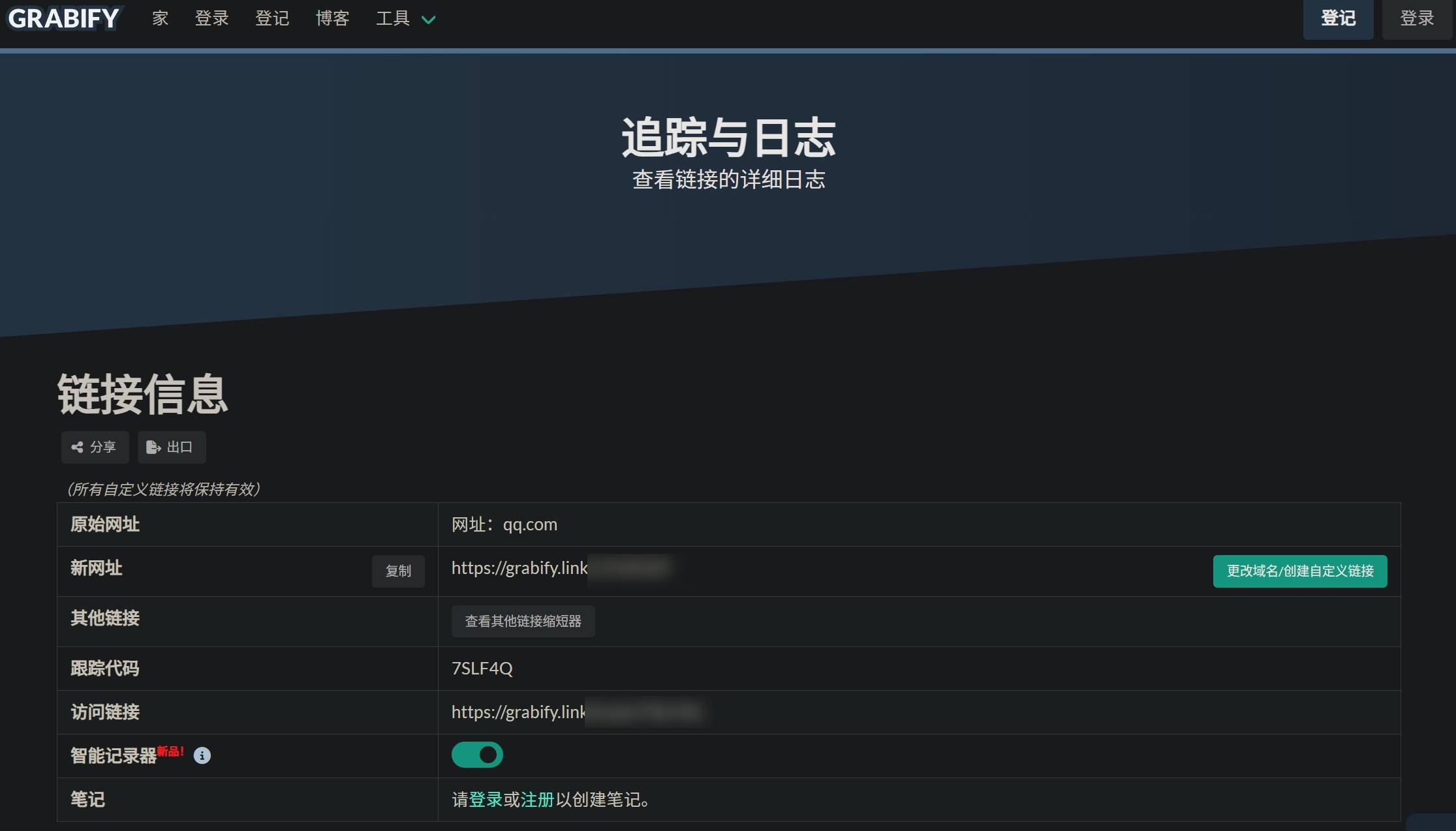]
将链接分享到酷安的动态草稿中,使其主动请求并生成标题:
[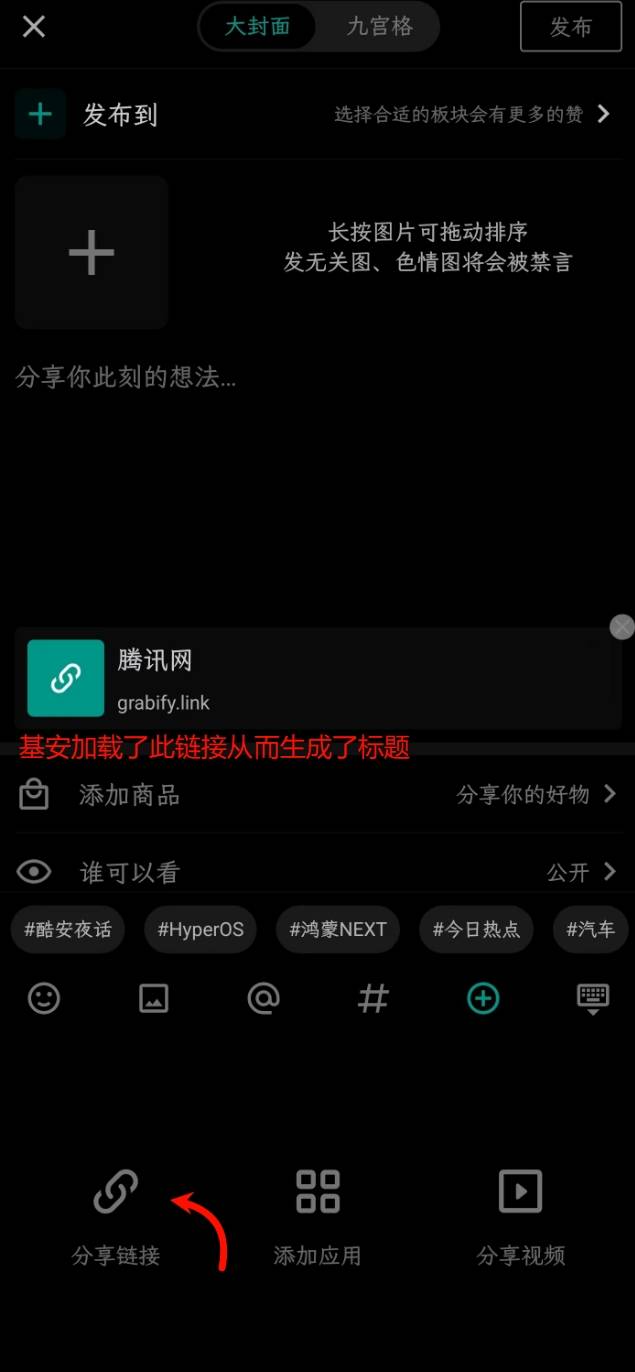]
回到Grabify,查看结果:
[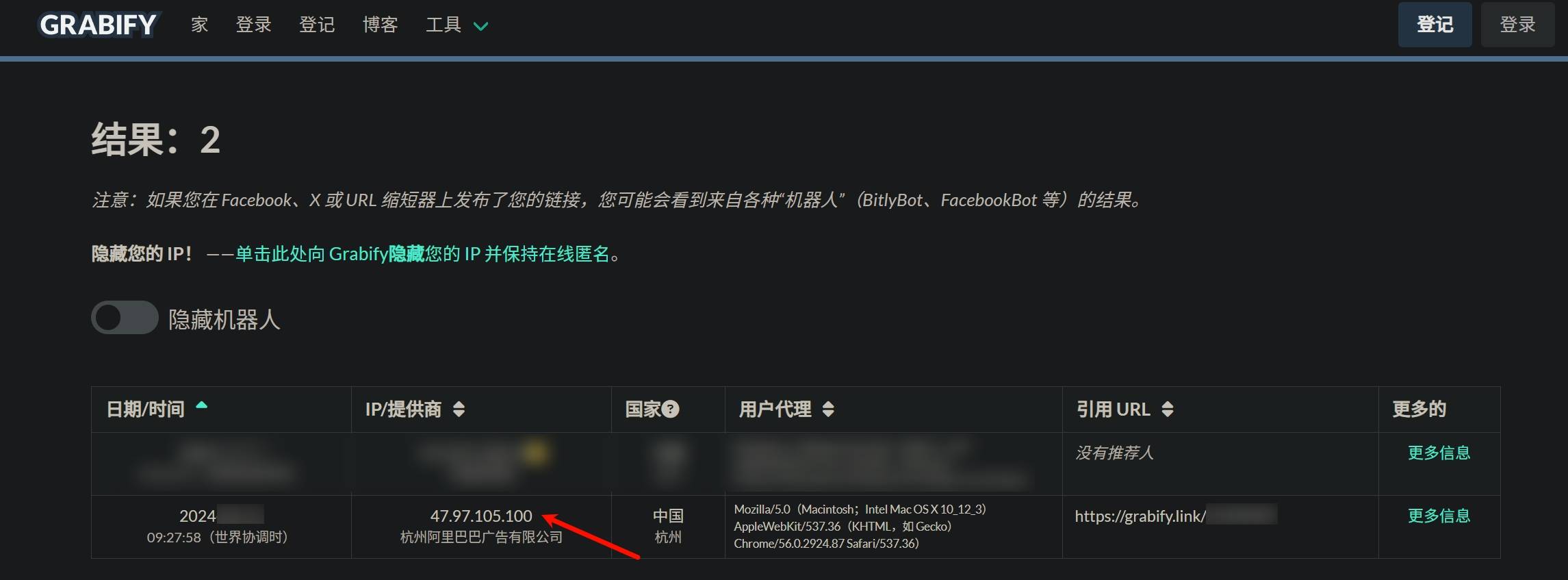]
以下是个人推荐的IP记录器:
- Grabify:[https://grabify.link/](https://grabify.link/)
- IP Tracker:[https://tracker.iplocation.net/](https://tracker.iplocation.net/)
- IP Logger(只对国外服务器有效):[https://iplogger.org/](https://iplogger.org/)
- ps3CFW(默认重定向到谷歌且无法自定义): [https://www.ps3cfw.com/iplog.php](https://www.ps3cfw.com/iplog.php)
## 7.7 搜索引擎快照
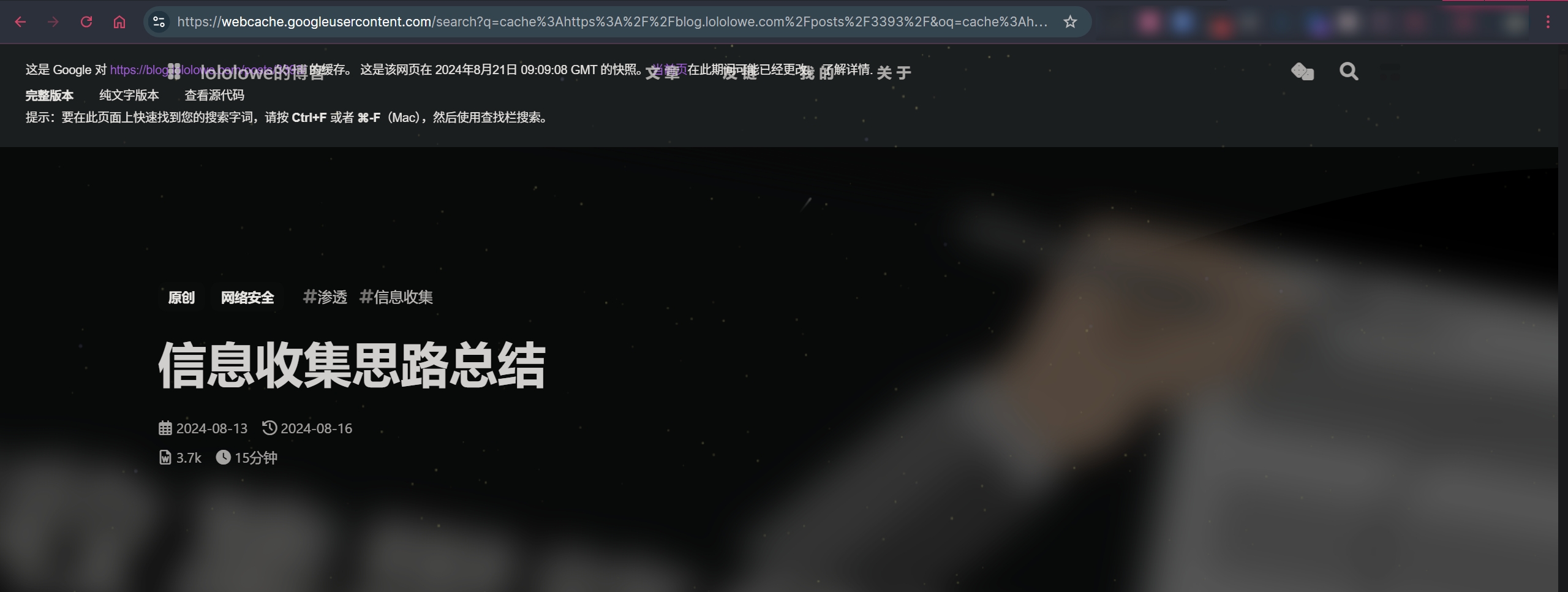
在信息收集中,搜索引擎快照通常不用来获取源服务器真实IP,而是用于绕过站点的防火墙拦截。但搜索引擎的爬虫通常不会被防火墙拦截,因此可以尝试在搜索引擎快照中搜索目标网站,从而绕过防火墙的拦截获取站点信息。
谷歌快照的使用方式是在地址栏中输入`cache:URL`进行搜索,比如搜索这篇博客就用`cache:3393/`,之后会重定向到 [https://webcache.googleusercontent.com/search?q=cache:3393/](https://webcache.googleusercontent.com/search?q=cache)
[]
如果需要获取更多的历史快照,可以用互联网档案馆:[https://web.archive.org](https://web.archive.org/)
## 8. 端口扫描
## 8.1 CLI
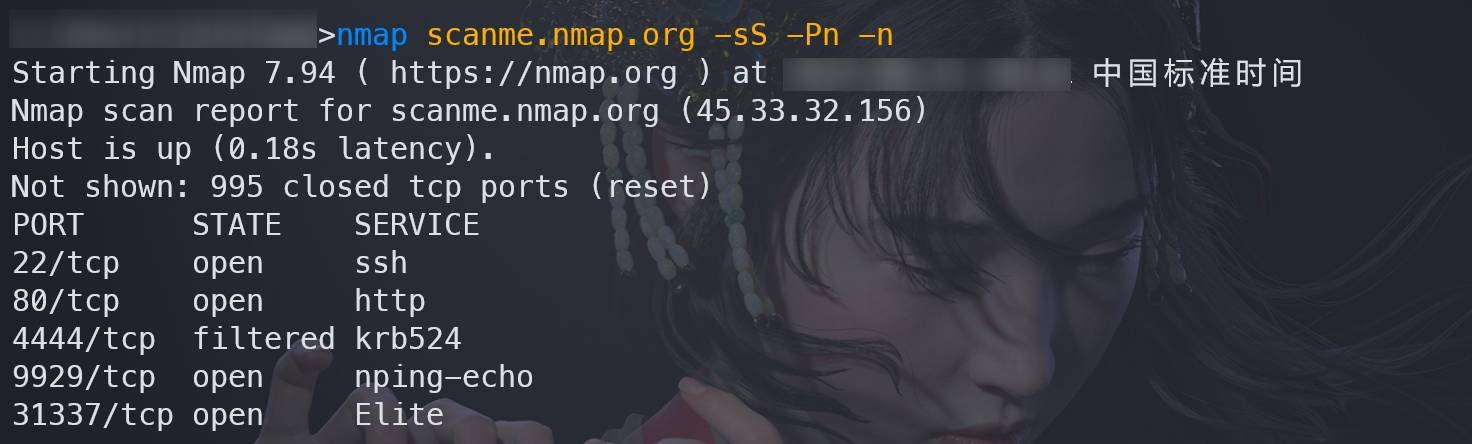
### 8.1.1 Nmap
官网:[https://nmap.org/](https://nmap.org/)
项目地址:[https://github.com/nmap/nmap](https://github.com/nmap/nmap)
特点:最有名的端扫工具,综合能力强,且支持脚本引擎扩展(NSE)功能。
Nmap的具体介绍可以看我以前写的一篇博客:e650(原博客链接已失效)
[]
### 8.1.2 Masscan
项目地址:[https://github.com/robertdavidgraham/masscan](https://github.com/robertdavidgraham/masscan)
Windows预编译版:[https://github.com/Arryboom/MasscanForWindows](https://github.com/Arryboom/MasscanForWindows)
特点:速度极快,号称5分钟可以扫完整个互联网,默认使用SYN半开扫描。适合扫描目标的B段、C段IP。
部分命令语法和Nmap兼容,可以参考Nmap的命令语法。
bash
| | |
|---|---|
|1
2
3|masscan -sL 103.21.244.0/22 > 扫描资产.txt # 将IP段写入文件
sudo masscan --source-ip 192.168.0.10 103.21.244.0/22 -p 80,443,8080,8443 -sS -Pn -n # 扫描CF的网段
sudo masscan 0.0.0.0/0 --exclude 255.255.255.255 -p 1-65535 --rate 100000 -oX scan.xml # 扫描整个互联网|
[]
### 8.1.3 RustScan
项目地址:[https://github.com/RustScan/RustScan](https://github.com/RustScan/RustScan)
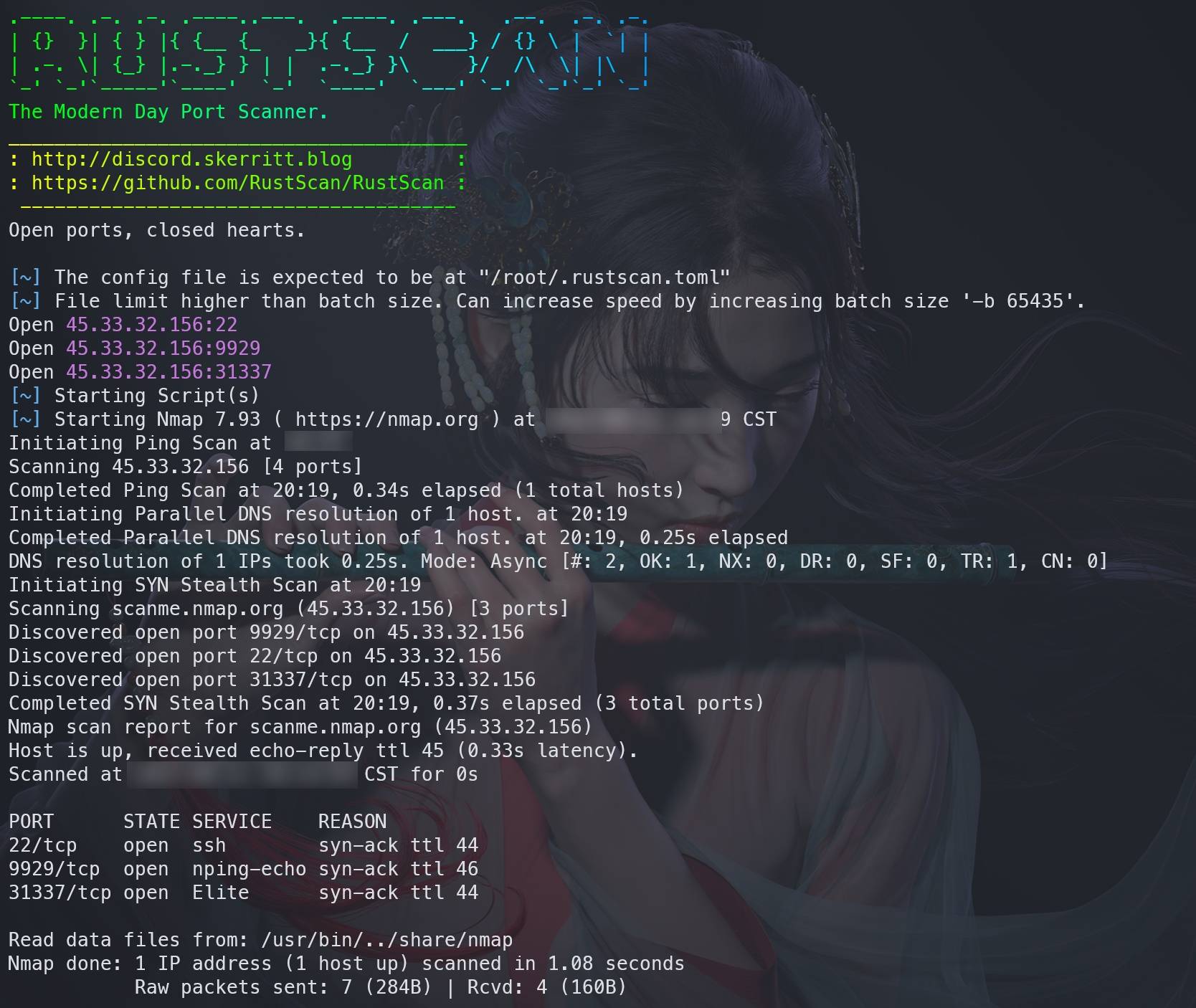
特点:号称3秒扫描完65535个端口,默认调用Nmap进行服务识别,支持脚本引擎。
自行到releases中下载不同平台的预编译二进制文件:[https://github.com/RustScan/RustScan/releases](https://github.com/RustScan/RustScan/releases)
bash
| | |
|---|---|
|1
2|rustscan -V
rustscan -a scanme.nmap.org --range 1-65535|
[]
## 8.2 GUI
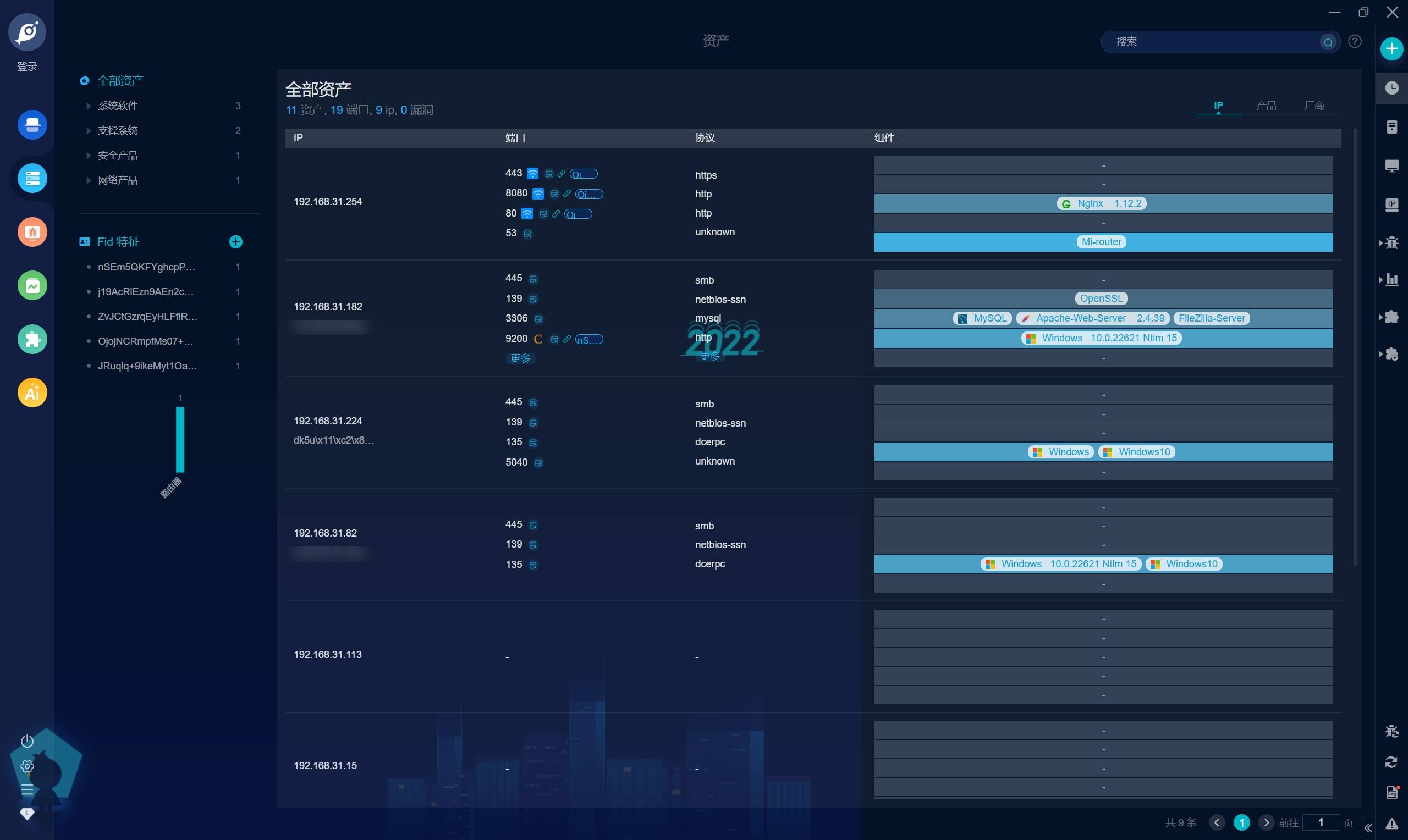
### 8.2.1 Goby
官网:[https://gobies.org/](https://gobies.org/)
[]
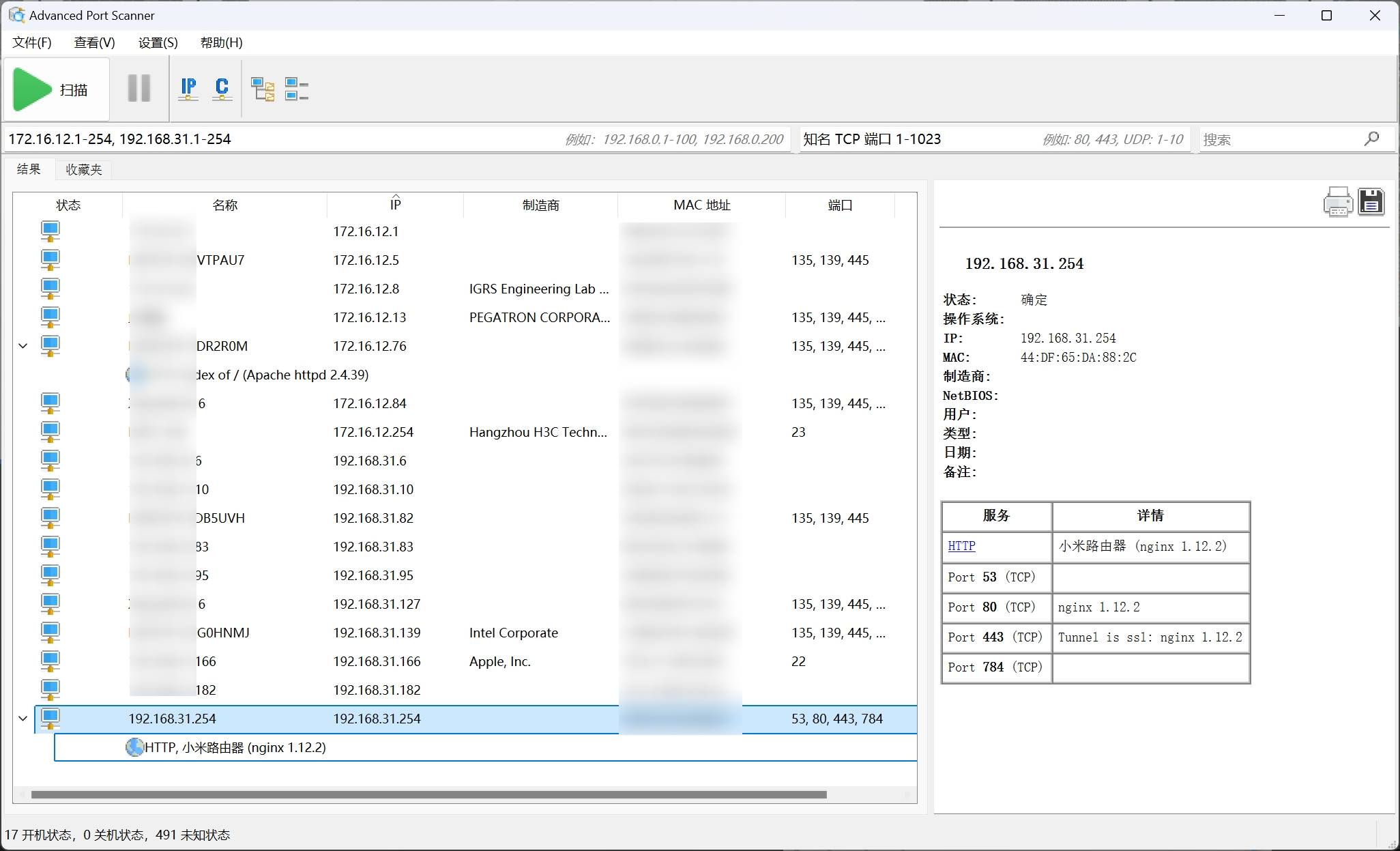
### 8.2.2 Advanced Port Scanner
官网:[https://www.advanced-port-scanner.com/cn/](https://www.advanced-port-scanner.com/cn/)
[]
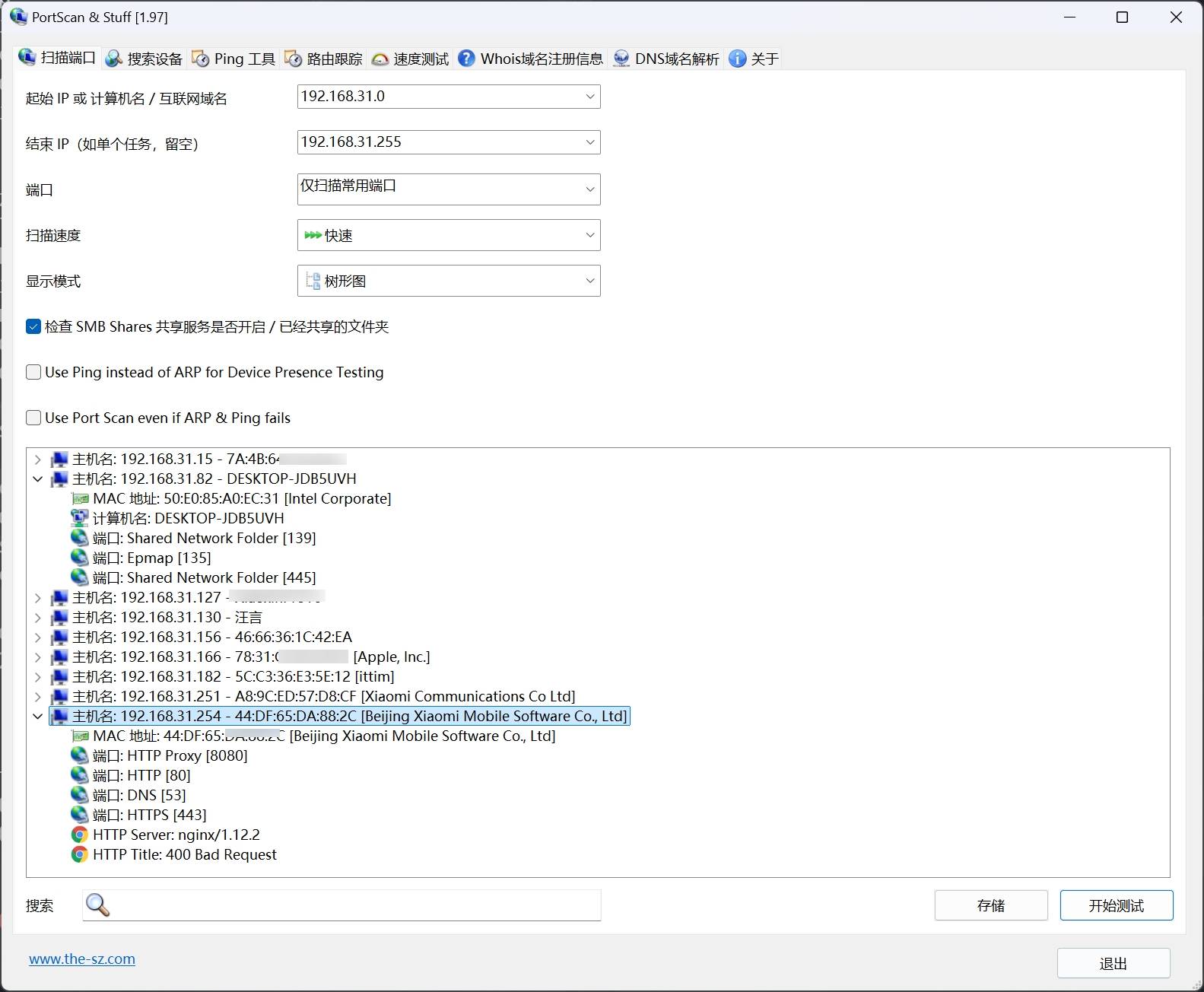
### 8.2.3 PortScan
官网:[https://the-sz.com/products/portscan/](https://the-sz.com/products/portscan/)
[]
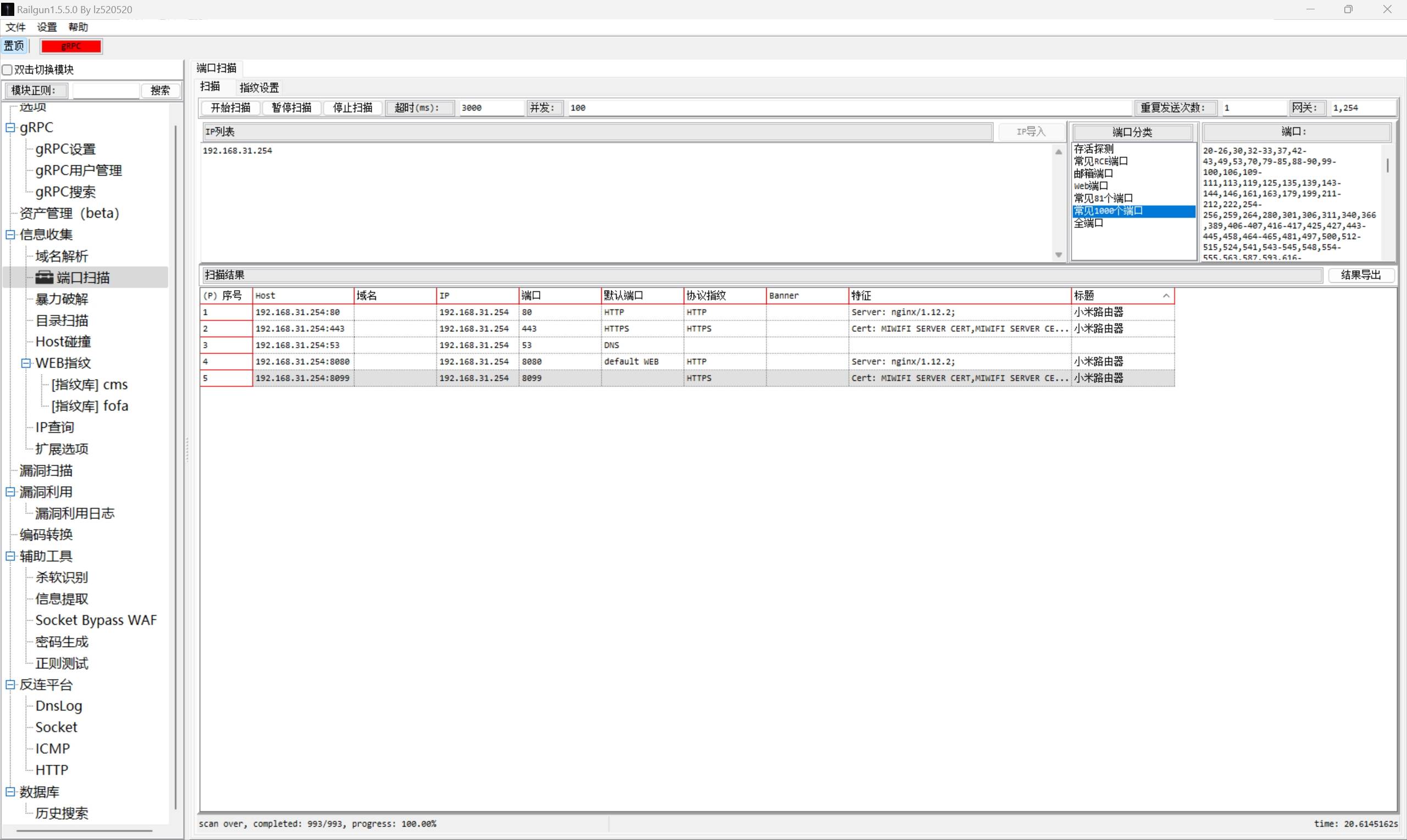
### 8.2.4 Railgun
项目地址:[https://github.com/lz520520/railgun](https://github.com/lz520520/railgun)
[]
## 9. 旁站和C段的信息收集
当主站无法入手时,可以考虑收集旁站(在同一服务器上搭建的其他网站)以及C段(同网段的另外253台主机)上的其他服务器的信息。尝试寻找旁站上的Web漏洞,或者利用C段内其他服务器作为跳板,对目标服务器发起攻击。
## 9.1 旁站
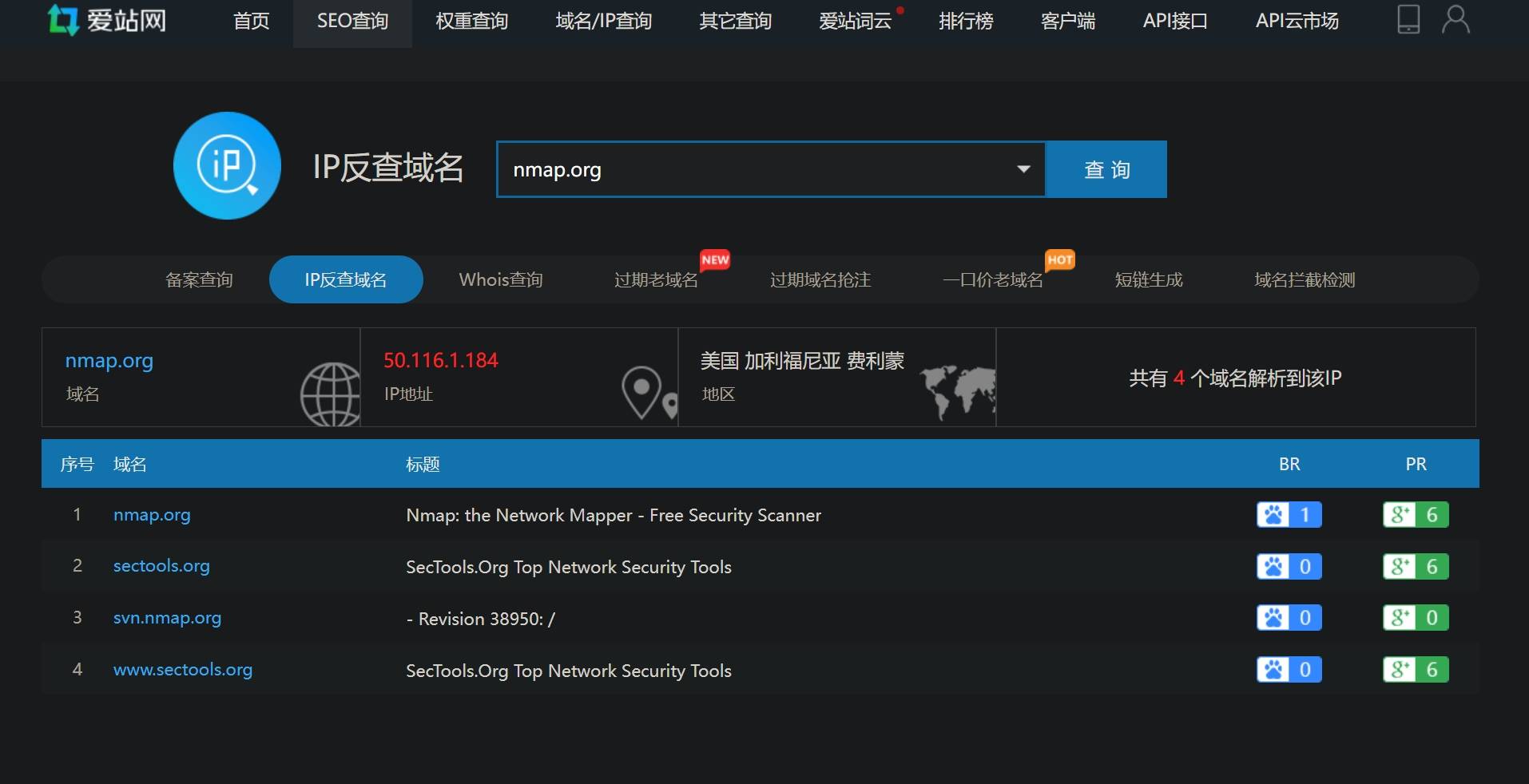
获取旁站需要通过主站的IP地址去反查解析到该IP的域名,因此需要先获取主站的IP地址。获取主站IP地址以及绕过CDN的方法上文已经介绍过,此处不再赘述。
常用的获取旁站的方法有下面几个:
使用爱站网的IP反查域名功能:[https://dns.aizhan.com/](https://dns.aizhan.com/)
[]
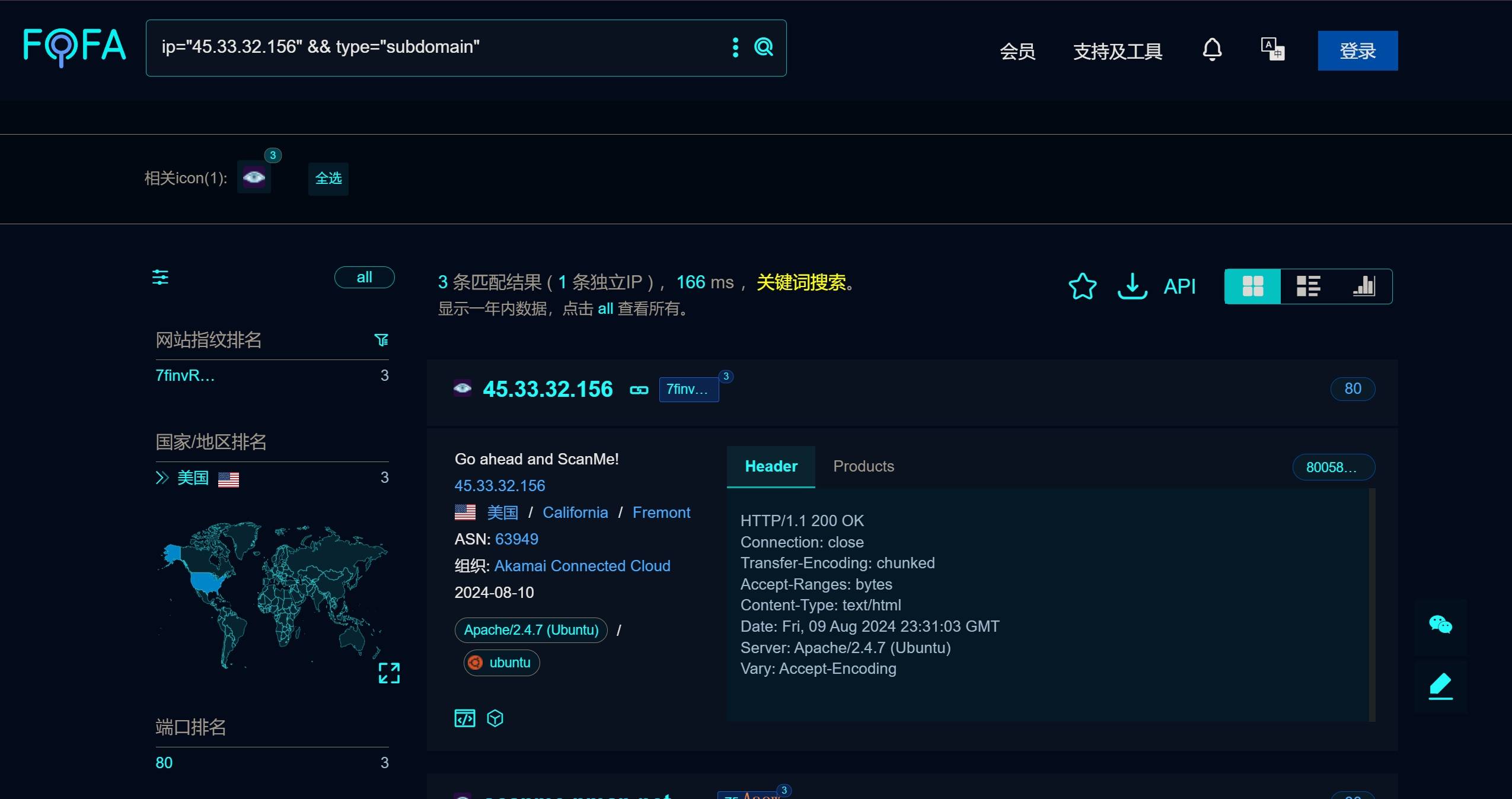
使用[Fofa](https://fofa.info/)的IP关联子域名搜索语法:`ip="45.33.32.156" && type="subdomain"`
[]
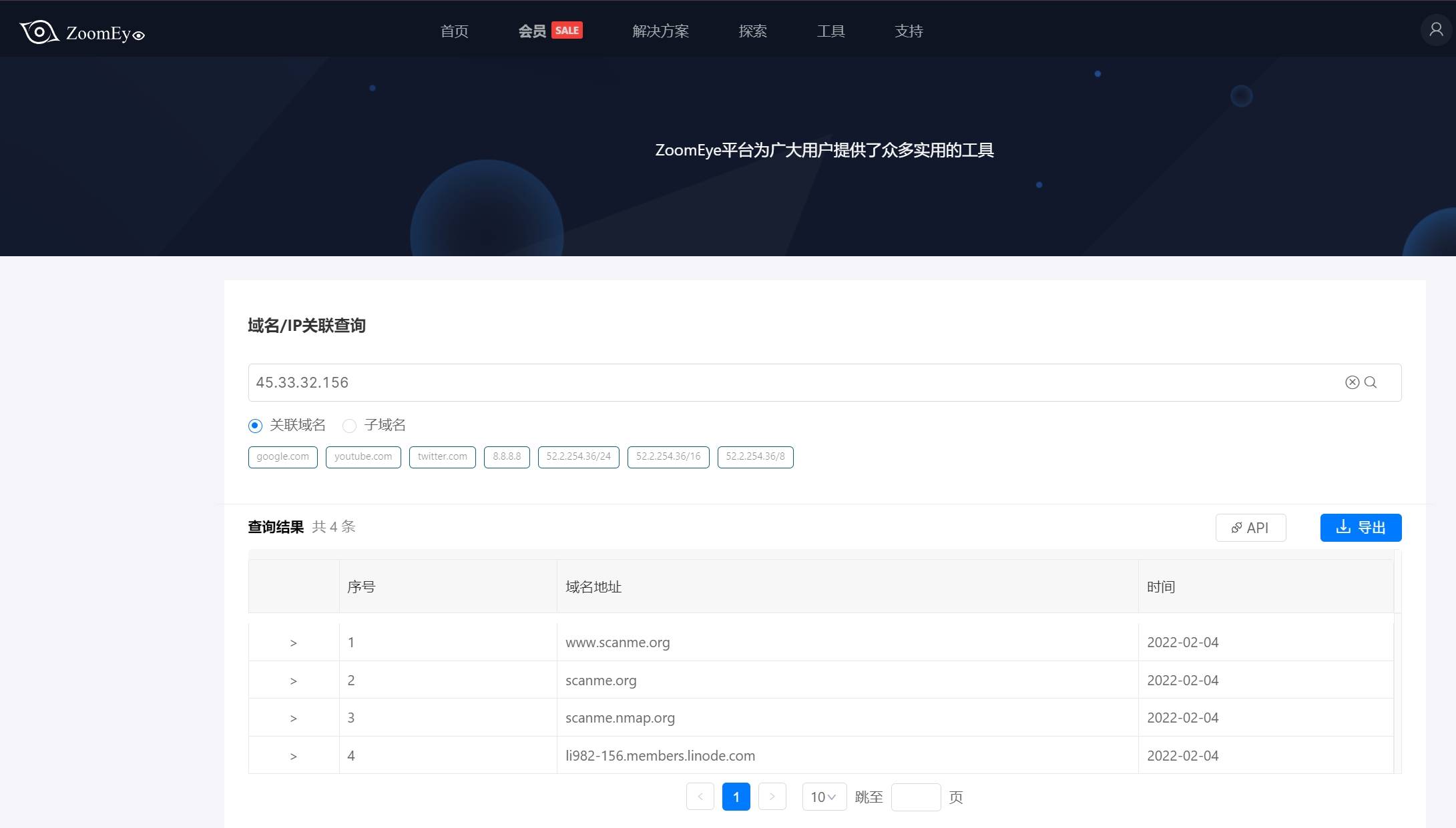
使用钟馗之眼的[域名/IP关联工具](https://www.zoomeye.org/toolbar/domain)(需登录):
[]
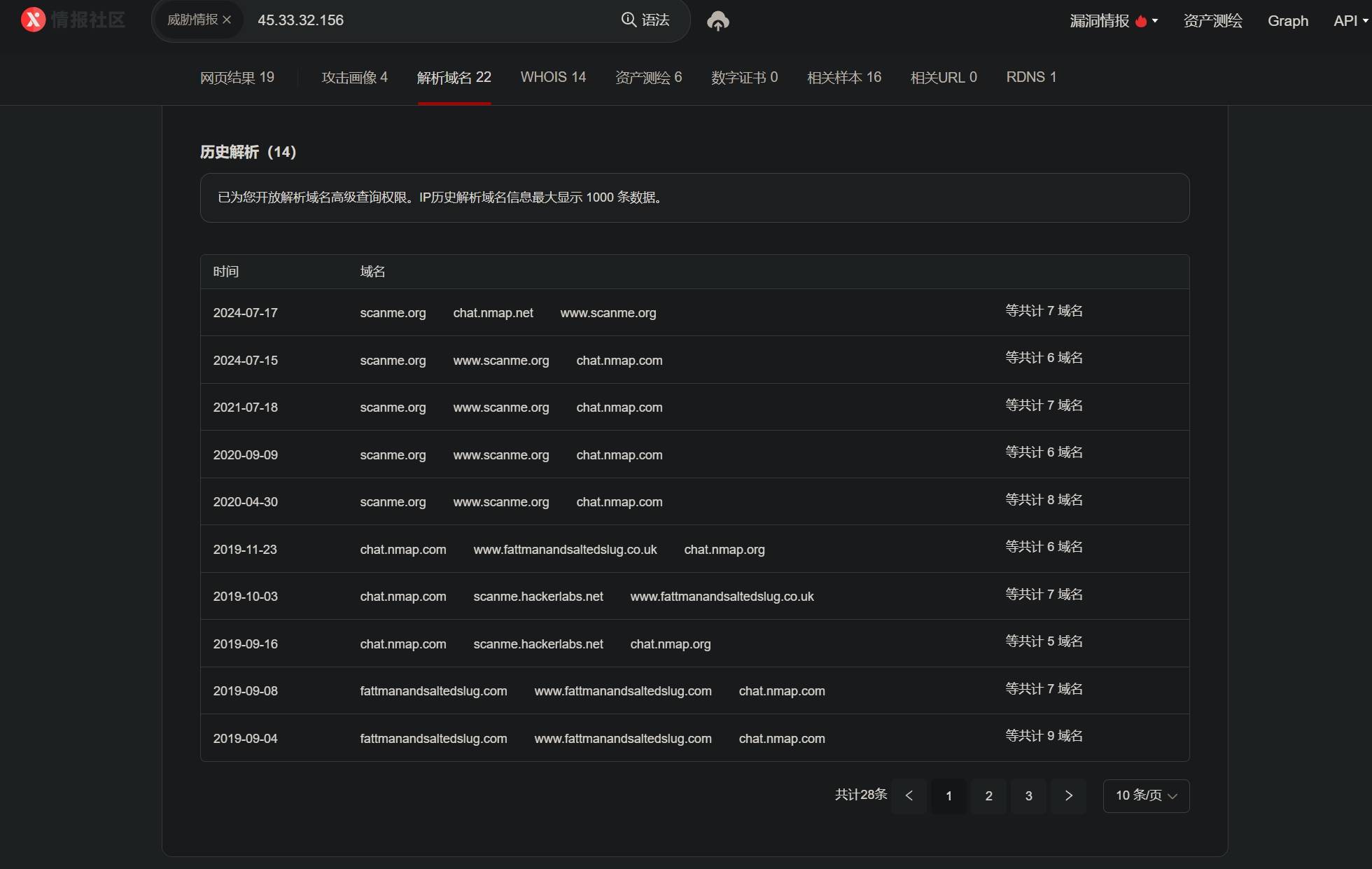
使用[微步在线]()获取域名解析到该IP的记录:
[]
## 9.2 C段
内网C段信息收集需要先判断C段中存活的主机,然后再从存活主机中筛选出运行了http服务的主机,可以用Nmap、RustScan等工具实现:
bash
| | |
|---|---|
|1
2|nmap -p 80,443,8080,8443 --script http-title,http-server-header 192.168.31.0/24
rustscan -a 192.168.31.0/24 -p 80,443,8080,8443 -- -sV --script http-title,http-server-header|
外网的C段信息可以利用前面介绍的网络空间资产测绘平台进行收集:
[Fofa](https://fofa.info/result?qbase64=cHJvdG9jb2w9Imh0dHAiICYmIGlwPSIxLjEuMS4xLzI0Ig==): `protocol="http" && ip="1.1.1.1/24"`
[钟馗之眼](https://www.zoomeye.org/searchResult?q=service:%22http%22%20&&%20%20cidr:1.1.1.1/24):`service:"http" && cidr:1.1.1.1/24`
[微步在线](https://x.threatbook.com/v5/survey?q=ip=%221.1.1.1/24%22&&protocol=%22http%22):`ip="1.1.1.1/24" && protocol="http"`
[Shodan](https://www.shodan.io/search?query=ip:1.1.1.1/24): `ip:1.1.1.1/24`
## 10. 社工信息
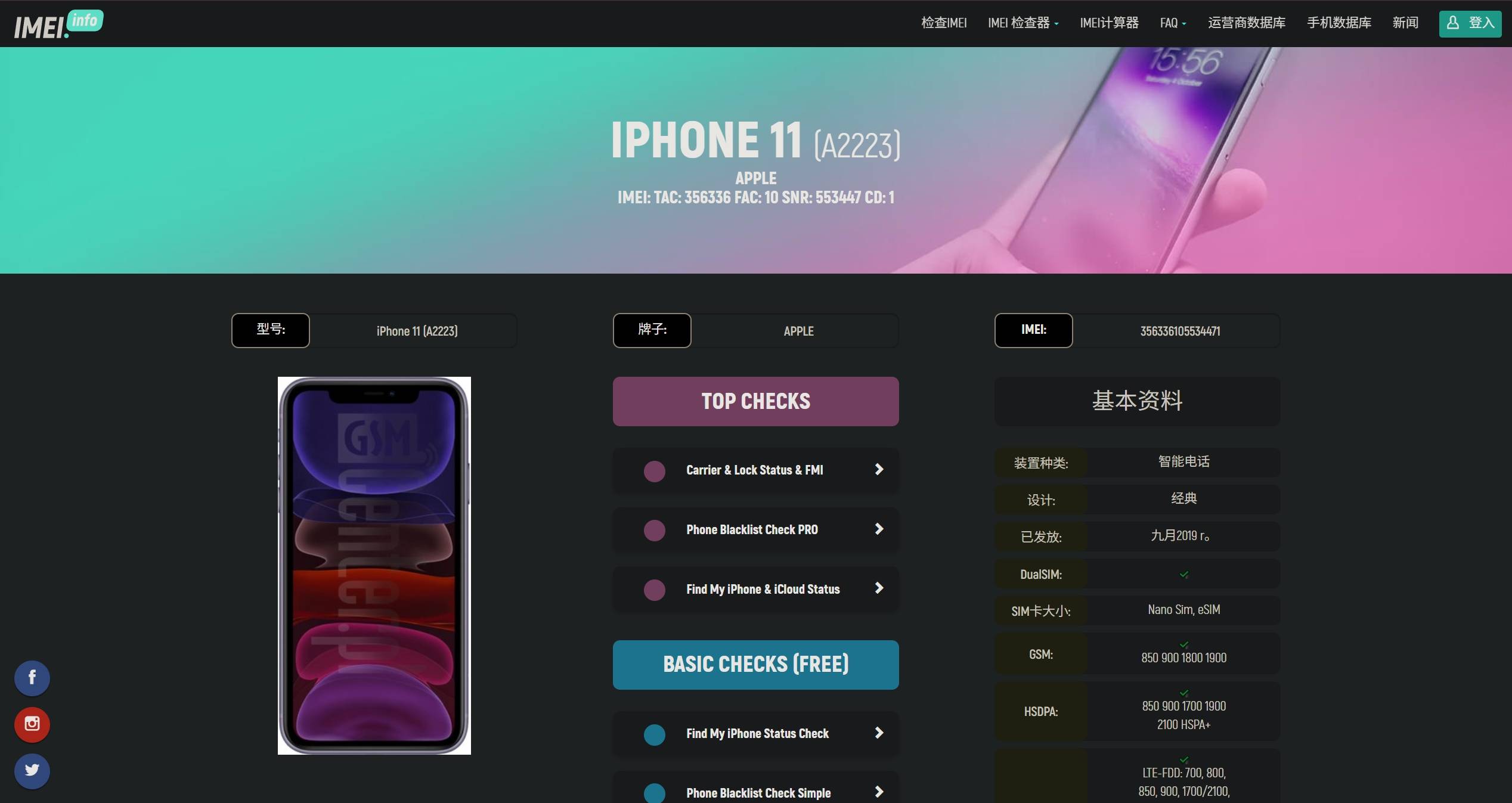
## 10.1 IMEI查询
[https://www.imei.info/zh/](https://www.imei.info/zh/)
[https://imeicheck.com/cn/imei-check](https://imeicheck.com/cn/imei-check)
[]
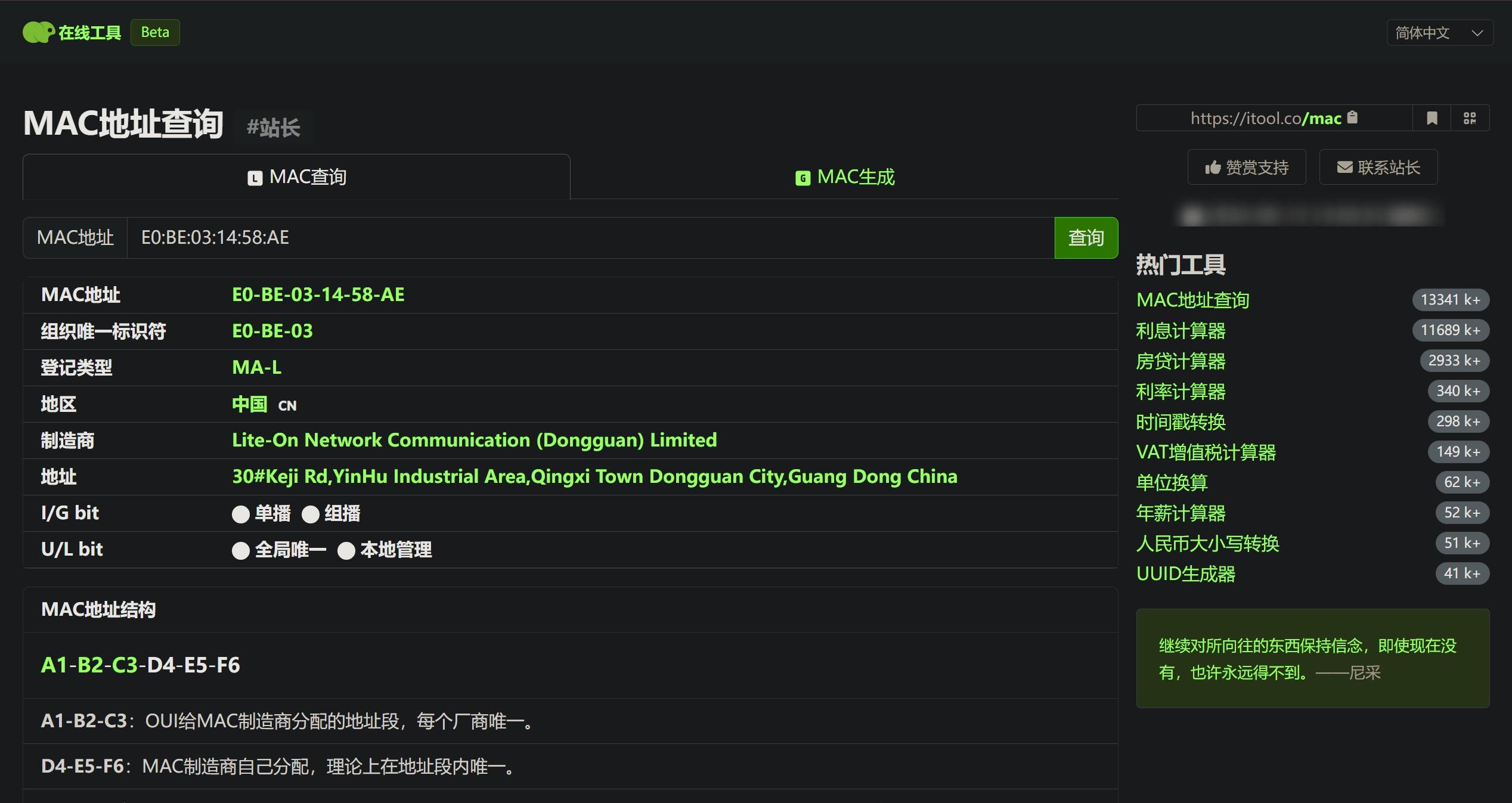
## 10.2 MAC地址查询
[https://itool.co/mac](https://itool.co/mac)
[https://toolwa.com/mac/](https://toolwa.com/mac/)
[https://mac.bmcx.com/](https://mac.bmcx.com/)
[]
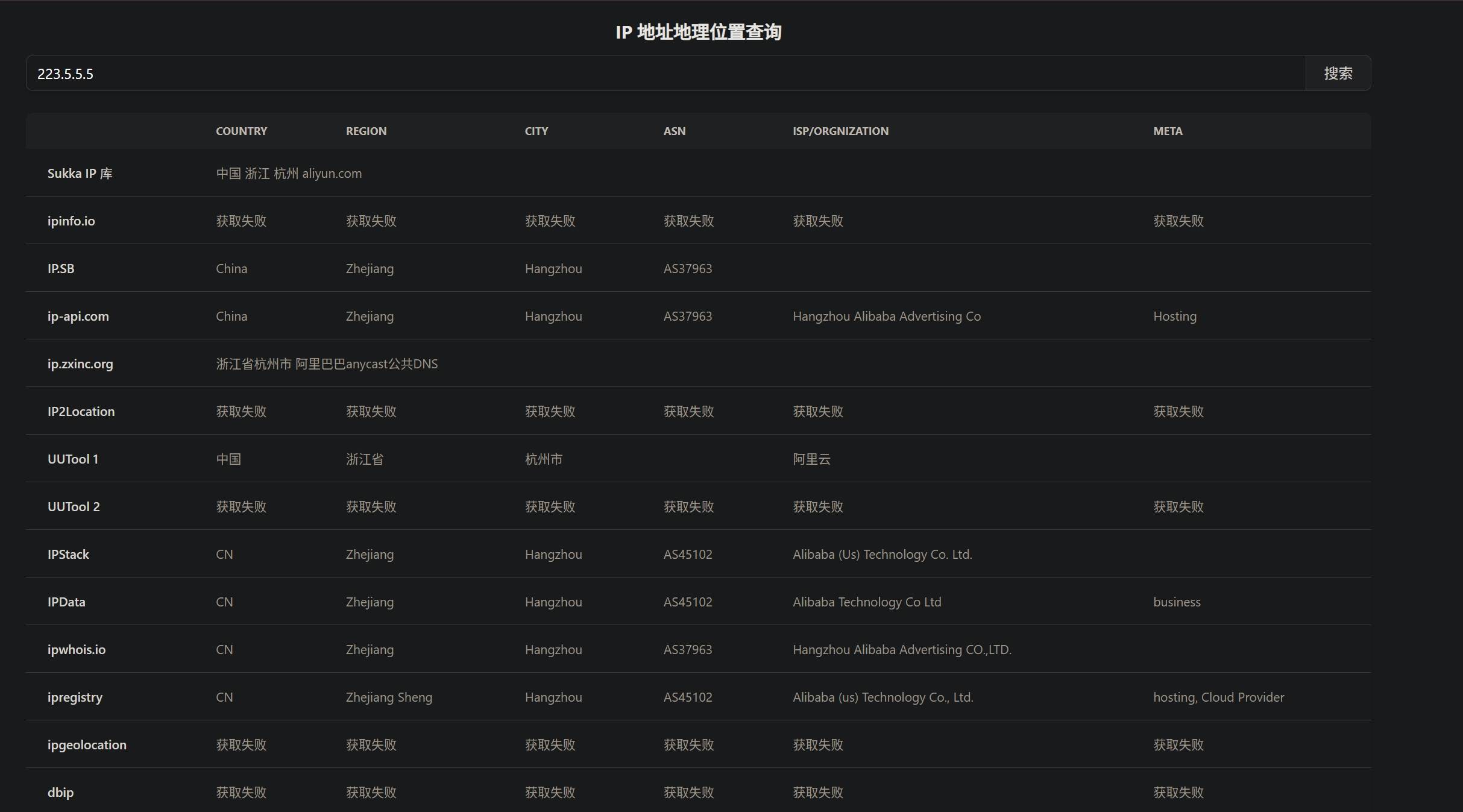
## 10.3 IP归属地查询
IPIP(定位精准):[https://www.ipip.net/ip.html](https://www.ipip.net/ip.html)
纯真网络:[https://cz88.net/](https://cz88.net/)
埃文科技:[https://www.ipplus360.com/](https://www.ipplus360.com/)
iplark(聚合搜索): [https://iplark.com/](https://iplark.com/)
Sukka(聚合搜索):[https://ip.skk.moe/query](https://ip.skk.moe/query)
PING0: [https://ping0.cc/ip/](https://ping0.cc/ip/)
[]
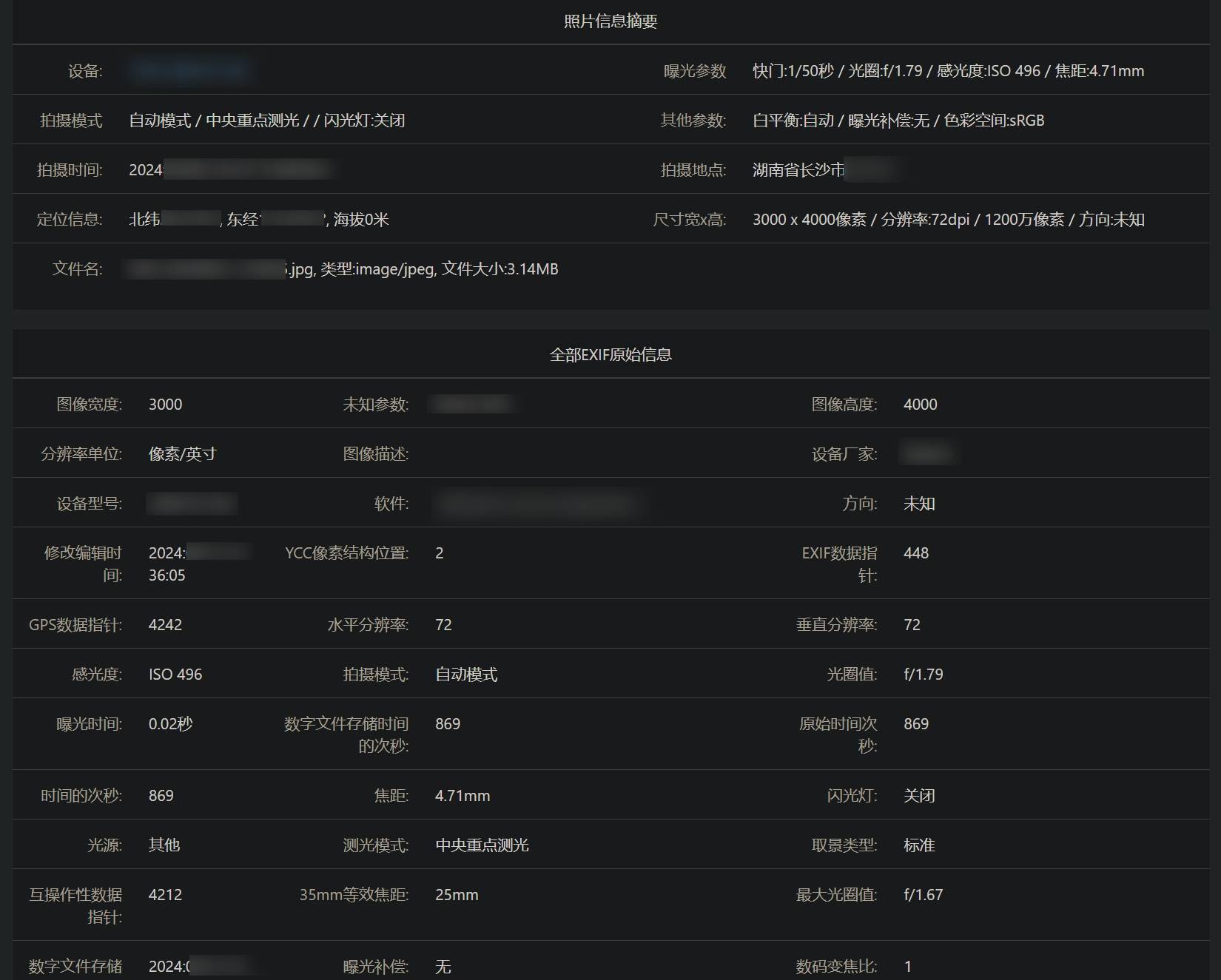
## 10.4 Exif元数据
改图宝(前端分析):[https://www.gaitubao.com/exif](https://www.gaitubao.com/exif)
21zui(前端分析):[https://www.21zui.com/exif.html](https://www.21zui.com/exif.html)
exif.top(后端分析):[https://exif.top/](https://exif.top/)
[]
Windows文件属性:右键文件 -> 属性 -> 详细信息
[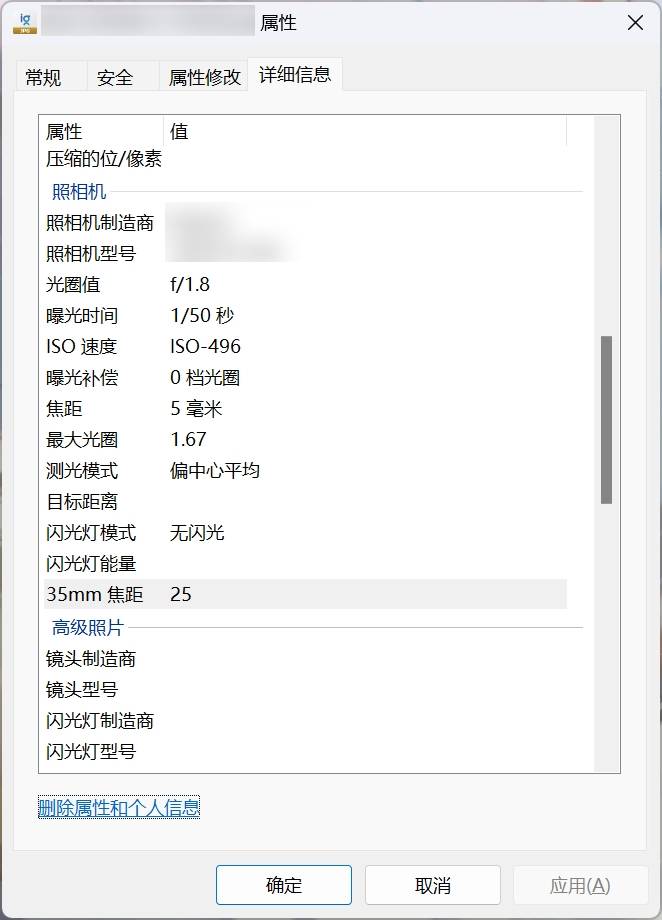]
> 主要关注拍摄时间、相机型号、GPS坐标等信息。
## 10.5 从图片推理位置
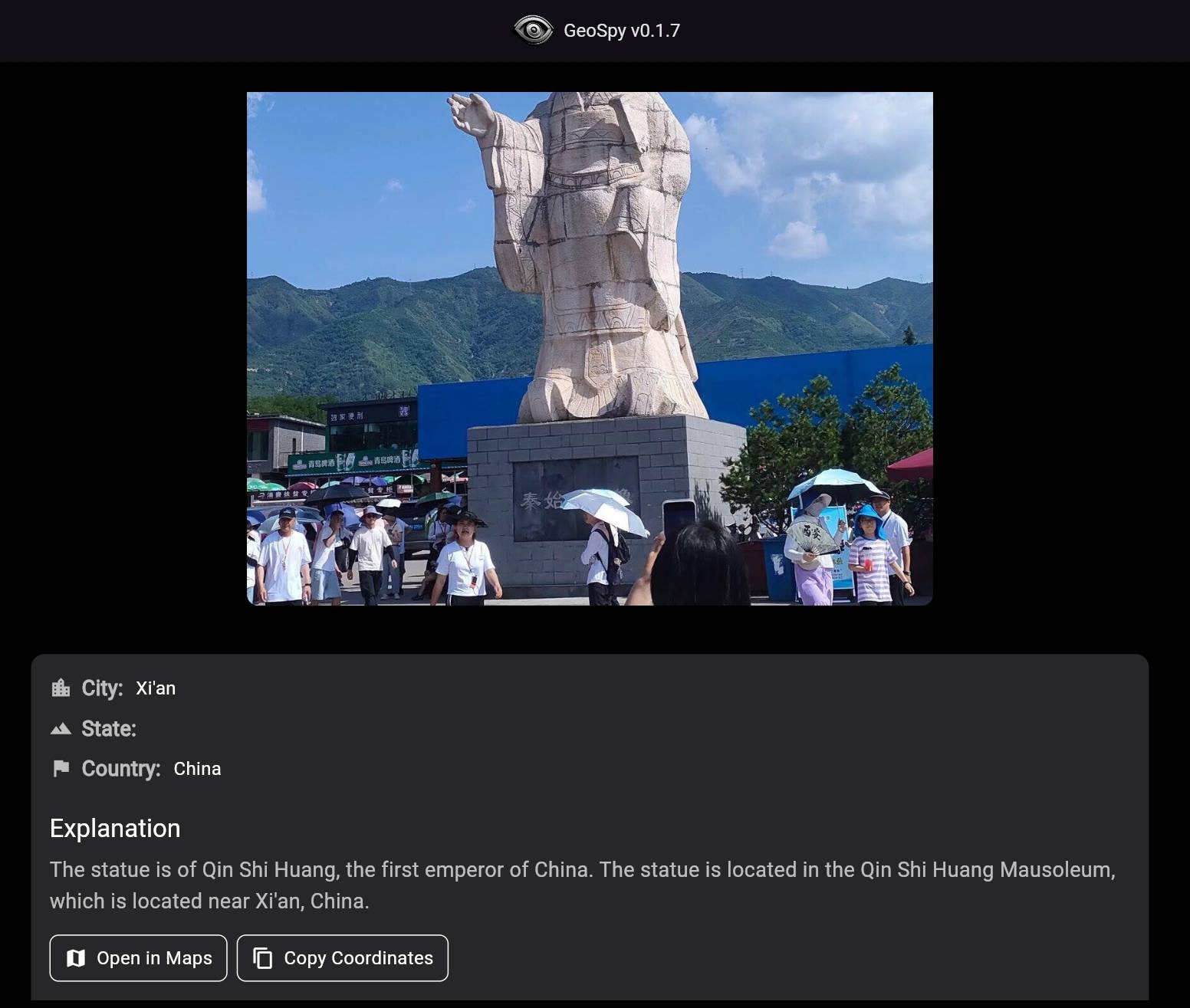
GeoSpy:[https://geospy.ai/](https://geospy.ai/)
[]
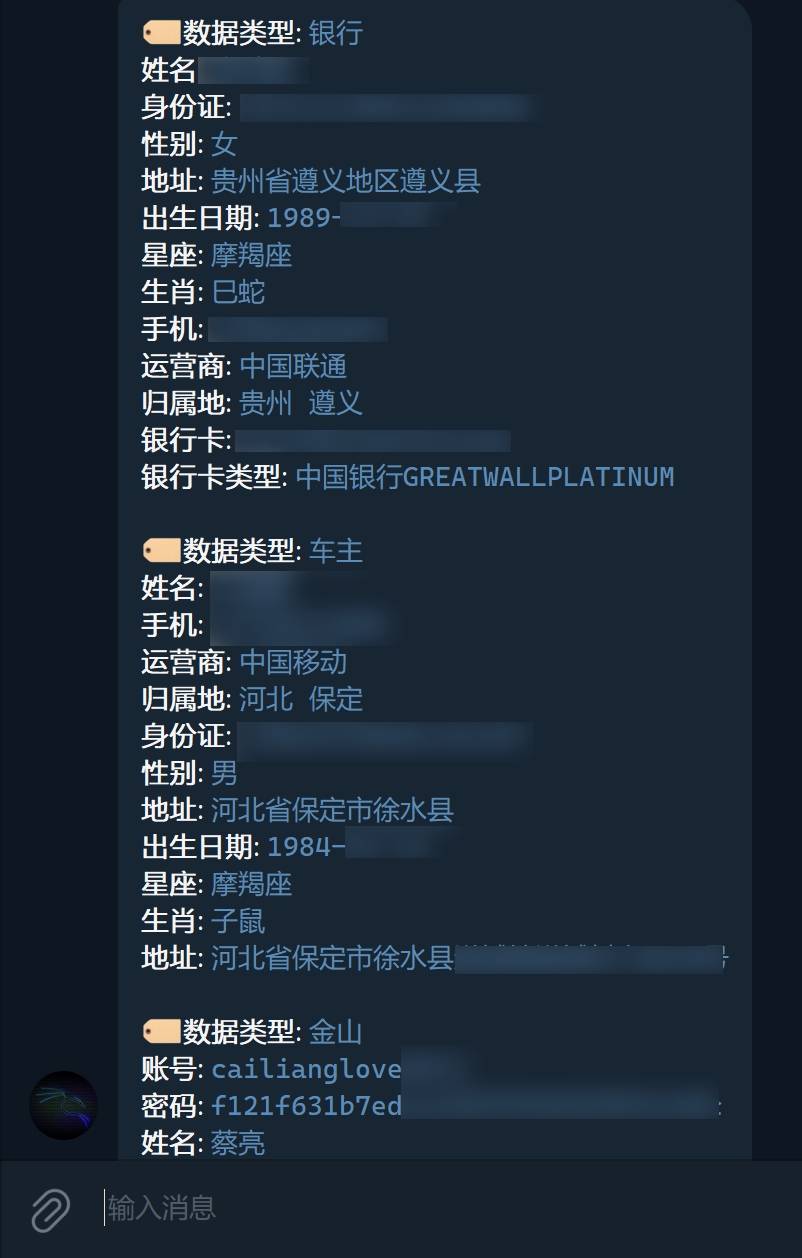
## 10.6 TG_Bot
[https://www.google.com/search?q=inurl%3At.me+intitle%3A%E7%A4%BE%E5%B7%A5%E5%BA%93&oq=inurl%3At.me+intitle%3A%E7%A4%BE%E5%B7%A5%E5%BA%93&gs_lcrp=EgZjaHJvbWUyBggAEEUYOTIGCAEQRRg60gEHOTM3ajBqOagCALACAQ&sourceid=chrome&ie=UTF-8](https://www.google.com/search?q=inurl:t.me+intitle:%E7%A4%BE%E5%B7%A5%E5%BA%93&oq=inurl:t.me+intitle:%E7%A4%BE%E5%B7%A5%E5%BA%93&gs_lcrp=EgZjaHJvbWUyBggAEEUYOTIGCAEQRRg60gEHOTM3ajBqOagCALACAQ&sourceid=chrome&ie=UTF-8)
[]
## 10.7 泄露数据查询
qq8e: 自行寻找
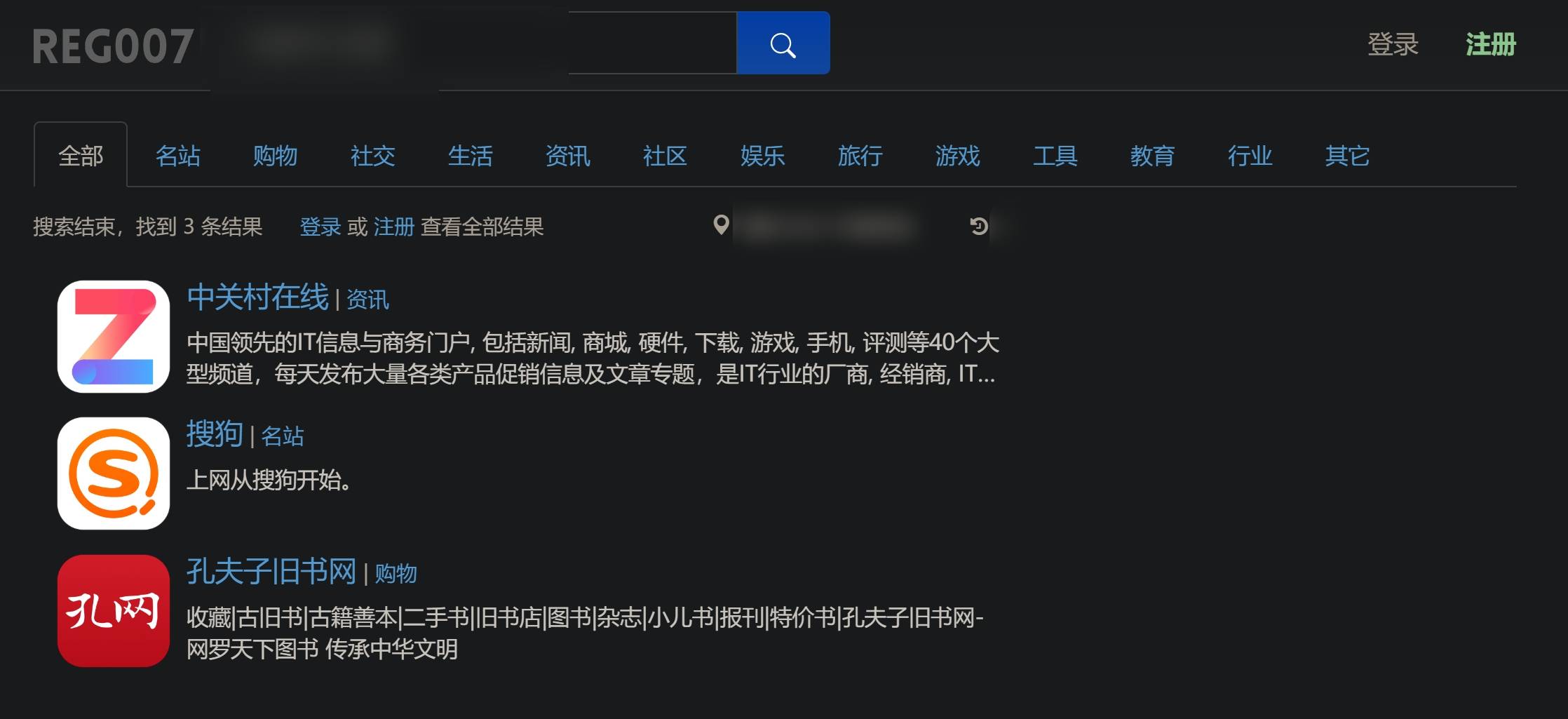
REG007(查对方注册过哪些网站): [https://www.reg007.com/](https://www.reg007.com/)
被黑过的网站查询:[https://haveibeenpwned.com/PwnedWebsites](https://haveibeenpwned.com/PwnedWebsites)
卡巴斯基密码泄露查询:[https://password.kaspersky.com/ch/](https://password.kaspersky.com/ch/)
邮件地址泄露查询:[https://www.hotsheet.com/inoitsu/](https://www.hotsheet.com/inoitsu/)
Mozilla Monitor:[https://monitor.mozilla.org/](https://monitor.mozilla.org/)
PasswordSecurity.info泄露密码查询:[https://passwordsecurity.info/](https://passwordsecurity.info/)
[]
## 10.8 企业信息查询
企查查:[https://www.qcc.com/](https://www.qcc.com/)
天眼查:[https://www.tianyancha.com/](https://www.tianyancha.com/)
百度爱企查:[https://aiqicha.baidu.com/](https://aiqicha.baidu.com/)
阿里云企业信息查询:[https://market.aliyun.com/qidian/home](https://market.aliyun.com/qidian/home)
[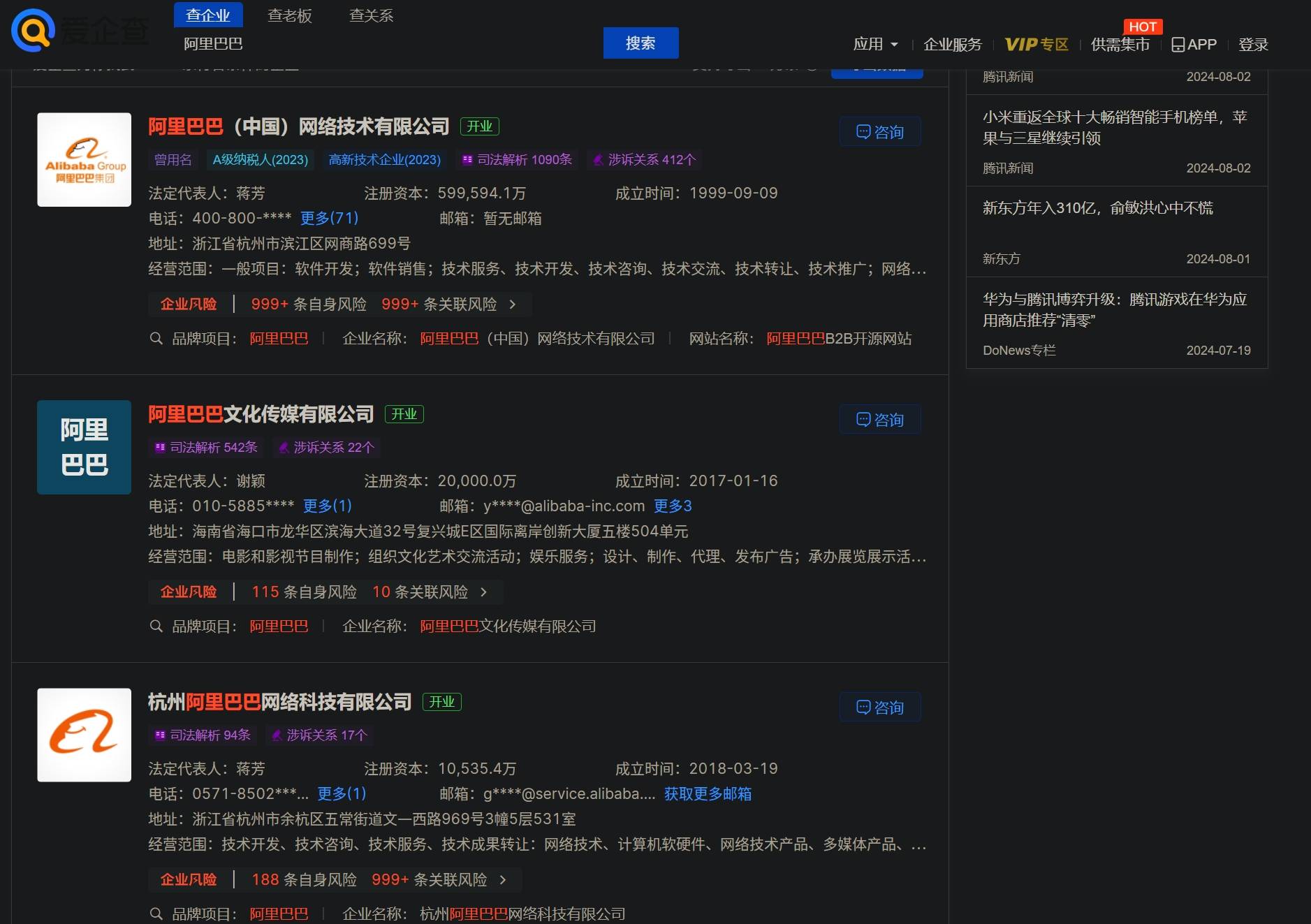]
> 以上站点的主要数据来源:国家企业信用信息公示系统、信用中国、中国裁判文书网、中国执行信息公开网、国家知识产权局、商标局、版权局、民政部
## 10.9 身份证校验
包头市公安局综合服务平台:[https://gaj.baotou.gov.cn/query/idcard](https://gaj.baotou.gov.cn/query/idcard)
[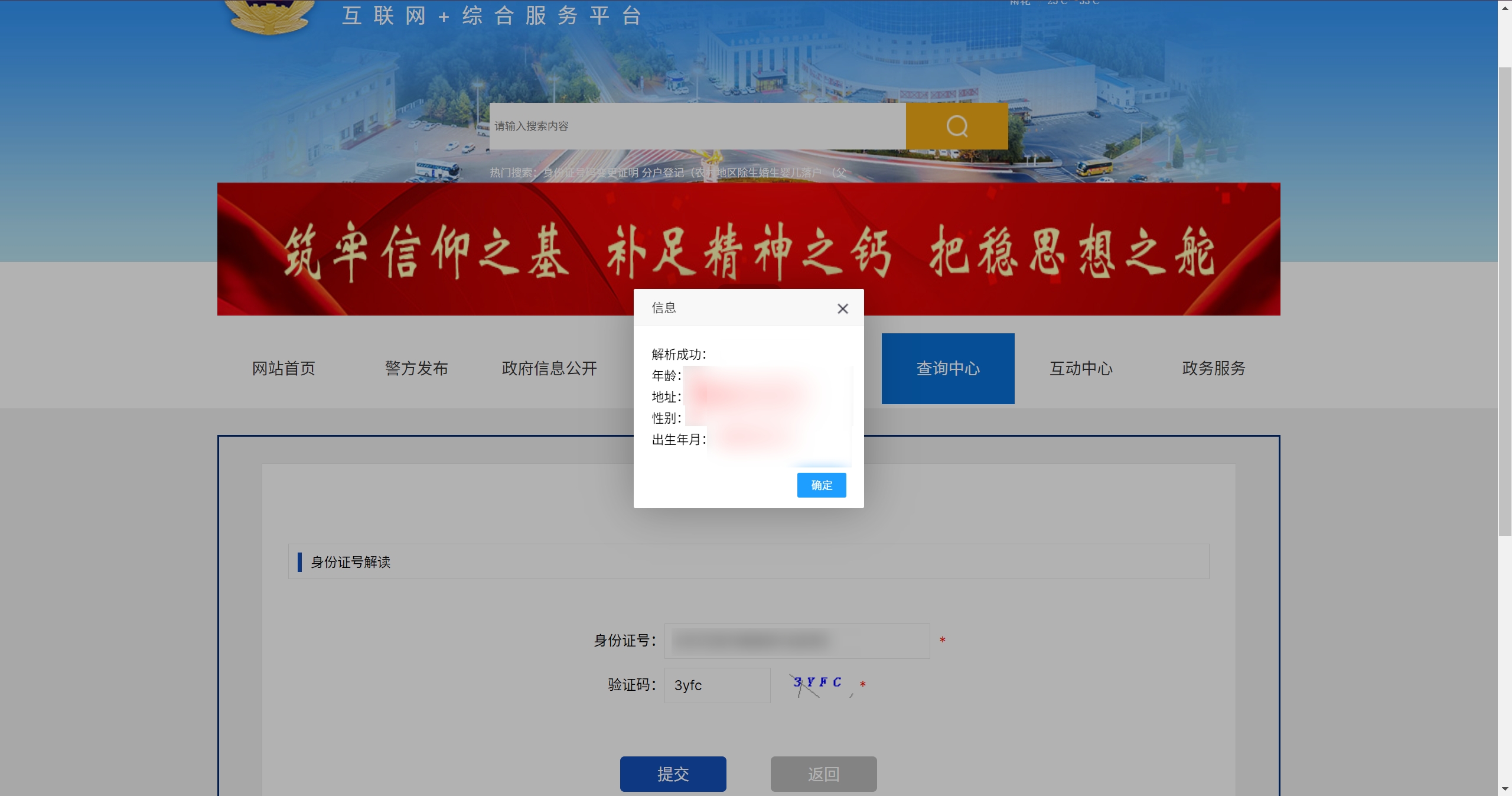]
支付宝转账:
[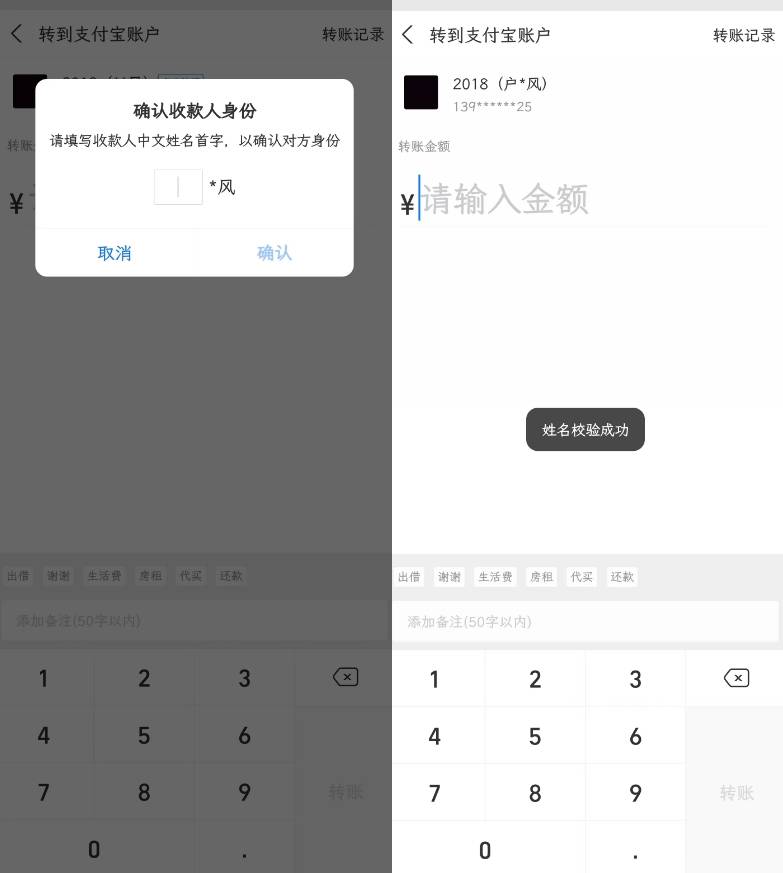]
12306添加乘车人:
[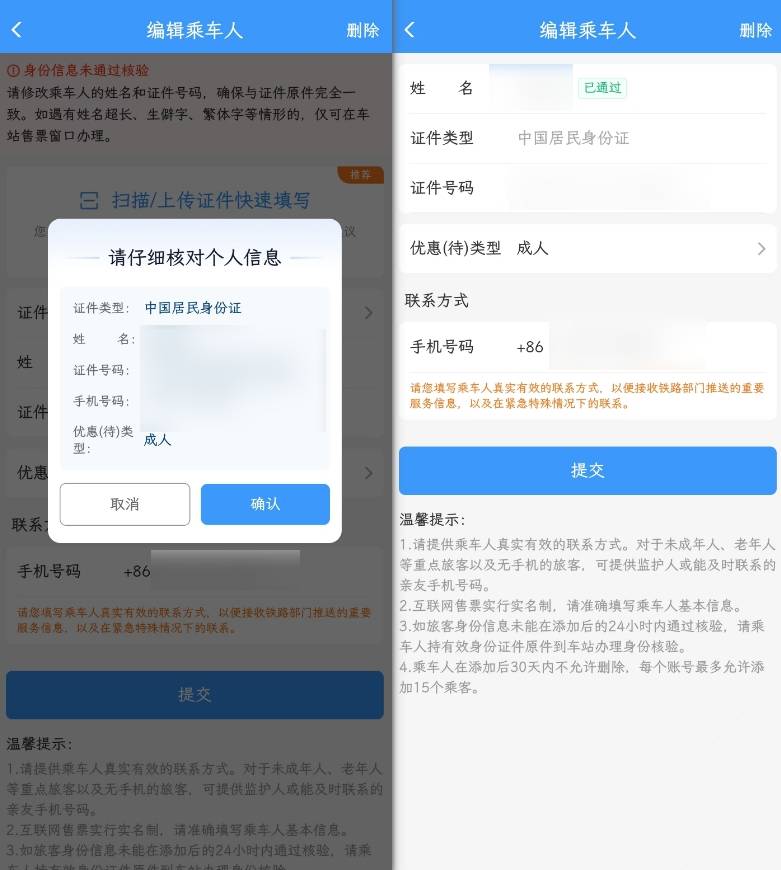]
## 10.10 经纬坐标查询
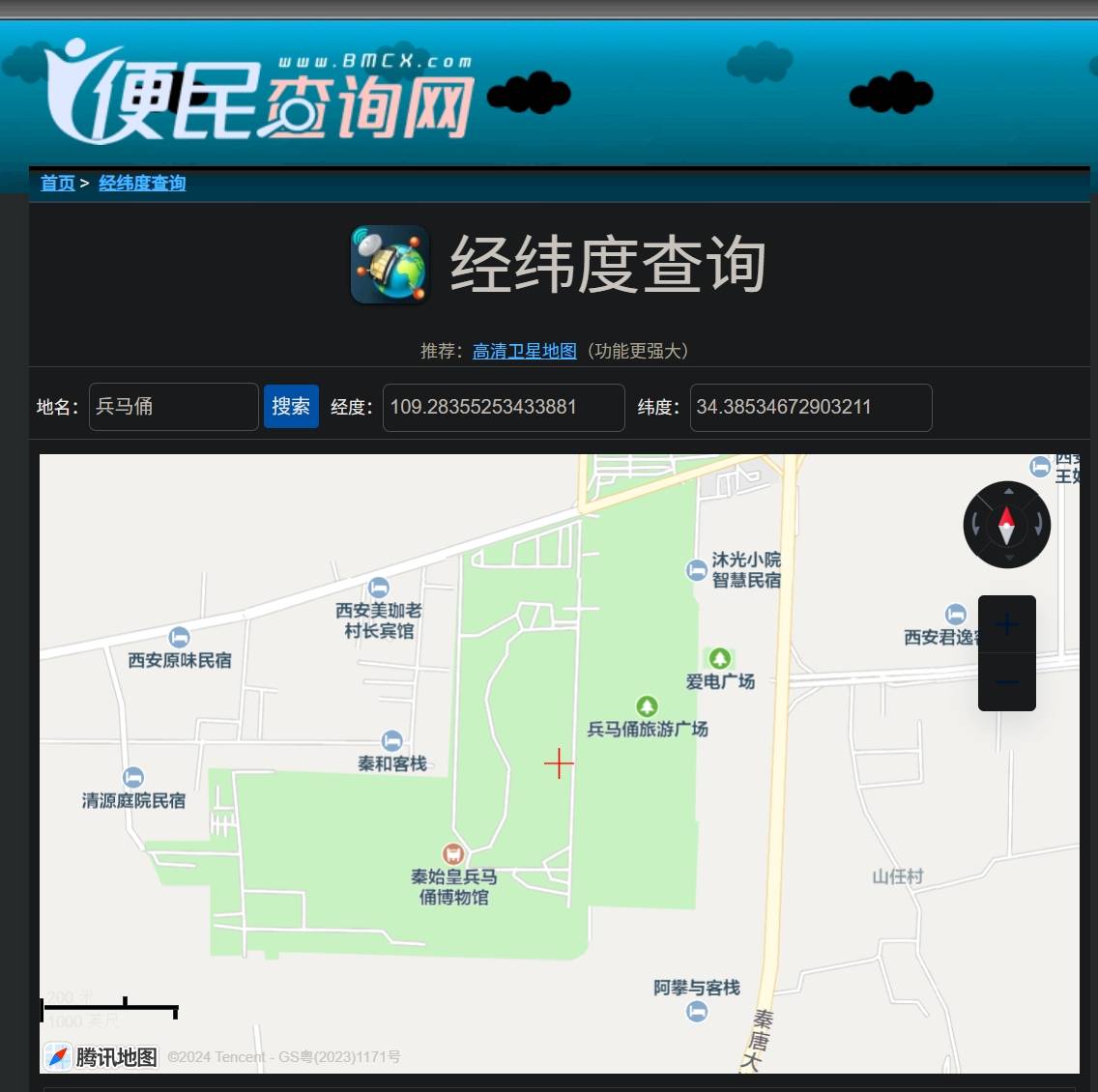
便民查询网[https://map.yanue.net/](https://map.yanue.net/)
批量经纬度查询:[https://jingweidu.bmcx.com/](https://jingweidu.bmcx.com/)
百度经纬度查询:[https://lbsyun.baidu.com/jsdemo/demo/yLngLatLocation.htm](https://lbsyun.baidu.com/jsdemo/demo/yLngLatLocation.htm)
高德坐标拾取器:[https://lbs.amap.com/tools/picker](https://lbs.amap.com/tools/picker)
[]